



Network Installation and Structured Wiring Services in Oakville
For premium builds in Oakville, SetupTeam executes discreet smart-home network installations and structured wiring. We believe technology should be felt, not seen. Our technicians install a robust low-voltage skeleton—incorporating wiring for automated drapery, architectural speakers, and perimeter security—long before the paint goes on. We hand over a fully certified infrastructure that makes adding advanced automation to your Oakville home simple.
Central Rack & Patch Panel Setup
A clean central termination is what makes expansion realistic. We build an organized rack or structured panel so switching, patching, and growth stay straightforward—especially when you later add cameras, access points, additional AV zones, or smart home hardware.
Wired Access Point for Better Wi-Fi
Instead of relying on extenders, we plan access point locations based on real coverage needs across floors and usage areas. As a result, UniFi access points (or Eero layouts, where appropriate) can operate with wired backhaul, so Wi-Fi stays consistent in basements, offices, and far rooms.
Structured Network Cabling (Cat6/Cat6A)
In Oakville homes and offices, hardwired endpoints keep high-demand devices stable. We run Cat6/Cat6A to home offices, TV zones, equipment locations, and key rooms so your network backbone supports modern usage and staged upgrades. Also, we plan runs with standard structured-cabling channel limits in mind to keep performance predictable.
Cameras, Doorbell & Security Wiring
For cleaner installs, we pre-wire camera and doorbell/intercom locations before walls close whenever possible. Meanwhile, we can plan drops that suit UniFi Protect camera deployments or Hikvision-style wiring layouts (where applicable), keeping the infrastructure serviceable when you expand coverage later.
Video Distribution
For media rooms, living areas, and commercial display zones, we run Cat6 to TV locations and include video-ready pathways to keep centralized sources flexible. Therefore, upgrades don’t require you to open finished walls.
Audio distribution
We run 14/2 or 16/2 speaker wire to planned in-ceiling/in-wall zones, and in some cases, add Cat6 to control locations for future flexibility. In addition, as a Sonos Gold Dealer, we can plan a Sonos-ready layout that supports reliable multi-room audio without visible wiring later.
Low-Voltage Wiring Design for New Builds & Renovations
If walls are open during a build or renovation, structural wiring and network installation should happen before finishes go in. First, we map each endpoint by use—TV zones, office locations, access points, cameras, audio zones, and smart-home devices. Then we rough-in the low-voltage cabling with a clear central termination plan. Finally, we verify each run before the equipment goes live, so the setup stays clean, reliable, and easy to expand later.
- Cabling planned around actual TV, audio, network, and POS/device locations
- All home-run lines brought to a clean central rack or panel with room to grow
- Every run labelled and tested for speed, PoE, and reliability before handover
- Conduit and spare Cat6 paths reserved for future AV, security, Sonos, and Control4 upgrades
Better Streaming and Gaming Performance in Oakville
Hardwiring the heavy-use devices in your Oakville home—4K TVs, streaming boxes, gaming PCs, and consoles—takes the most significant load off Wi-Fi. As a result, streams stay smooth, games see fewer latency spikes, and downloads complete faster. At the same time, access points use a wired backhaul rather than “repeating” a weak signal to provide strong coverage. Altogether, the network stays stable in the evenings when everyone is online at once.
Commercial Cabling for Offices, Clinics, and Showrooms
Oakville businesses often need predictable connectivity for staff devices, POS, VoIP, and security—plus dependable meeting spaces. Therefore, we wire stable data drops, plan PoE where needed for access points and cameras, and keep the infrastructure serviceable for ongoing changes. In addition, we support meeting-space connectivity for video conferencing, including Zoom Rooms and Microsoft Teams Rooms, where the room design calls for it.
Building a Robust Network Backbone for Smart Homes
A reliable system starts with solid infrastructure—proper switching (including PoE where it makes sense), well-planned access point locations, and a rack that’s easy to service. We size PoE budgets for cameras, access points, touchscreens, and other devices, and choose switches and cabling that match actual power and bandwidth requirements rather than guessing. That keeps everything from streaming gear to Sonos endpoints running consistently, even as usage grows.
As a Control4 dealer, we also design low-voltage systems with automation in mind: clean routes for doorbells and intercoms, keypads, motorized shades, and future controllers. Because the backbone is structured and labelled, you can add new Control4 or AV devices later without redoing the core wiring.
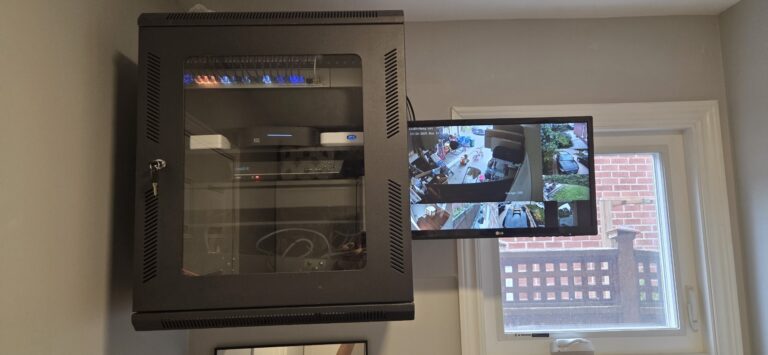
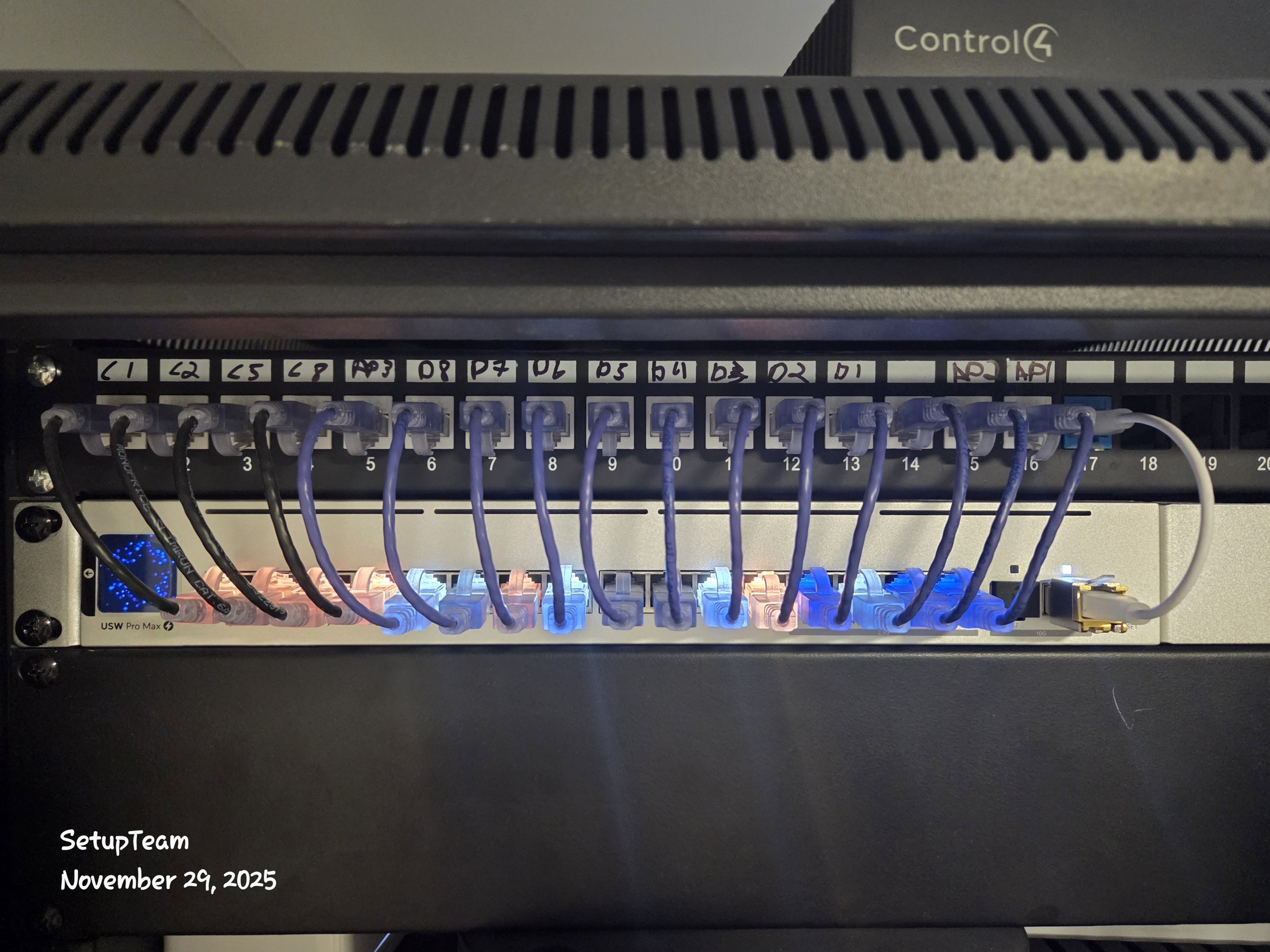
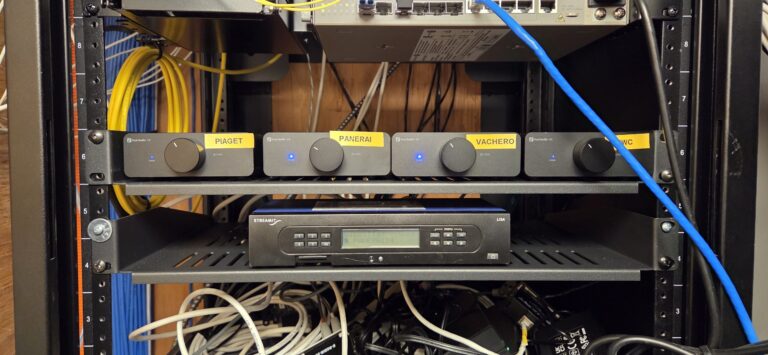
Recent Oakville Project — Residential Backbone Upgrade + AV
In an Oakville residential project near Glen Abbey, we completed network installation upgrades by adding Cat6/Cat6A drops to a home office and TV zones, planning wired access point coverage, and building AV-ready pathways for future changes. Then we verified each run before the equipment went live so the system could expand without rework.
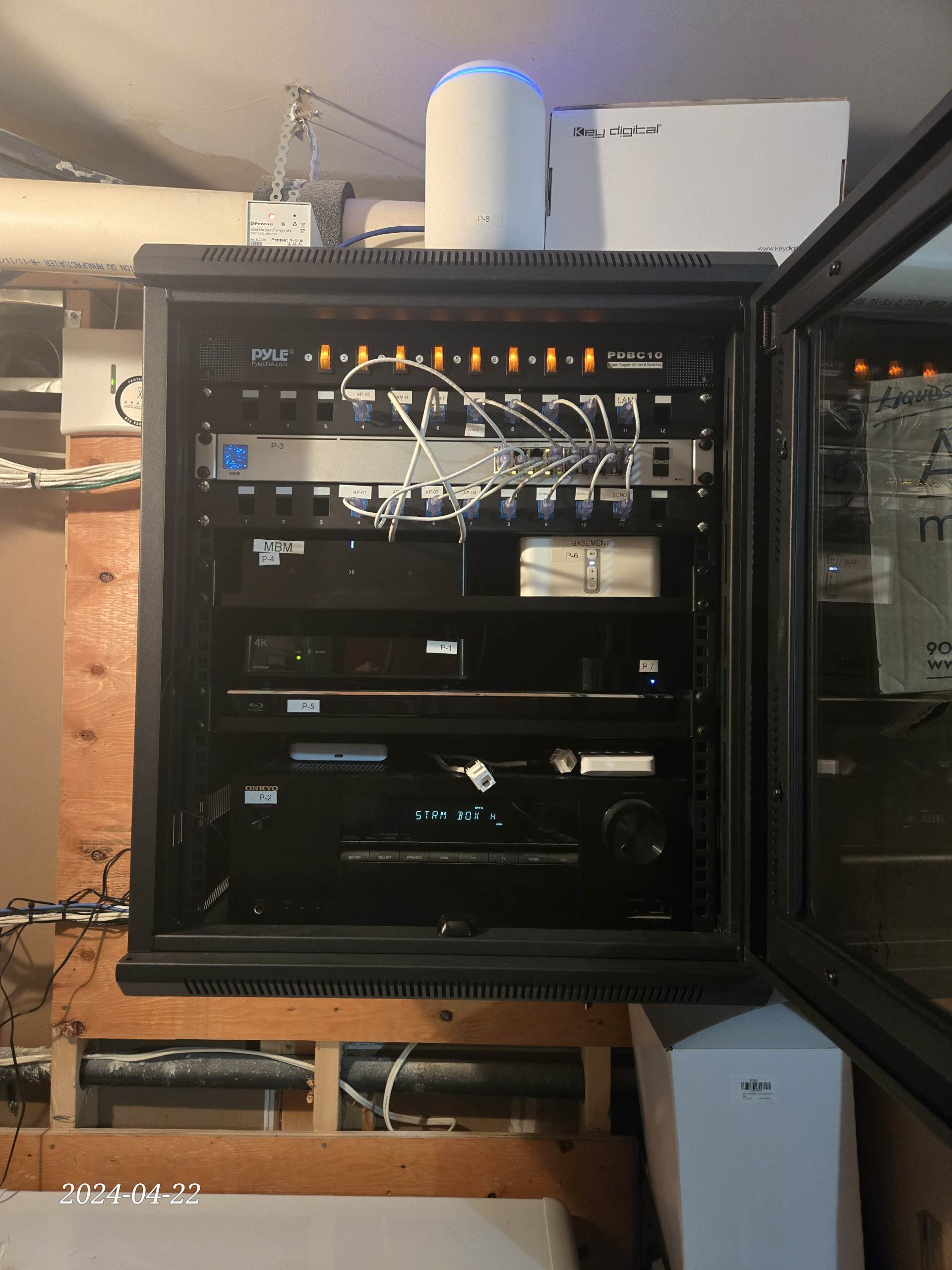
What We Installed (Oakville Home)
This Oakville project was built around a hard-wired backbone to keep streaming and gaming stable while leaving room for future AV and automation. We home-ran data lines to a central rack, sized the switching for PoE and higher throughput, and created clear pathways so new devices can be added without touching finished walls.
- Cat6/Cat6A home-run drops to office, media room, and primary TV zones
- Dedicated wired access point drops for full-bandwidth backhaul and coverage
- Central rack with labelled patch panel and expansion space for additional switches
- Conduit and spare AV/data paths reserved for future Sonos, Control4, and display upgrades
What Oakville clients say about us?
“The service was outstanding, the work was completed on schedule, and the quality of the installation exceeded our expectations. It was a genuine pleasure working with someone so skilled and professional.”
“The Setup Team exceeded all of my expectations….”

“Alex is a pleasure to work with. We’ve used his company multiple times for commercial speaker installation…”

“Return customer and another 5/5 experience. Could not recommend enough!”

Frequently Asked Questions about Structured Wiring and Network Installation in Oakville
If you’re planning structured wiring in Oakville—Bronte, Glen Abbey, River Oaks, Kerr Village, Old Oakville, or Joshua Creek—these FAQs cover technical decisions that affect reliability long-term.
Request a quote in Oakville.
Request a quote for network installation and structured wiring in Oakville, including projects in Bronte, Glen Abbey, River Oaks, Kerr Village, Old Oakville, and Joshua Creek. Tell us whether this is pre-construction or a retrofit, and what you want wired (Cat6/Cat6A, Wi-Fi access points, TV zones, Sonos-ready audio, cameras/doorbell, motorized blinds, smart home automation). We’ll reply with next steps and an estimate based on scope and access.
- Fully licensed & insured · WSIB coverage · $2,000,000 liability
- Neat, low-impact installs with organized cabling and full system testing
- Authorized Control4 partner and Sonos Gold Dealer
- Expert layouts for UniFi / Eero Wi-Fi and UniFi Protect / Hikvision camera systems
- One call for design, hardware, installation, and follow-up support

