



Network Installation & Structured Wiring in Richmond Hill
SetupTeam provides intelligent structured wiring and network installation services for Richmond Hill new construction. A truly smart home relies on a hardwired nervous system. We design the layout for data, video, and shade control, installing high-speed cabling to a central head-end location. By prioritizing precision pre-wiring, we guarantee that your Richmond Hill residence is ready for sophisticated control systems the moment you move in.
Central Rack & Patch Panel Setup
A well-organized central termination is what keeps future changes manageable. Therefore, we build a clean rack or structured panel so switching, patching, and growth stay straightforward as you add more endpoints, access points, cameras, or AV zones.
Wired Access Point for Better Wi-Fi
Instead of relying on repeaters, we plan access point locations based on real coverage needs across floors and usage areas. As a result, UniFi access points (or Eero layouts where appropriate) can run with wired backhaul so Wi-Fi stays consistent in basements, offices, and far rooms.
Structured Network Cabling (Cat5e/Cat6/Cat6A/Fiber)
In Richmond Hill homes—from Oak Ridges to Bayview Hill—hardwired endpoints keep high-demand devices stable. We run Cat6/Cat6A to home offices, TV zones, equipment locations, and key rooms so your network backbone supports modern usage and staged upgrades.
Cameras, Doorbell & Security Wiring
For cleaner installs, we pre-wire camera and doorbell/intercom locations before walls close whenever possible. Meanwhile, we can plan drops that suit UniFi Protect camera deployments or Hikvision-style wiring layouts (where applicable), keeping the infrastructure serviceable when you expand coverage later.
Video Distribution
For living rooms, basements, and media spaces—common across Observatory, Rouge Woods, and Devonsleigh—we run Cat6 to TV zones and build video-ready pathways so sources can be centralized and changed later without reopening walls.
Audio distribution
We run 14/2 or 16/2 speaker wire to planned in-ceiling/in-wall zones and, in some cases, add Cat6 to control locations for future flexibility. In addition, as a Sonos Gold Dealer, we can plan a Sonos-ready layout that supports reliable multi-room audio without visible wiring later.
AV & Network Wiring Design for Renovation Projects
If walls are open during a renovation, it’s the best time to install structured wiring and networks properly. First, we map endpoints by use—home office drops, access points, cameras, audio zones, doorbell/intercom, motorized blinds, and equipment locations. Then we rough-in low-voltage cabling with a central termination plan that fits how you’ll actually use the space. Finally, we verify each run before the equipment goes live, so the system stays reliable and easier to expand later.
- Cabling planned around real device and equipment locations (office, access points, cameras, audio, control, and automation)
- Home-run lines brought back to a clean central rack or structured panel with room to grow.
- Every run is tested for continuity and performance, including PoE readiness, where needed
- Conduit and spare Cat6 reserved for future AV, security, Sonos, and Control4 upgrades.
Faster Streaming and Gaming Performance in Richmond Hill
By hardwiring the heaviest hitters—4K TVs, streaming boxes, gaming PCs, and consoles—we pull the most significant load off your Wi-Fi. That keeps the video smooth and reduces lag spikes when everyone is online. As fibre internet rolls into more Richmond Hill neighbourhoods, a proper in-home network becomes even more important; there’s no point paying for gigabit service if weak Wi-Fi and daisy-chained gear choke it at the first hop. With wired backhaul to each access point and clean switching, your Wi-Fi focuses on coverage instead of repeating weak signal, so the whole system actually lets you feel the benefit of that new fibre connection during busy evening use.
Commercial & Professional Office Cabling
Richmond Hill has a growing mix of professional offices and light-commercial spaces, and those environments need network cabling that behaves like infrastructure, not a temporary fix. We install stable Cat6/Cat6A drops for workstations, printers, PoE phones, access points, and security cameras, all home-run to a clean central rack for easy service. For meeting rooms, we design wiring that supports reliable video conferencing, including dedicated drops for room PCs/appliances, cameras, microphones, and displays. When the layout calls for it, we also pre-wire for Zoom Rooms and Microsoft Teams Rooms, so future hardware changes can be made at the rack rather than reopening finished walls.
Networking Infrastructure Built to Grow With Your Richmond Hill Home
A reliable backbone starts with the right design—PoE switches sized to your actual device count, access points positioned for true coverage (not just signal at the modem), and a central rack that’s labelled, ventilated, and easy to expand. As a Control4 dealer, we also plan low-voltage pathways for smart home growth: clean routes for video doorbells and intercoms, motorized blinds, keypads, and future Sonos or AV equipment. The result is structured wiring that’s stable today and ready for whatever you add next.
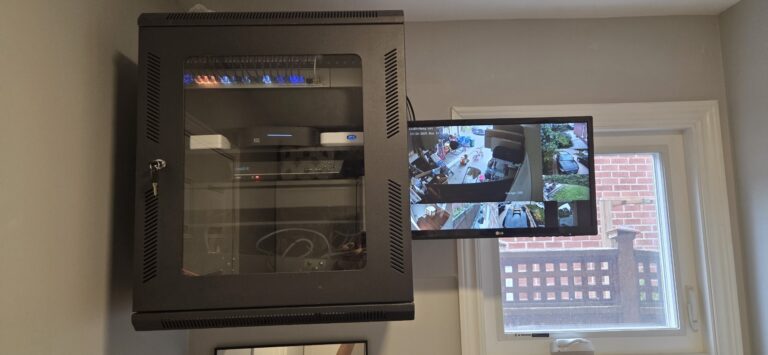
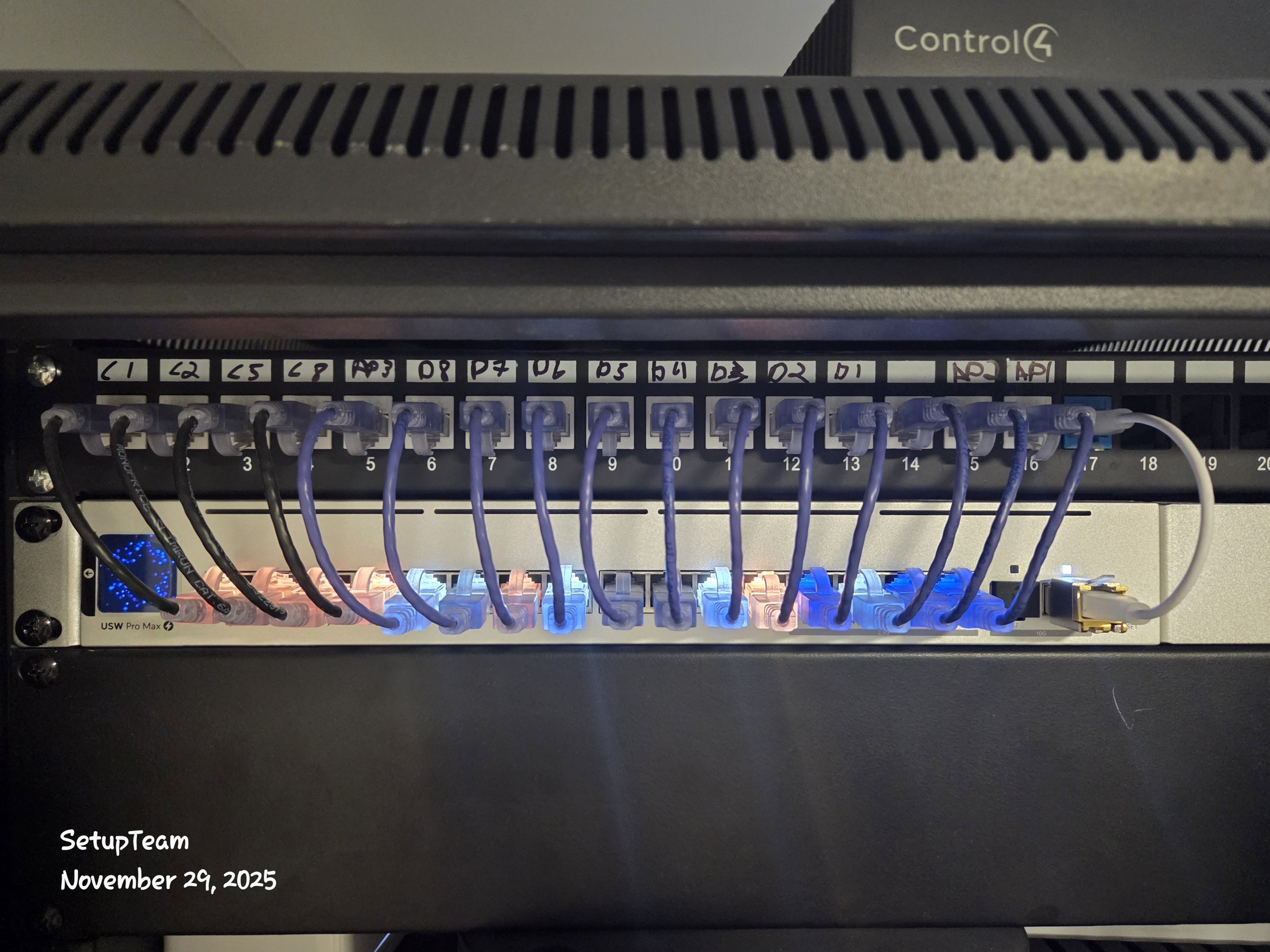
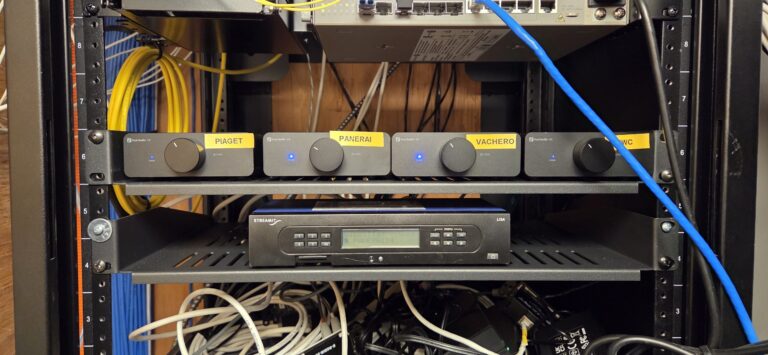
Recent Richmond Hill Project — Residential Access Point Backbone + Audio distribution
On this Richmond Hill home near Observatory and Bayview Hill, we rebuilt the low-voltage backbone around a central rack. We added Cat6/Cat5e home-run drops for ceiling and wall-mount access points, created dedicated lines for distributed audio amps/Sonos gear, and planned TV-zone pathways that keep future AV upgrades flexible. Every run was labelled and tested before the network and audio equipment went live, so Wi-Fi coverage and whole-home sound were stable from day one.
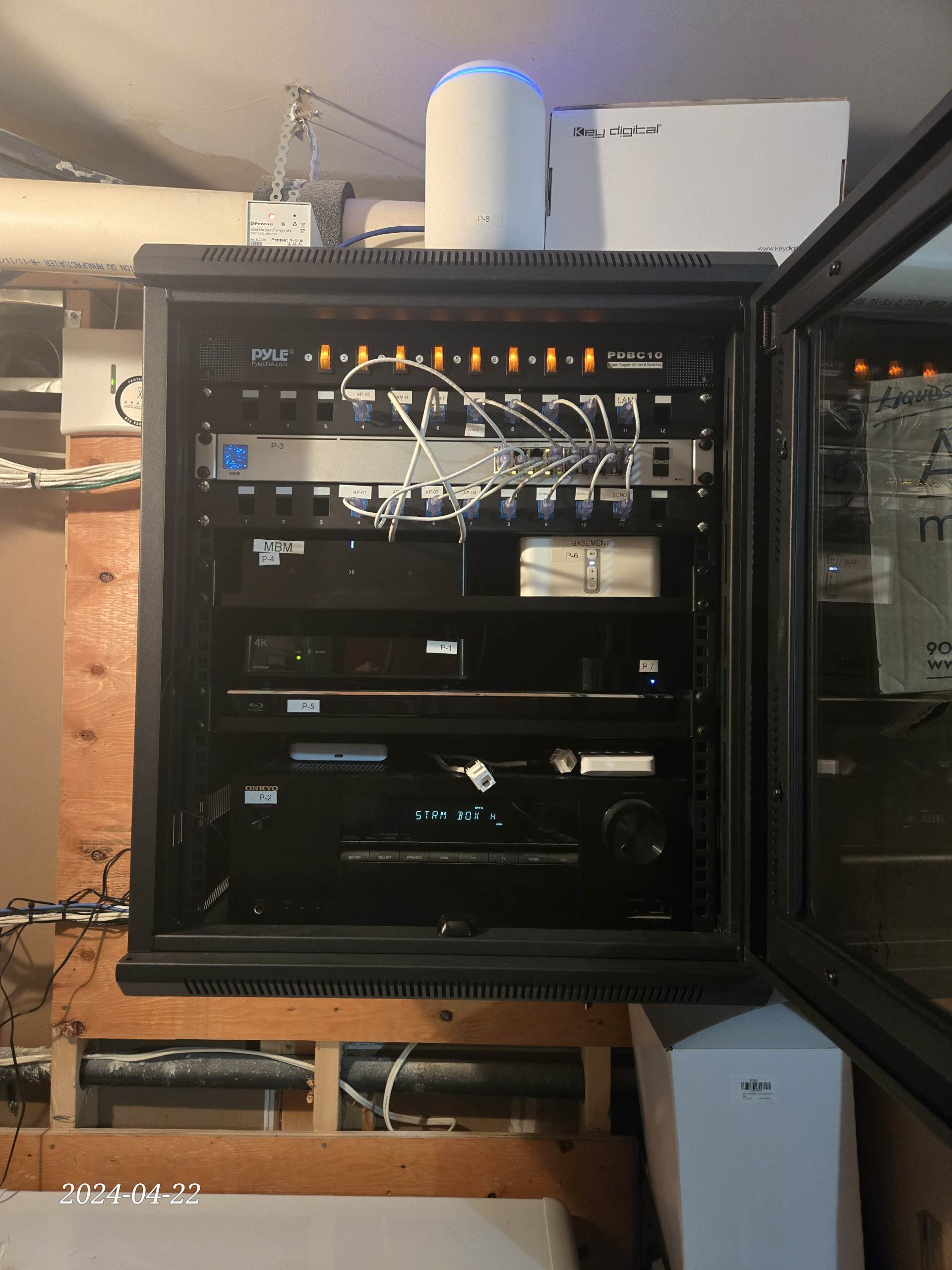
What We Installed (Richmond Hill Home)
This project focused on two goals: a wired access point backbone for reliable Wi-Fi and a clean distribution path for multi-room audio. By hardwiring key devices and feeding amps/Sonos units from the same rack, the homeowners now have strong coverage and synchronized audio throughout the main floor and backyard, even during busy evening usage.
- Cat6/Cat5e home-run drops to office, media rack, and all main TV/audio zones
- Dedicated wired access point drops for full-speed backhaul and whole-home Wi-Fi coverage
- Central equipment rack with labelled patch panel, UPS, and room for additional switches/amps
- Conduit and spare AV/data paths reserved for future Sonos zones, Control4 controllers, and extra
What do clients in Richmond Hill say about SetupTeam?
“Service was excellent, everything was finished on time, and the quality of the install was even better than we expected. It was a real pleasure working with someone so skilled and professional.”
Richmond Hill Common
Structured Wiring & Network Installation FAQs
If you’re planning structured wiring in Richmond Hill—Oak Ridges, Jefferson, Mill Pond, Observatory, Langstaff, Bayview Hill, Rouge Woods, Devonsleigh, Crosby, Harding, and nearby—these FAQs cover technical choices that impact reliability long-term.
Estimate request
Richmond Hill
Request a quote for network installation and structured wiring in Richmond Hill, including Oak Ridges, Jefferson, Mill Pond, Observatory, Langstaff, Bayview Hill, Rouge Woods, Devonsleigh, Crosby, Harding, and nearby areas. Tell us whether this is pre-construction or a retrofit and what you want wired (Cat6/Cat6A, wired access points for Wi-Fi, TV zones, Sonos-ready audio, cameras/doorbell, motorized blinds, smart home automation). We’ll reply with next steps and an estimate based on scope and access.
- Fully licensed & insured · WSIB coverage · $2,000,000 liability
- Neat, low-impact installs with organized cabling and full system testing
- Authorized Control4 partner • Sonos Gold Dealer
- Expert layouts for UniFi / Eero Wi-Fi and UniFi Protect / Hikvision camera systems
- One call for design, hardware, installation, and follow-up support

