


Sonos Installation And On-Site Support In Vaughan

SetupTeam provides Sonos installation and on site support in Vaughan for homes, condos, and larger properties. First, we map your zones and how you actually listen, and then we plan placement, power, and cabling so the setup stays serviceable and predictable.
For larger homes, we design clean multi-room zones (including Amp/Port use cases) and confirm whether Wi-Fi, Ethernet, or a hybrid approach is the most stable solution. Additionally, if you’re integrating Control4, we standardize naming and verify reliable day-to-day control—TV audio switching, grouping, and volume—so the system behaves consistently after we leave.

What We Help With

Install, Upgrade and Troubleshoot Same Day/Next Day Service

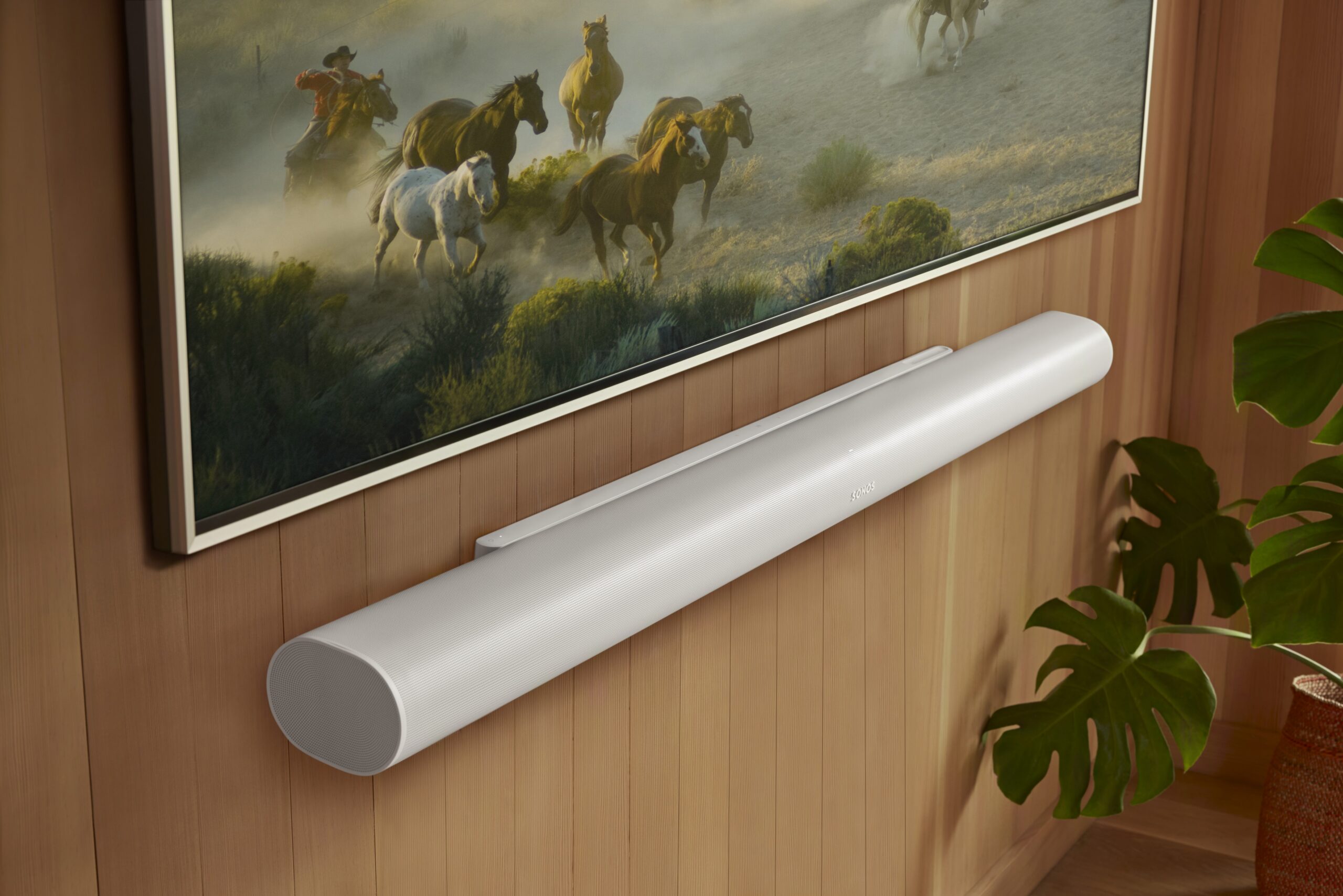
  • Home theatre Sonos tuning (Arc/Beam + Sub + surrounds: Trueplay, dialogue clarity, level matching)
  • Large-home + multi-zone audio (Amp/Port zones, indoor/outdoor areas, simple daily control)
  • Stability fixes that last (rooms disappearing, dropouts, grouping delays: Wi-Fi/mesh roaming, interference, IP/DHCP conflicts)
  • TV audio + control verified (lip sync, remote/volume control, source switching)
  • Trained technicians + verification checklist (real-use tests before handoff)
  • Authorized Sonos dealer — we can supply Sonos equipment and handle warranty
  • Licensed, insured, WSIB-covered + $2,000,000 liability coverage

Request an Estimate

Let us know how we can help and where you’re located in the Greater Toronto Area, and we’ll reply with the following steps and a precise estimate.

By clicking “Submit”, you agree to SetupTeam’s Terms of Service and Privacy Policy.

Sonos Install, Upgrades, or Troubleshooting — Same-Day / Next-Day On-Site

Sonos should feel effortless day to day, so we treat it like a full system—not a quick add-on. We handle Sonos installation and on-site support with a clear workflow: first, we map your zones and control goals, then we confirm placement, power, and clean cabling, and finally, we validate real use before we leave. In many Vaughan homes with bigger footprints, the difference is reliability across floors; therefore, we take a network-first approach and confirm when Ethernet is the durable fix. Additionally, if you’re integrating Control4, we align naming, control behaviour, and scenes, then we re-test switching and grouping so it stays predictable. The result is a Multi-room audio setup that scales without dropouts, missing rooms, or constant re-tuning.

Dialogue + Surround Balance That Stays Consistent

We tune dialogue clarity, surrounds, and level matching so it sounds the same every time. Then we verify remote/volume control and source switching. Finally, we test real viewing so TV audio stays stable.

Grouping + Switching That Doesn’t Drift

We standardize room names, remove duplicates, and rebuild grouping around daily use. Then we align timing and levels across zones so audio stays in sync. After that, we test regrouping and switching between rooms.

Clean Upgrades For Larger Multi-Zone Systems

For larger homes with many rooms and outdoor zones, we plan upgrades so nothing breaks during the change. We decide what should be wired vs wireless, then clean up the configuration so zones respond fast. If Control4 is involved, we align naming and control, so room selection behaves predictably.

Network-First Stability Checks That Prevent Repeat Visits

We check Wi-Fi vs Ethernet, mesh roaming, interference, and IP/DHCP conflicts that cause dropouts. Then we apply fixes in the right order and re-test the failing scenarios. Finally, we confirm stability across the house so it stays reliable after we leave.

Trained Sonos Technicians
Network-First, Verified On-Site

In Vaughan, SetupTeam’s trained Sonos technicians take a network-first approach, so zones stay online and grouping stays consistent. For larger homes and Control4-integrated systems, we map daily use, correct Wi-Fi/mesh issues, and then verify playback, switching, and control before we leave.

Sonos Authorized Gold Dealer logo
SetupTeam Sonos Authorized Gold Dealer
INSTALLATION WORKFLOW

How We Plan, Install, And Validate Sonos Systems In Vaughan

We don’t just recommend equipment—we can supply it, install it, and then prove it works in real use. Therefore, our workflow covers zone planning, placement, wiring decisions, configuration, and a hands-on validation checklist, so your Sonos system stays stable day-to-day across homes, condos, and commercial spaces in Vaughan—especially when you’re running multiple floors, multiple zones, and Control4 Integration.

01

Define Zones + Control Priorities

First, we walk the space and confirm how you’ll actually use audio: TV rooms, music zones, outdoor areas, and day-to-day grouping. Then, we match each zone to the right approach (soundbar, surrounds, Amp/Port zones, or distributed audio) and confirm how control should work—Sonos app, TV remote, voice, and/or Control4—so the setup fits real routines, not assumptions.

Learn More
02

Install Cleanly + Keep It Serviceable

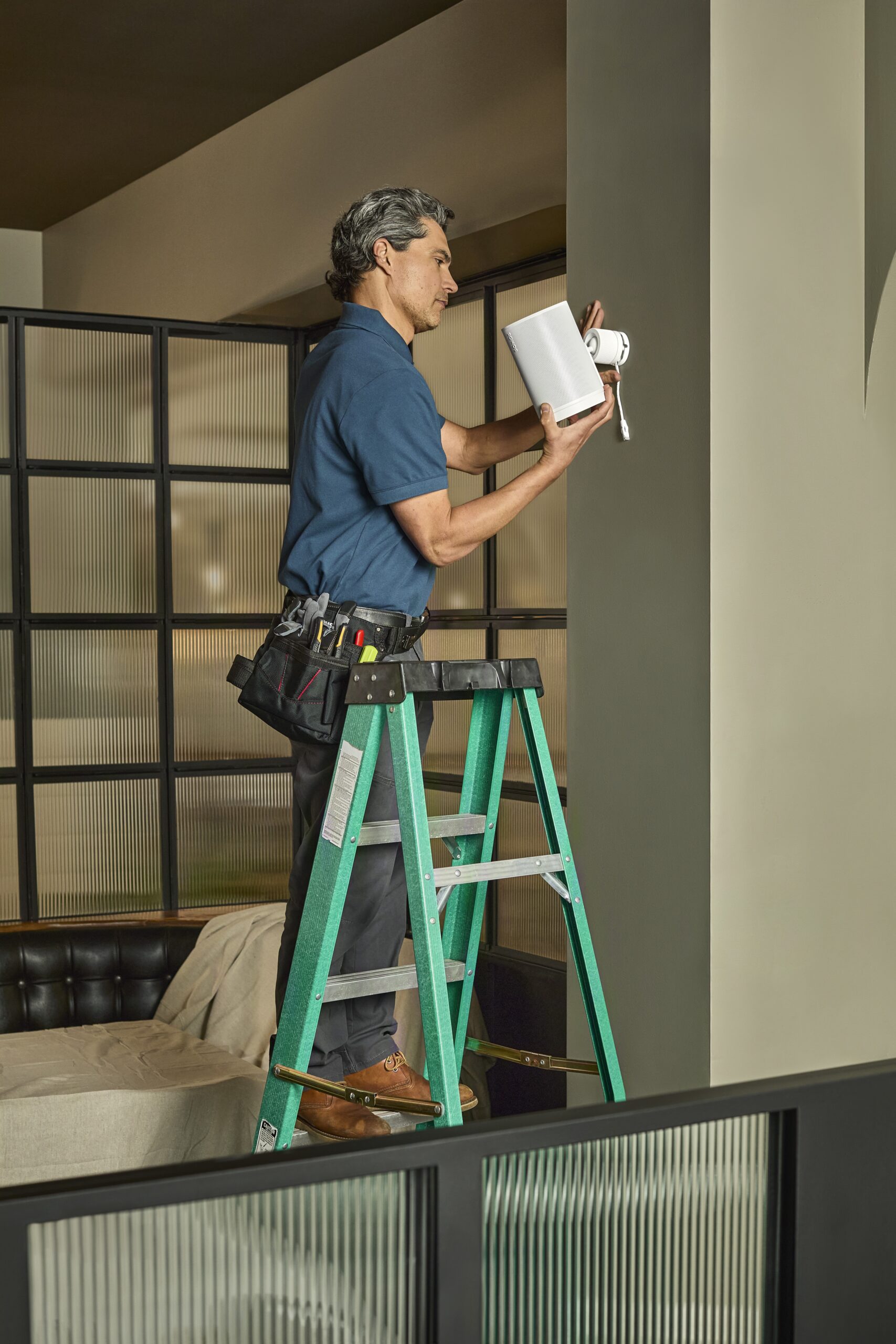
Next, we handle the physical install: place or mount speakers and soundbars properly, and keep connections clean, accessible, and easy to service later. Meanwhile, we plan power and cable routing early, so everything looks finished and stays reliable—particularly in structured wiring areas, racks, and tight utility spaces that are common in larger Vaughan homes.

Learn More
03

Configure, Tune + Validate In Real Use

Finally, we configure the system, standardize room naming, and clean up grouping logic so switching feels consistent. In addition, when Control4 is part of the job, we align the control path to keep day-to-day use predictable. Then we run real tests—music playback, grouping/ungrouping, zone switching, and outdoor playback—so the system is confirmed before we wrap up.

Learn More
ON-SITE DIAGNOSTICS PROCESS

How We Find Sonos Dropouts And Lock In Stable Playback

When rooms disappear, audio cuts out, or grouping gets inconsistent, the goal is straightforward: a fix that holds. In Vaughan, we recreate the problem the way you actually use the system, trace the cause (network, configuration, or control path), apply changes in the right order, and re-test the exact scenarios you care about before we leave.

01

Recreate The Problem On-Site

First, you show us what’s happening—dropouts, missing rooms, delayed grouping, or AirPlay hiccups. Then we reproduce it in the space and confirm how the system is connected (Wi-Fi, Ethernet, mesh, or SonosNet when applicable). After that, we check what changed right before it started—new router/ISP swap, moved gear, or new devices—so we work from verified behaviour, not guesses.

Learn More
02

Fix The Cause In The Right Order

Next, we stabilize the foundation: roaming, interference, weak coverage, and IP/DHCP conflicts that make rooms vanish or audio cut out. Then we clean up configuration issues that create “ghost” rooms, lag, or inconsistent control. Finally, we lock in durable changes—tuning, wiring where it’s the stable fix, and app cleanup—so you’re not stuck resetting and hoping.

Learn More
03

Prove It With Real Tests + Clear Wrap-Up

Finally, we run the same scenarios you use day to day—music playback, grouping/ungrouping, AirPlay (if used), and zone switching—until it behaves predictably. Then we summarize what changed, what to avoid, and what to watch, so the system stays stable after we’re gone.


Learn More

What Vaughan Clients Notice After A Proper Sonos Setup

Most feedback comes down to consistency: rooms stay visible in the app, grouping behaves the same way every time, and audio stops cutting out during normal use. However, clients also want clarity—what we changed, why it mattered, and what to avoid going forward—because Wi-Fi performance can shift floor-to-floor and even by time of day. Therefore, once the system is planned and verified, day-to-day use feels predictable across larger Vaughan homes with multiple zones, outdoor speakers, and Control4 integration—so TV audio, music playback, and switching between areas work the way you expect.
  • “ALEX Was able to fix my wireless Sonos speakers in minutes!!!!!! Great service, fast and friendly.”
    Micheal C
    Customer Title
  • “We bought the Sonos Arc Ultra from SetupTeam. Alex delivered the soundbar and set it up in minutes. Everything is working great. We are very happy with the service we received 10/10!!! “
    Kate
    Customer Title
  • “Great service! Ilia was friendly, professional, efficient, and kept everything very clean. Also, worked around my schedule. Much appreciated! Set up looks fantastic! Thank you!!”
    G C
    Customer Title
  • “Excellent work and integrity. Got my Sonos up and running.”
    Simon L
    Customer Title
SERVICE OPTIONS IN Vaughan

Sonos On-Site Support And Installation Services

Starting prices shown. Final pricing depends on rooms/zones, equipment, wiring access, and the issue being corrected.

In-Home Troubleshooting

$199.99+

If rooms disappear, audio drops, or grouping becomes inconsistent, we start by recreating the problem on-site using your real routine (TV, music, grouping, and volume control). Then we isolate the failure point—network, configuration, or control-path—and apply changes in the right order so the system stays stable after we leave.


  • Coverage + roaming check (mesh handoffs, congestion, interference, signal quality)

  • App + system cleanup (duplicates, stale rooms, controller conflicts, IP/DHCP issues)

  • Real-use verification (group/ungroup, source changes, volume consistency, drop-out testing)
Book Troubleshooting Visit
Installation / Upgrade

$159.99+

Adding speakers, expanding zones, or modernizing older gear? We plan the layout first, confirm the best connection method (Wi-Fi, Ethernet, or mixed), and install cleanly so everything stays serviceable. After setup, we tune and validate daily use—grouping, zone switching, and control—so performance stays consistent across larger Vaughan layouts, including indoor/outdoor zones and Control4 integration when required.


  • Zone + placement planning (music zones, TV zones, Amp/Port where needed)

  • Clean install standards (power planning, tidy routing, accessible connections)

  • Setup + stability validation (room naming, grouping logic, switching + control checks)
Request Installation Estimate
CONSULTATION / Purchasing

$199.99+

Not sure what to buy or how to design the system? We build a room-by-room plan based on how you actually use audio, then confirm what your network and wiring can support before you commit. As a result, purchasing stays simple, and the install goes smoothly—especially when you’re planning multiple zones, outdoor speakers, or a Control4-driven setup.


  • Room-by-room design plan (coverage, zones, indoor/outdoor, Amp/Port use)

  • Product + integration plan (placement, expansion path, Control4 considerations)

  • Pre-install readiness review (Wi-Fi/mesh health, Ethernet options, wiring access)
Book Consultation

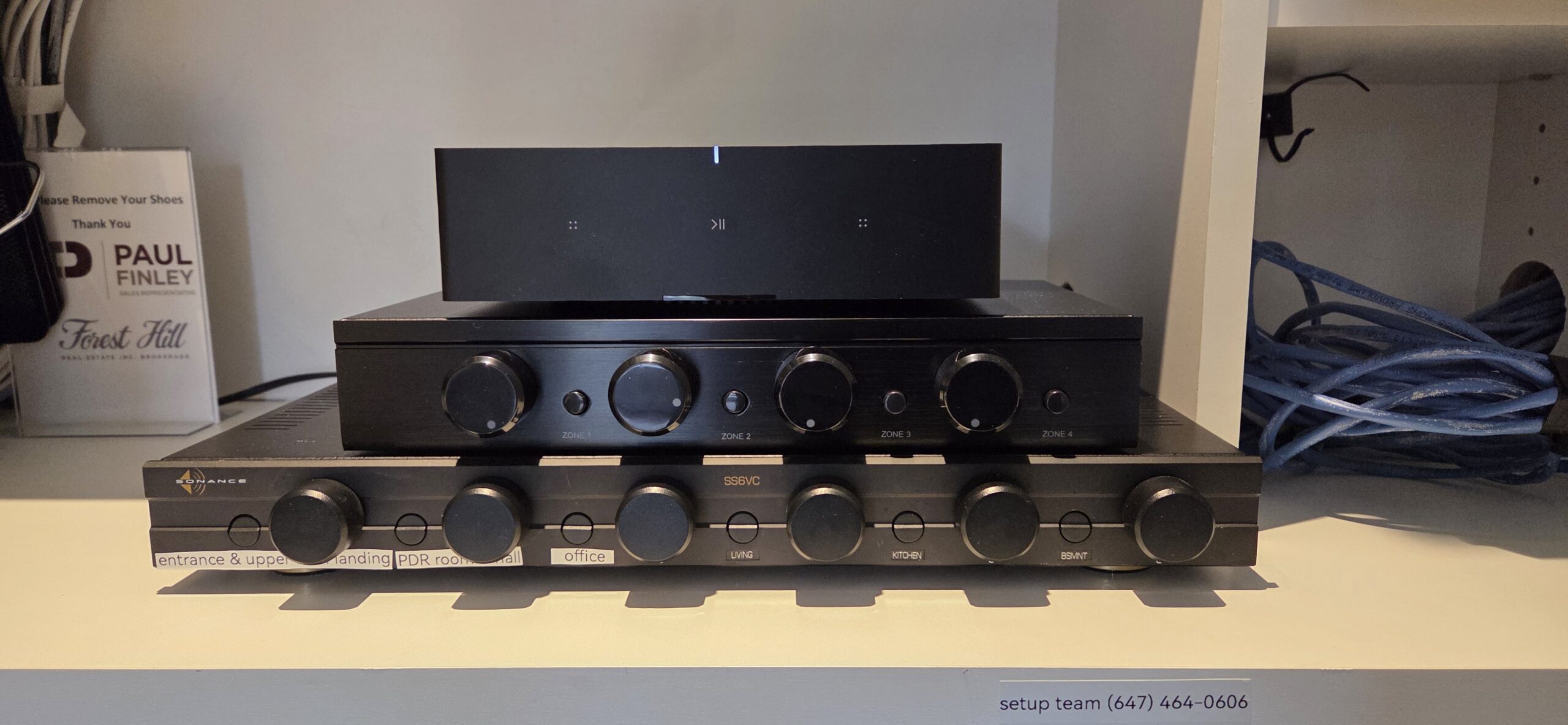
Recent Vaughan Project — 8-Zone Russound Retrofit To Dedicated Sonos Amps

This Vaughan home had an older 8-zone Russound distribution system that was becoming harder to manage day-to-day. Zones didn’t behave consistently, control felt split between apps/remotes, and the client wanted simpler room-by-room control that still works in a larger house.

So, we converted the system to dedicated Sonos Amplifiers per zone while keeping the wiring clean and the rack serviceable. First, we mapped every speaker run, confirmed which areas were paired, and verified loads so each zone was matched correctly. Next, we removed the legacy distribution gear, re-terminated and labelled the existing speaker wiring, and landed each zone on its own Sonos Amp for direct, predictable control. Then, we dialled in network stability and zone naming to keep grouping consistent. Finally, we integrated the zones into Control4 where required, and we validated real use—switching, grouping, and volume behaviour—so it feels the same every time.

Residential network rack with patch panel and labeled Cat6 terminations for structured wiring in a Toronto home

What We Installed (Vaughan Home)

A full refresh focused on clean multi-zone control and long-term reliability.

  • Rebuilt the legacy 8-zone Russound layout into dedicated Sonos Amp zones for clearer control
  • Zone mapping + wiring verification completed (speaker runs traced, labelled, and matched correctly)
  • Rack cleanup and re-termination done for a tidy, serviceable install (no mystery cables later)
  • Network stability checks are applied so zones stay visible and responsive across a large home
  • Control4 integration is configured to ensure multi-room audio control remains consistent.
Call Now

Sonos Installation & On-Site Support FAQs in Vaughan

Quick answers to the questions we hear most about planning, upgrading, and stabilizing Sonos setups in Vaughan—especially when there are many zones, multiple floors, and a lot of daily switching.

Most of the time, it’s not the speakers—it’s the environment around them. For example, large homes often have multiple access points, band-steering, and roaming decisions happening in the background, so devices can land on different paths and behave inconsistently. In addition, IP/DHCP conflicts, duplicate controller history, or changes to router settings can create “phantom” rooms or delay grouping. Therefore, we start by confirming how everything is connected, then we isolate conflicts, clean up the configuration, and standardize room naming to keep control predictable. Finally, we re-test the exact routines you use (music, grouping, switching) so the system behaves the same way tomorrow.

Signal strength and reliability aren’t the same thing. Even with “full bars,” congestion, interference, or roaming handoffs can interrupt the timing Sonos needs for multi-room playback. Meanwhile, modern mesh systems can move devices between nodes, which sometimes looks fine for phones but can cause audio stuttering or rooms that go missing. As a result, we confirm coverage and roaming behaviour, then we identify where a wired connection is the durable fix versus where Wi-Fi is perfectly fine. After that, we stabilize the network path, reduce conflicts, and recheck actual usage—so grouping and switching stay consistent instead of becoming weekly resets.

The cleanest setups start with zone intent, not hardware. First, we map what you want per area—TV audio, background music, or “party mode”—and then we decide how zones should group and how you’ll control them day to day. Next, we plan placement, power, and cabling so gear stays serviceable, especially when there’s a central rack or a network room. In addition, we standardize naming and grouping logic, making switching predictable. Finally, we test the exact flows you care about—room-to-room grouping, quick source changes, and volume behaviour—so the system feels simple even in large homes.

Often, yes. However, the right approach depends on how the current distribution is wired and how zones are paired today. Typically, we verify speaker wiring paths and zone mapping, then we plan a clean cutover so each area becomes a dedicated Sonos Amp zone (or the correct mix of zones) without confusing control. Meanwhile, we confirm rack space, power, ventilation, and network stability, as those details determine whether the upgrade remains reliable long-term. As a result, you get modern app control, consistent grouping, and simpler day-to-day use—while keeping the existing in-wall/in-ceiling speakers where it makes sense.

We treat Sonos + Control4 as one system, not two separate installs. First, we stabilize the Sonos foundation (zone naming, grouping expectations, and network path), because Control4 reliability depends on that baseline. Next, we integrate using the Control4 Sonos driver (Works With Sonos Certified), then we align the Control4 experience to your routines—favorites, room selection, and the actions you repeat daily (start music, group zones, adjust volume, stop audio).
After that, we test the real workflows you’ll use across a larger home (multiple zones starting at once, quick switching, and repeated on/off cycles). Finally, we hand off a clean, repeatable control setup—so it feels the same from the app, keypads, and automation scenes, rather than “sometimes it works.” Control4 X4 is the current Control4 platform/experience, so the goal is to make Sonos behave predictably inside that environment.

A few details remove almost all guesswork. First, tell us whether it’s a new install, an upgrade, or troubleshooting. Next, list the Sonos models (or what you want to add), the number of rooms/zones, and whether you have a rack or a central network area. In addition, share any “must-have” goals—TV rooms that need clean control, outdoor audio, or whole-home grouping. Then, note building type and access limits (finished walls, attic/basement access, condo rules if applicable). Finally, include any existing gear (older multi-zone audio, Control4, managed switches), because that affects the plan and timeline.

Request An Estimate For Sonos Installation Or On-Site Support In Vaughan

Let us know your goals for the Sonos system and where in Vaughan it’s located—for example, Woodbridge, Thornhill, Maple, Kleinburg, or Downtown Vaughan.
Please tell us whether this is a new installation, an upgrade, or troubleshooting for issues such as dropouts, missing rooms, grouping delays, AirPlay problems, or app glitches.
If you already have equipment, list the models and the number of rooms/zones you want active.
Also include your building type (house, townhome, condo, or commercial) and any access constraints for wiring or placement, as these impact the plan and timeline.
If you don’t have gear yet, we’ll recommend the right products and layout, then install and test everything for reliable daily performance.

Call to ask any questions.

(647)464-0606

Or Email

[email protected]

  • Fully licensed, insured & WSIB-covered with $2,000,000 liability protection
  • Trained technicians + checklist process: clean installs, proper room naming, consistent grouping/control
  • Authorized Sonos dealer — we supply the equipment
  • Network-first approach: we check Wi-Fi/mesh health and use wired options when they provide the most stable solution

Request an Estimate

Let us know how we can help and where you’re located in the Greater Toronto Area, and we’ll reply with the following steps and a precise estimate.

By clicking “Submit”, you agree to SetupTeam’s Terms of Service and Privacy Policy.