


Sonos Troubleshooting by Certified Expert in Toronto

If your Sonos system is dropping out, losing rooms, or simply not working the way it should, our on-site Sonos expert can diagnose and fix the issue properly:
Certified technicians with extensive real-world Sonos experience
On-site diagnostics and troubleshooting across Toronto and the GTA, often same or next day
Long-term fixes that address Wi-Fi, networking, and app issues so your system stays stable

At SetupTeam, we’ve spent years installing and fine-tuning Sonos systems in homes and condos across Toronto and the Greater Toronto Area. We don’t just reset your speakers; we identify the real cause of the problem and leave you with a reliable, easy-to-use system you can enjoy every day.
Get a Quote
Fill out the form below and we’ll arrange a consultation at a time most suitable for you.
Address

Quick Solution for Any Issue

Trust the SetupTeam to figure out what happened to your Sonos system, no matter the issue. The list of problems we’ve solved includes, but is not limited to:
Inconsistent volume
Devices disappear from the app
Home theatre setup doesn’t sync
Buzzing, crackling, or background noise
Difficulty connecting Sonos components
Connectivity drops between rooms or devices
Music cuts out, skips, or lags when streaming
Even the most challenging issues are not a challenge with our amount of experience. After our visit, you can get back to enjoying your music or movie nights without interruptions.
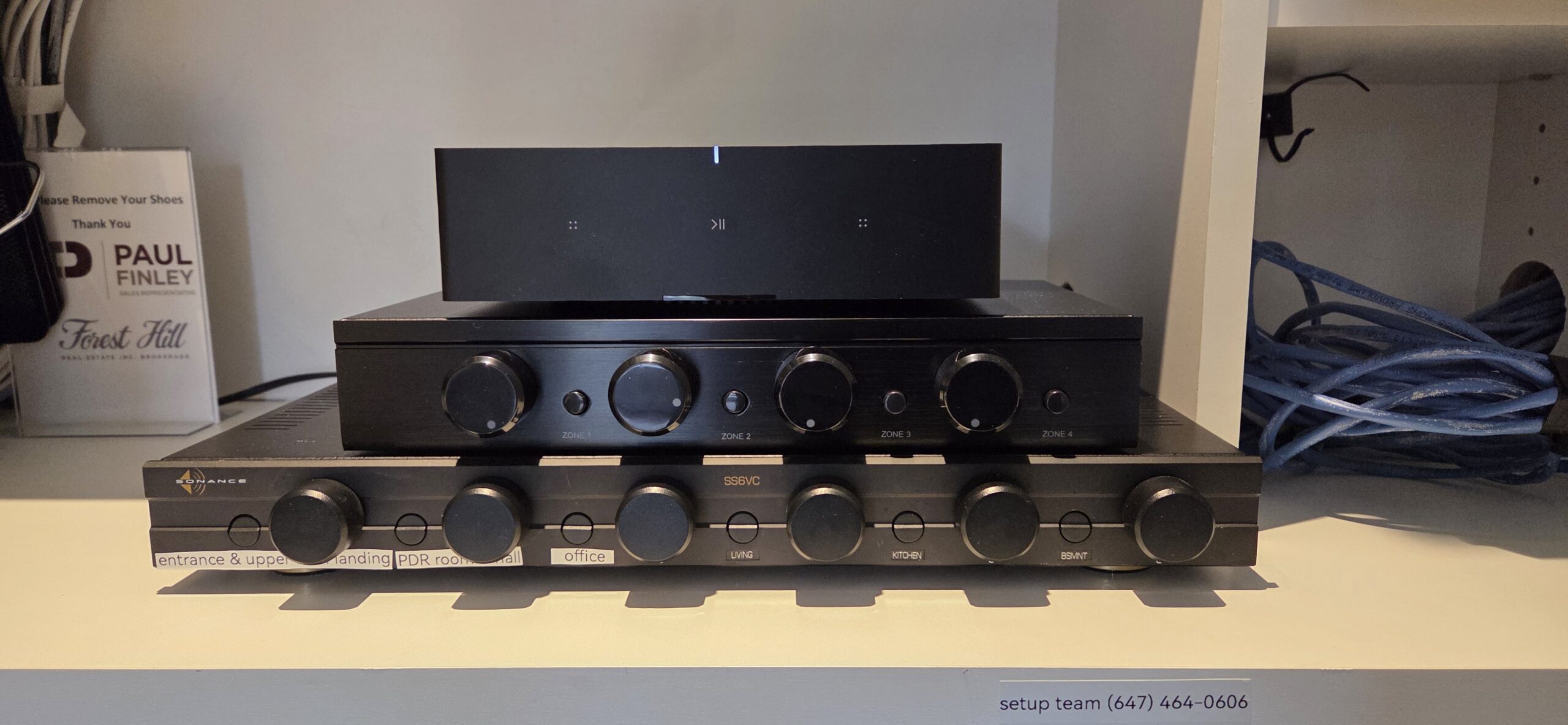
Sonos Amp on wooden surface.

Testimonials

Pamela C. profile picturePamela C.
15:46 04 Feb 23
Great service with mounting TV! Thanks so much!
Sylvia V. profile pictureSylvia V.
20:12 09 Jun 21
It is rare for me to write a review but I could not stop myself because I am extremely happy with the service that I received from Alex. He is very honest, professional, and you don’t have to wait days for your call to be returned. He is worth every cent. Keep up the good service Alex!!!!
Ahmed El K. profile pictureAhmed El K.
20:29 25 May 21
Contacted Aleks and worked with Ilia. Arrived on time and was very happy to explain the work needed to be done. Very professional and efficient services. Would recommend 100% and will return for future services
Roland I. profile pictureRoland I.
19:49 28 May 19
Alex was extremely professional and knowledgeable. He mounted 3 TVs in our office. The installs were quick, clean and he was able to run our AV cables to the wall for a cable free look.

I especially appreciated that he came well prepared with shelving, cables and mounts available for me to purchase.

Would hire him again.
Melissa U. profile pictureMelissa U.
14:47 24 Mar 19
Excellent service! Highly recommended!
Jonathan D. profile pictureJonathan D.
16:13 20 Mar 19
Honestly ! This experience was fantastic! Alex was a true professional funny, charasmatic and informative. I would highly recommend him to set your TV or whatever else electronics you may need. I needed 2 TV’s mounted and a sound bar. Which he did successfully obviously from my post that I am posting about him. I will recommend to anyone whom wants a professional to mount a television. Not only that he has knowledge of the TV’s as well.
He took the time to show me how to use my 4K LG TV. Thank you Alex for the great experience! I wish him all the success in the future.
Jon Davies
Dennian C. profile pictureDennian C.
23:00 15 Mar 19
Knowledge, fast and affordable!
Mike C. profile pictureMike C.
23:15 11 Jan 19
Phenomenal service! On time, great work, easy to talk to, and so unbelievably helpful. You cannot go wrong here!

Sonos Problems We Help You Avoid

Endless rebooting

No more evenings spent rebooting speakers, re-adding rooms, or reinstalling the Sonos app just to get music playing again.

Going in circles with support

Skip the back-and-forth between Sonos, your ISP, and router support. We diagnose the real issue on-site and give you a clear plan.

Quick fixes that don’t last

Temporary “band-aid” solutions and random setting changes often make things worse. We stabilize your system so it stays reliable.

Dropouts during movies and parties

Avoid speakers cutting out during a movie night or when guests arrive. We tune your Sonos and Wi-Fi so it works smoothly when it matters.
Full lineup of black Sonos speakers and soundbars including Arc, Beam, Ray, Sub and portable models – multi-room Sonos audio installation and setup services in Toronto GTA by SetupTeam

Experts on All the Sonos Components

Why do speakers disappear from your app? It’s rarely a broken speaker. We dive deep into the specific Sonos configuration settings to ensure every zone stays visible, connected, and ready to play instantly no more rebooting required
Amp, Port, and In-Ceiling Architectural Speakers
Arc, Beam, and Ray Soundbars
Sub (Gen 4) and Sub Mini
Complete Wireless Home Theater Sets
Commercial & Outdoor Audio
Our hands-on experience in both Sonos support and installation means that we never miss the smallest details that can make the biggest difference.

Phone Support Can’t See Your Network. We Can

Troubleshooting complex audio issues over the phone is exhausting. After hours of “restarting your router” and waiting on hold, most homeowners are left with the exact same glitches they started with

We provide the hands-on expertise that phone scripts can’t match. By testing your network on-site, we pinpoint the exact communication breakdown between your modem and your speakers, delivering a stable solution that actually work
White Sonos speakers, soundbars and Sub in full product lineup – multi-room Sonos audio design and installation services in Toronto GTA by SetupTeam

How We Solve Sonos Problems in Toronto & the GTA

#1 Advanced Diagnostic & Network Audit

We don’t guess; we analyze. We start by auditing your local network environment, checking for IP conflicts, wireless interference, and congestion issues that standard phone apps miss. We look at the “SonosNet”—the hidden network behind your system — to pinpoint exactly why your speakers are dropping out or vanishing

#2 Dealer-Level Resolution

As an authorized Sonos Dealer, we have access to backend resources and high-end technical support channels that are not available to the general public. Whether it’s reconfiguring your spanning tree protocol (STP) settings or escalating a complex hardware glitch directly to Sonos engineers, we have the tools to resolve issues that leave others stuck on hold.

#3 Testing and Training

Once the system is stable, we stress-test every zone to ensure the fix is permanent. Finally, we walk you through the system. We train you on the most efficient way to use the Sonos app, manage your groups, and stream your music, ensuring you get the best possible experience from your investment.

Sonos Era 100 Pro speaker being mounted on exterior brick wall – professional Sonos installation for commercial and residential spaces in Toronto GTA

Stop Troubleshooting. Start Listening

You invested in premium audio—you deserve premium support. Don’t waste another evening on forums or phone support lines. SetupTeam brings authorized, Gold-Dealer expertise directly to your door. We carry the professional tools and network hardware needed to solve complex Sonos issues in a single visit, so you can get back to enjoying the music.
Address

On-Site Sonos Support Service Areas

If you’re not in central Toronto, we can still come to you. SetupTeam provides on-site Sonos setup and troubleshooting across the Greater Toronto Area. Choose your city from the list below to see support options in your area, or contact us if you’re nearby but don’t see your location listed.

Sonos Technical Support FAQ

  • What should I do if the Sonos app shows “Unable to connect” or “No products found”?

    First try a few quick checks:

    • Make sure your phone or tablet is connected to the correct home Wi-Fi network.

    • Close and reopen the Sonos app.

    • Power-cycle your router and modem (unplug for 30 seconds, then plug back in).

    • Unplug each Sonos speaker for 10–15 seconds, then plug it back in.

    • If you use a VPN on your phone, turn it off and try again.

    If the app still can’t find your system, the issue is usually with the home network rather than the speakers. That’s when an on-site visit to check your router, Wi-Fi, and Sonos settings is the most efficient way to fix it.

  • What to do if a speaker disappears from the Sonos app?

    Start with a few quick checks:

    • Confirm the speaker is plugged in and the power light is on.

    • Make sure the speaker is within range of your Wi-Fi or another Sonos speaker.

    • Unplug the speaker for 10–15 seconds, then plug it back in.

    • Restart your router and, after it comes back online, reopen the Sonos app.

    • In the app, go to Settings → System → About My System to see if the speaker shows up under a different room name.

    If the speaker keeps disappearing, the problem is usually Wi-Fi coverage or interference in that part of the home. For a step-by-step walkthrough of the most common causes and fixes, read our guide: Why Sonos speakers keep disconnecting or disappearing from the app.

    If those steps don’t stabilize things, an on-site visit lets us test your network, adjust placement, and fix the issue at the source.

  • Why does my audio skip, cut out, or stutter unexpectedly?

    Audio dropouts are almost always related to network quality, not the Sonos speakers themselves. Common causes include:

    • Weak Wi-Fi signal where the speakers are located

    • Wi-Fi interference from neighbours’ networks or devices like microwaves and baby monitors

    • An overloaded router trying to handle too many devices or streaming services

    • Using a mix of wired and wireless connections without proper configuration

    Improving Wi-Fi coverage, adjusting channels, or wiring one speaker can often stabilize the entire system. For more detail, you can also read our guide on Sonos speakers disconnecting and Wi-Fi issues on our website, or book an on-site visit so we can test and fix the network on the spot.

    happen when your Sonos system struggles with network connection, interference from other devices, or incorrect settings. The SetupTeam will take a quick look at your setup and rectify the situation.

  • What if one speaker keeps losing connection while the rest work fine?

    When a single speaker drops off regularly:

    • Check its location first – walls, metal racks, and appliances can block Wi-Fi.

    • Move it slightly closer to another Sonos speaker or to your router and test again.

    • Make sure it’s not on a different floor or in a room with known Wi-Fi dead spots.

    • Restart that speaker and your router.

    If only that room keeps failing, you may need better Wi-Fi coverage there, a different placement, or a small wiring change. During an on-site visit we can test signal strength in that room, adjust placement, or recommend the right networking upgrade.

  • Who should I contact in Toronto if I have issues with my Sonos system?

    If you’re in Toronto or the Greater Toronto Area and your Sonos system isn’t reliable, you can contact SetupTeam for on-site Sonos troubleshooting:

    • We check both your Sonos setup and your Wi-Fi/network.

    • We diagnose the root cause on-site instead of guessing over the phone.

    • We leave you with a stable, easy-to-use system and clear next steps.

    You can reach us through the contact form on our website or by phone/email to schedule an on-site visit.

  • Do you offer on-site Sonos support outside Toronto?

    Yes. SetupTeam provides on-site Sonos support across Toronto and much of the Greater Toronto Area, including areas like North York, Etobicoke, Scarborough, Mississauga, Oakville, Vaughan, Richmond Hill, Markham, and nearby communities. If you’re not sure whether your address is covered, contact us with your postal code and we’ll confirm.

  • What happens during an on-site Sonos troubleshooting visit?

    A typical visit includes:

    • A quick discussion of the problems you’re seeing and how you use the system

    • Testing your Wi-Fi and network to rule out coverage or congestion issues

    • Checking Sonos settings, app configuration, and firmware updates

    • Adjusting placement, wiring, and network settings where needed

    • Final testing in each room so you can see everything working

    At the end, we explain what we changed and what to do if you add more speakers or change your router in the future.

Recent Articles & News

  • Flags marking buried service cables.
    November 29, 2025

    Richmond Hill Finally Gets Fiber: How to Maximize Your New Speed with the Right Wi-Fi Setup

  • TV on console with decorative plants
    November 16, 2025

    Sonos Speakers Disappearing From the App? A Real Richmond Hill Case That Shows the Most Common Sonos Connectivity Failure

  • TV Wall Mounts: Everything you need to know
    October 15, 2025

    TV Wall Mounts: Everything you need to know