

The 2026 FBI Router Warning: What It Means for Your Home Network
In April 2026, the FBI and the U.S. Justice Department shut down a Russian intelligence operation that had quietly hijacked thousands of home routers. Here is what actually happened, how to check your own router, and why the fix is bigger than a firmware update.
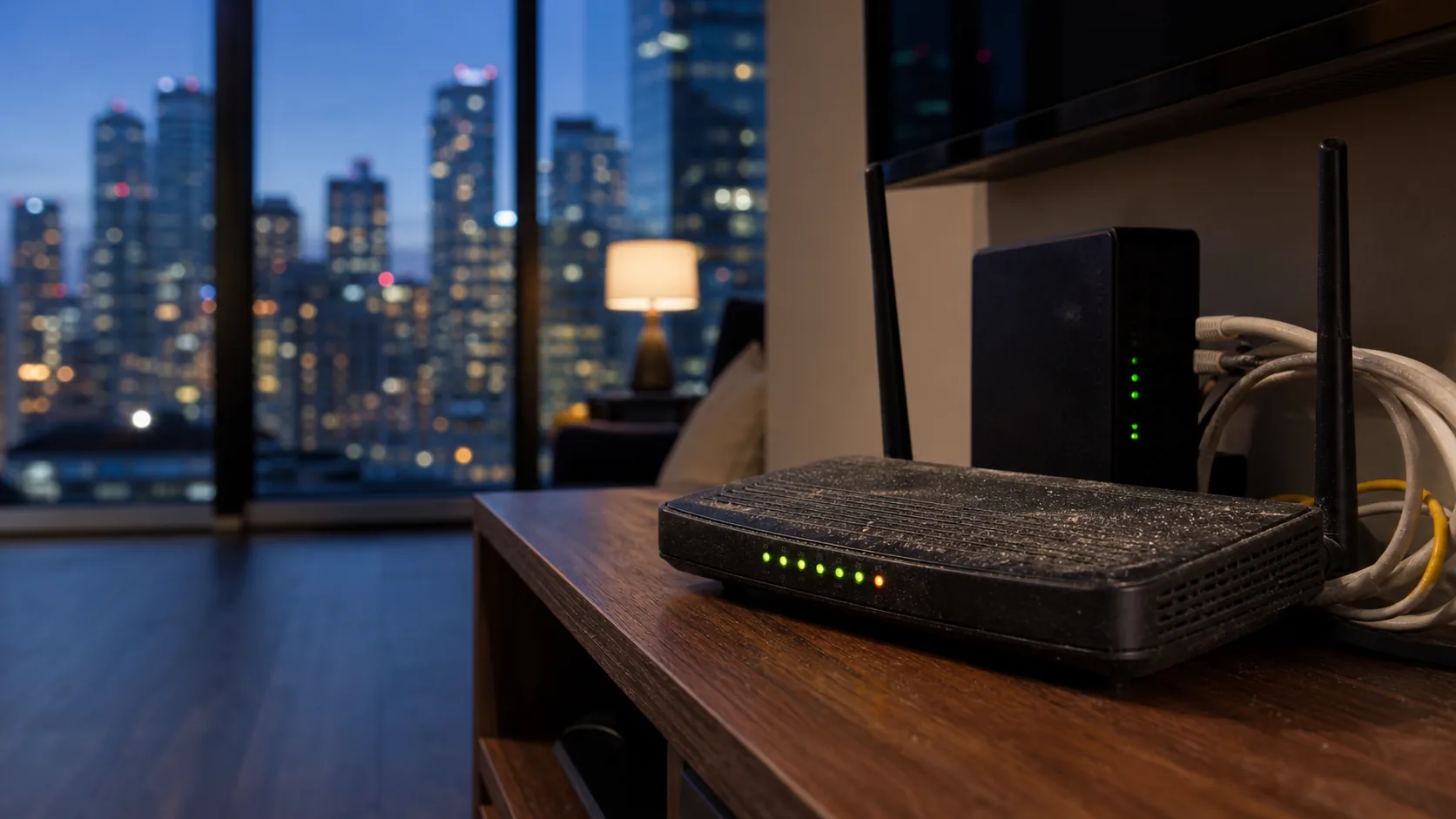
SetupTeam designs and installs home networks across the Greater Toronto Area — more than 10,000 completed projects and 530+ five-star Google reviews. When the FBI names home routers in a federal operation, homeowners understandably want two answers: am I affected, and what should I do? This guide gives both, using only what the DOJ, FBI, NSA, and TP-Link have published — no speculation, and no scare tactics. The short version: the event is real, the fix is practical, and it exposes a truth the industry has known for years. A router is not a network, and it is definitely not a firewall.
What Did the FBI Actually Announce in April 2026?
On April 7, 2026, the U.S. Department of Justice and the FBI announced Operation Masquerade: a court-authorized operation that dismantled the American portion of a network of hijacked home routers controlled by Russia's military intelligence agency, the GRU. According to the DOJ, the group — publicly tracked as APT28 or Fancy Bear — had been exploiting known vulnerabilities in TP-Link home routers since at least 2024. The attackers rewrote each router's DNS settings, the address book that tells your devices where every website lives. Traffic then flowed through servers the GRU controlled, and the operators harvested unencrypted passwords, authentication tokens, and emails as they passed. Microsoft's threat-intelligence team counted more than 18,000 compromised routers across 120-plus countries at the campaign's peak in December 2025, including roughly 5,000 household devices in the United States. The NSA published guidance the same day. Note what is missing from that story: nobody clicked a bad link, and nobody downloaded anything. The router itself was the way in. That is why this warning deserves attention — and why it does not deserve panic.
Which Routers Were Affected by the FBI Warning?
The operation named TP-Link small-office and home-office routers, compromised through CVE-2023-50224 — an authentication bypass that lets an attacker extract the router's stored admin credentials. TP-Link's own security advisory lists the affected hardware, including the TL-WR841N (hardware versions V8 through V12) and the Archer C5 and C7. Every listed model shares one trait: it is past End-of-Life, meaning it no longer receives security firmware. To check yours, turn the router over and read the label. Note the model number and the hardware version (marked "Ver"), then compare both against TP-Link's published End-of-Life list. Two caveats keep this honest. Owning a TP-Link router does not mean you were compromised — the named models are a small slice of the brand's lineup. And owning a different brand does not mean you are safe. Any router that has stopped receiving firmware updates, whatever the logo on top, carries the same class of risk. Age and abandonment are the vulnerability; the brand is incidental.

How Do I Know If My Router Has Been Hacked?
The reliable signs are configuration changes, not slow Wi-Fi: DNS settings you never entered, browsers that redirect to sites you did not type, an admin password that suddenly stops working, or devices on your network you cannot account for. One symptom alone proves little. A cluster of them is worth taking seriously. The single most useful check takes five minutes: log in to your router's admin panel and open the DNS or internet settings. The DNS servers listed should either be assigned automatically by your provider or match a resolver you chose yourself, such as 1.1.1.1 or 8.8.8.8. Unfamiliar addresses you never configured are the strongest red flag this specific campaign leaves behind. It is also worth saying plainly: this operation was built to be invisible, and slow Wi-Fi was never its symptom. In a downtown Toronto condo, sluggish Wi-Fi is almost always channel congestion from dozens of neighbouring networks, not espionage. Check the settings instead of guessing from the symptoms.
Signs worth checking — in order of reliability
- DNS server addresses in the router settings that you never entered
- Browsers redirecting to different sites than the address you typed
- Router admin password no longer works, with no one in the household having changed it
- Devices in the connected-device list you cannot identify
- Sudden traffic spikes while the household is idle — least reliable on its own
What Should I Do About My Router Right Now?
The FBI and NSA published a short, practical remediation list, and every step is something a homeowner can do in an afternoon. Work through it in order — the first two close the doors this campaign actually used.
- Change the router's admin password. Default and factory passwords are the first thing attackers try. Use a long, unique passphrase.
- Turn off remote management. Many consumer routers ship with internet-facing remote access switched on, and homeowners never check. The DOJ's remediation list calls this out directly.
- Update the firmware to the latest version the manufacturer offers — then note how old that "latest" version is.
- Verify the DNS settings match your provider's or a resolver you chose. Correct anything unfamiliar.
- Replace the router if it is End-of-Life. The NSA's guidance is blunt on this point: an unsupported device cannot be secured, only retired.
- Report suspected compromise. In Canada, that means the Canadian Anti-Fraud Centre and the Canadian Centre for Cyber Security; in the US, the FBI's IC3.gov.
One Canadian detail matters here. The FBI's court order authorized cleanup commands on compromised routers in the United States only. If a router in Ontario was part of this network, nothing was cleaned up on its owner's behalf. The checklist above is not optional busywork for Canadian households — it is the whole remediation.
Is a Router the Same As a Firewall?
No — and the difference is the real story behind this advisory. A consumer router bundles three jobs into one unmanaged box: routing traffic, broadcasting Wi-Fi, and a basic firewall that mostly just declines unsolicited inbound connections. Nobody monitors it, nobody patches it on a schedule, and when the manufacturer stops issuing firmware, all three jobs age together in place. A dedicated gateway firewall is a different category of device. It sits ahead of everything else on the network, actively inspects the traffic passing through it, receives regular security updates, and is administered deliberately rather than forgotten. In a professionally built home network, the jobs are separated: a gateway firewall at the front, a PoE switch distributing wired connections, and access points placed where coverage is actually needed. Each piece is managed, and each piece can be updated or replaced without touching the others. The 2026 advisory reads like a security scare, but it is better understood as a category correction. The homes affected did not have bad luck. They had a single consumer box doing a job that was never really its job.

Can a Mesh Wi-Fi Kit Fix This Problem?
A mesh kit fixes coverage, not security posture. The satellite nodes inherit the same firmware model, the same default firewall behaviour, and the same single cloud account as the main unit they extend — so the security architecture is unchanged, just distributed across more plastic. Each additional wireless node is also one more device whose firmware someone has to keep current. None of this makes mesh bad. If your problem is a dead zone in a back bedroom, a mesh kit is a legitimate answer, though wired access points do the same job with none of the wireless relay penalty — our Wi-Fi troubleshooting and optimization work covers exactly that trade-off. But if the FBI advisory is what prompted the question, be clear about what you are buying. A mesh kit is a coverage upgrade wearing a router's security model. It is not a firewall, and it does not add management where there was none.

Why ISP and Builder-Supplied Routers Are the Weak Point in GTA Homes
Walk into most homes across the GTA and the network is whatever Bell or Rogers installed on activation day. In downtown Toronto condos it is often a gateway the building or landlord supplied. In newer Vaughan and Markham subdivisions it is the unit the ISP technician mounted at move-in — untouched since. None of these devices is inherently bad. The problem is the ownership model: hardware nobody chose, running settings nobody reviewed, on firmware nobody schedules. The advisory's remediation list — check the admin password, disable remote management, verify DNS — assumes an owner who logs into their router. In practice, almost nobody does. There is a practical way out that does not involve changing providers. Both Bell and Rogers officially support bridge mode, a setting that turns their gateway into a simple modem and hands routing, Wi-Fi, and security to equipment you actually control. You keep your internet plan and your speeds. You replace the one box that was never built to be managed with gear that is.
What Does a Properly Secured Home Network Look Like?
It looks like separation of jobs, plus someone actually managing them. A dedicated gateway firewall sits at the front of the network, inspecting traffic and receiving scheduled security updates. A PoE switch feeds wired connections through the house. Access points mount on ceilings where coverage is needed, each fed by its own Cat6 cable — wired backhaul, not wireless relay. Different device types live on separate network segments, so a smart plug cannot reach a work laptop. And the whole system is administered from one local controller rather than a manufacturer's cloud login. This is the architecture behind our professional network installation work, most often built on Ubiquiti's UniFi platform — a UniFi network installation runs the gateway, switch, and access points from a single controller with no cloud dependency. If you are weighing how far up the ladder to go, we have written a plain-language comparison of how UniFi compares to enterprise network systems, and a look at why custom homes benefit from wired access points. The pattern across all of it is the same: managed beats unmanaged, wired beats relayed, and separated beats bundled.

Do Home Offices Need Extra Network Protection?
Yes — because of what this campaign actually stole. The DOJ describes the harvest as unencrypted passwords, authentication tokens, and emails. On a typical household network, a work laptop's traffic crosses the same compromised router as every phone, tablet, smart TV, and doorbell in the house. The router sits between all of it and the internet, indifferent to which credentials are personal and which unlock an employer's systems. Network segmentation is the standard answer, and it is routine in a managed installation. VLANs split one physical network into separate logical ones: work devices on one segment, family devices on another, smart-home gear on a third, guests isolated on their own. A compromised smart plug or a guest's phone simply has no path to the work laptop or the family's file storage. For anyone working from home in the GTA — and that is a large share of households in Richmond Hill, Markham, and beyond — segmentation is the difference between one weak device risking everything and one weak device risking only itself. Our home cybersecurity guide explains what an IoT network is and why a home needs one.
SetupTeam: Home Network Security Across the GTA
SetupTeam designs, installs, and secures home networks across the GTA — Toronto, Mississauga, Oakville, Vaughan, Richmond Hill, Markham, Newmarket, Aurora, and King City. A network scope review is the honest starting point: we look at what is running now, whether any of it is End-of-Life, how your ISP gateway is configured, and what a managed gateway, wired access points, and segmentation would look like in your home. No fear, no pressure to replace what is working — just an accurate picture of the network you have and the one your household actually needs. You can read what GTA homeowners say about working with us, or book a scope review below.
Not sure what your network is actually running?
Book a network scope review and we'll check what's installed now, whether any of it is End-of-Life, and what a managed gateway with wired access points would look like in your home — no fear, no pressure.
Frequently Asked Questions
7 answersOnly specific End-of-Life models were named, including the TL-WR841N (V8 to V12) and Archer C5 and C7. Check your model and hardware version on the router's label against TP-Link's published End-of-Life list rather than assuming either way.
No. A consumer router includes only a basic firewall that blocks unsolicited inbound traffic. A dedicated gateway firewall actively inspects traffic, receives scheduled security updates, and is managed deliberately — a different category of protection than a bundled consumer box.
Not reliably. A reboot can clear some malware from memory, but it does not fix altered DNS settings, weak admin passwords, or outdated firmware. Verify the DNS settings, update firmware, change the password, and replace the router if it is End-of-Life.
You do not have to change providers to upgrade security. Bell and Rogers both support bridge mode, which turns their gateway into a simple modem so a dedicated, managed gateway handles routing, Wi-Fi, and firewall duties instead.
Yes. The Justice Department said this campaign harvested unencrypted passwords, authentication tokens, and emails. A compromised router sits between every device in the home and the internet, including work laptops, so segmenting work devices from the rest of the network matters.
Mesh kits improve coverage, not security architecture. The nodes inherit the same firmware model, default firewall behaviour, and single cloud account as the main unit. For security, a managed gateway firewall with wired access points is the meaningful upgrade.
Firmware currency, admin credentials, and DNS settings are not one-time tasks — check them at least twice a year. A professional review makes sense when hardware approaches End-of-Life, after a move, or when a home office joins the network.
Know exactly what your network is running
SetupTeam replaces forgotten consumer boxes with managed gateways, wired access points, and segmented networks as part of network installation across the GTA.
If the FBI warning made you look at your router for the first time in years, that's the moment to book.

