

Sonos Installation and On-Site Support in Toronto
Authorized Sonos Gold Dealer. We supply, install, configure, and repair Sonos systems across Toronto condos, older homes, and larger properties, including Arc, Amp, surround, multi-room audio, and Wi-Fi-related dropouts.
Why hire a professional
Sonos installer in Toronto?
Homeowners comparing Sonos installers near them are usually weighing one thing: whether the system stays working after the technician leaves. A professional install matters because Toronto homes rarely match the easy case. Setup goes smoothly when the wall is wood-stud drywall, the router sits alone on the main floor, and the home runs one Wi-Fi network. Downtown condos run on concrete walls and concierge access instead. Midtown semis in the Annex, Cabbagetown, Leslieville and Riverdale use plaster-over-lath that blocks 5 GHz. Larger homes in Forest Hill, Rosedale and Lawrence Park layer an ISP router under a mesh system, which creates a double-NAT. Most jobs finish in a single visit: the technician supplies the hardware, installs it correctly the first time, and fixes whatever is already broken while on site. Type “Sonos near me” into Google and you’ll mostly find places to buy an Arc. We sell them too, as a Sonos Gold Dealer. Then we put it where it’ll sound good and fix the Wi-Fi that keeps dropping it.
SetupTeam is an authorized Sonos Gold Dealer. Arc Ultra, Arc, Beam Gen 2, Sub, Sub Mini, Era 100, Era 300, Sonos Amp and Sonos Port are stocked, supplied, and warranty-registered through us, with no separate retailer purchase, no shipping wait, and no warranty confusion. Current prices and any live Sonos promotion are listed on our buy Sonos online page. We are also a certified Control4 dealer, so Sonos and Control4 are configured together in one visit when the home uses both. New for 2026: the Sonos Beam Ultra soundbar, and the installer-only Sonos Amp Multi, which runs up to four zones from one amplifier.
The same technician also handles TV wall mounting, home cinema, Wi-Fi and network optimization, structured wiring, outdoor audio installation, and Control4, often in the same appointment when scope allows.
What does a Toronto
Sonos installation include?
A complete Sonos installation in Toronto covers four things: soundbar and TV audio (Arc Ultra, Arc, Beam Gen 2 with Sub or Sub Mini), multi-room zone design across the home, Sonos Amp powering in-ceiling or in-wall architectural speakers, and on-site repair of systems that already exist and have stopped working reliably. The technician supplies the hardware and checks network behaviour before adding the first speaker.
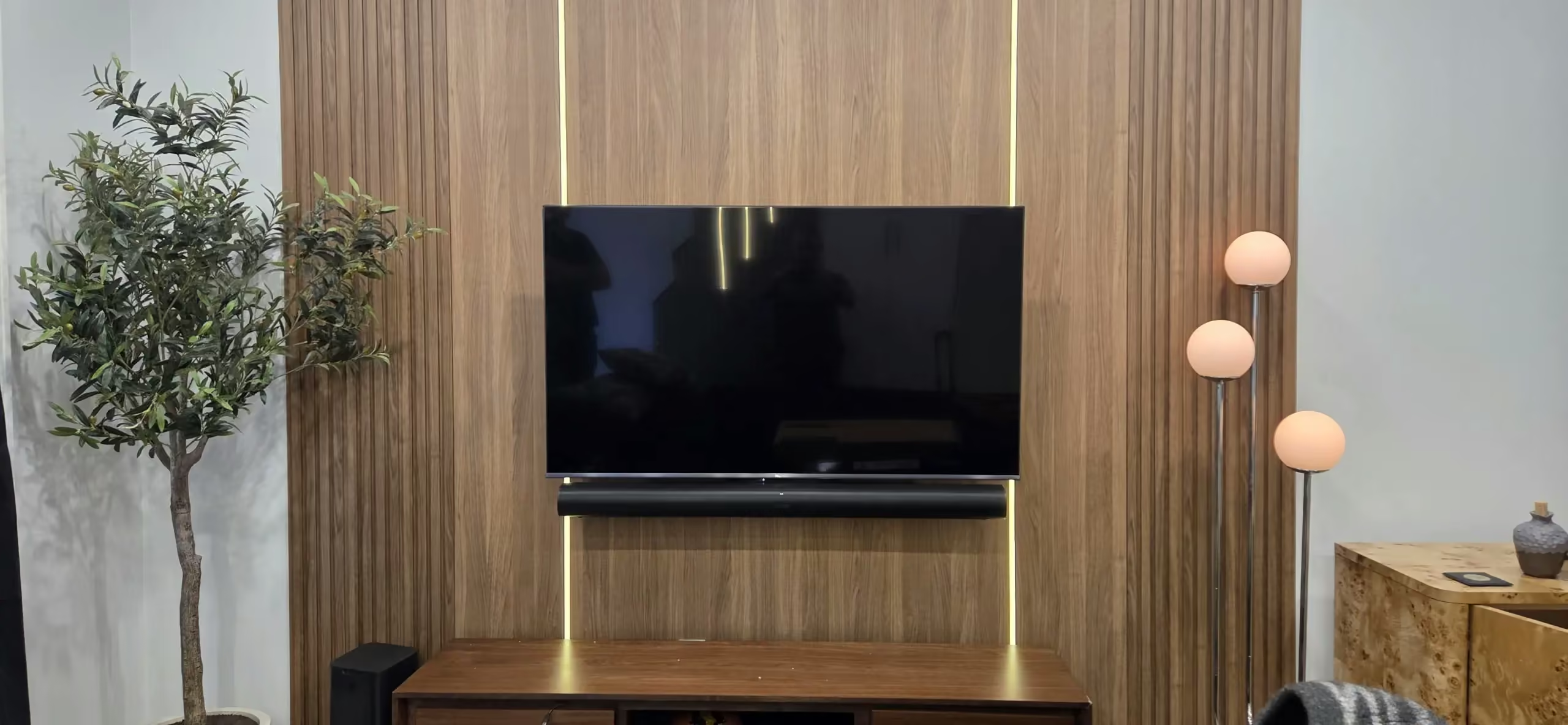
Soundbar & TV Audio
Arc Ultra, Arc, or Beam Gen 2 with Sub or Sub Mini. The technician supplies it, wall-mounts it alongside the TV, and calibrates it for the room, confirming the pick against the space before anything is ordered.

Multi-Room System Design
Kitchen, main floor, primary bedroom, home office, rooftop deck: each becomes an independent zone with consistent naming and logical grouping, built to expand without a reset.
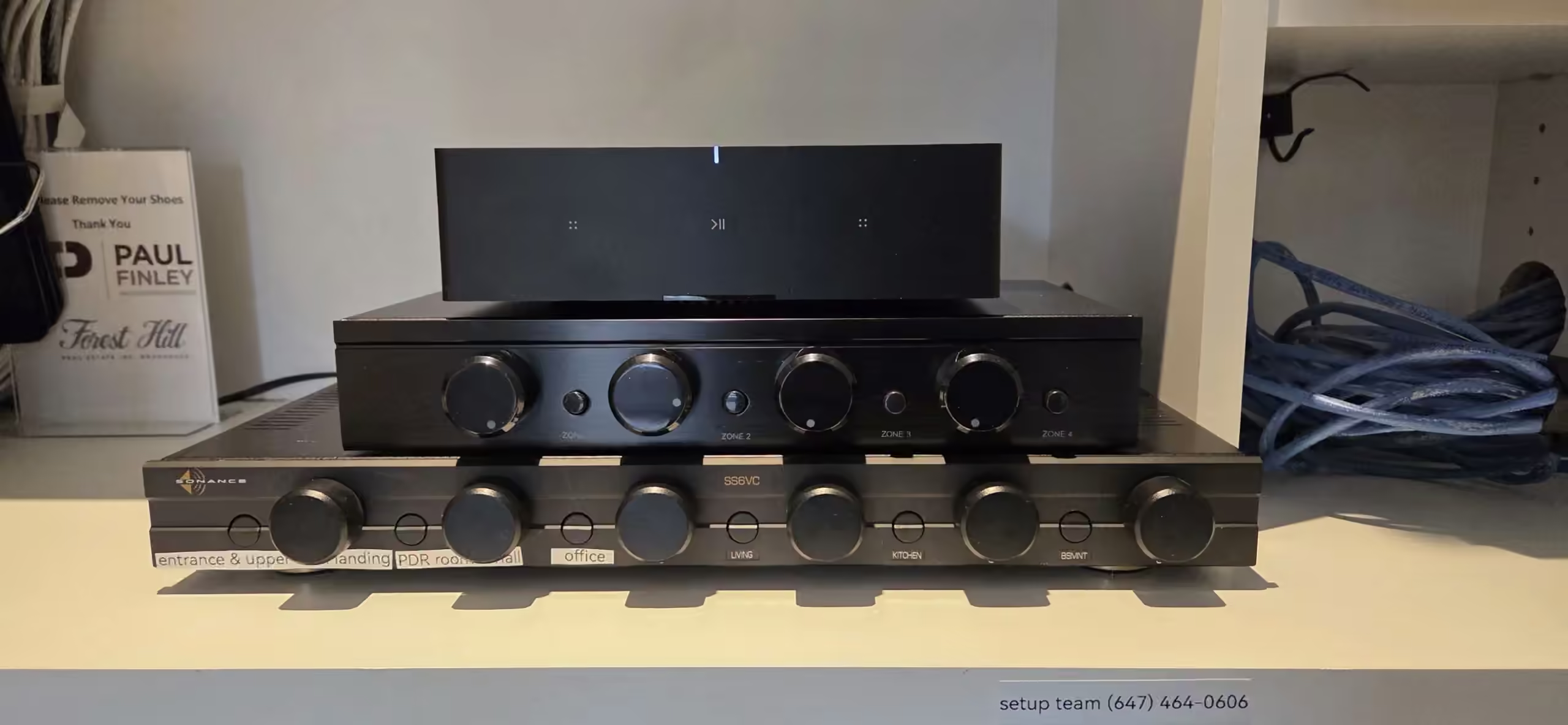
Amp & Architectural Zones
Sonos Amp powering in-ceiling or in-wall Sonos by Sonance speakers. We install it most often during Toronto renovations, while the walls are open.
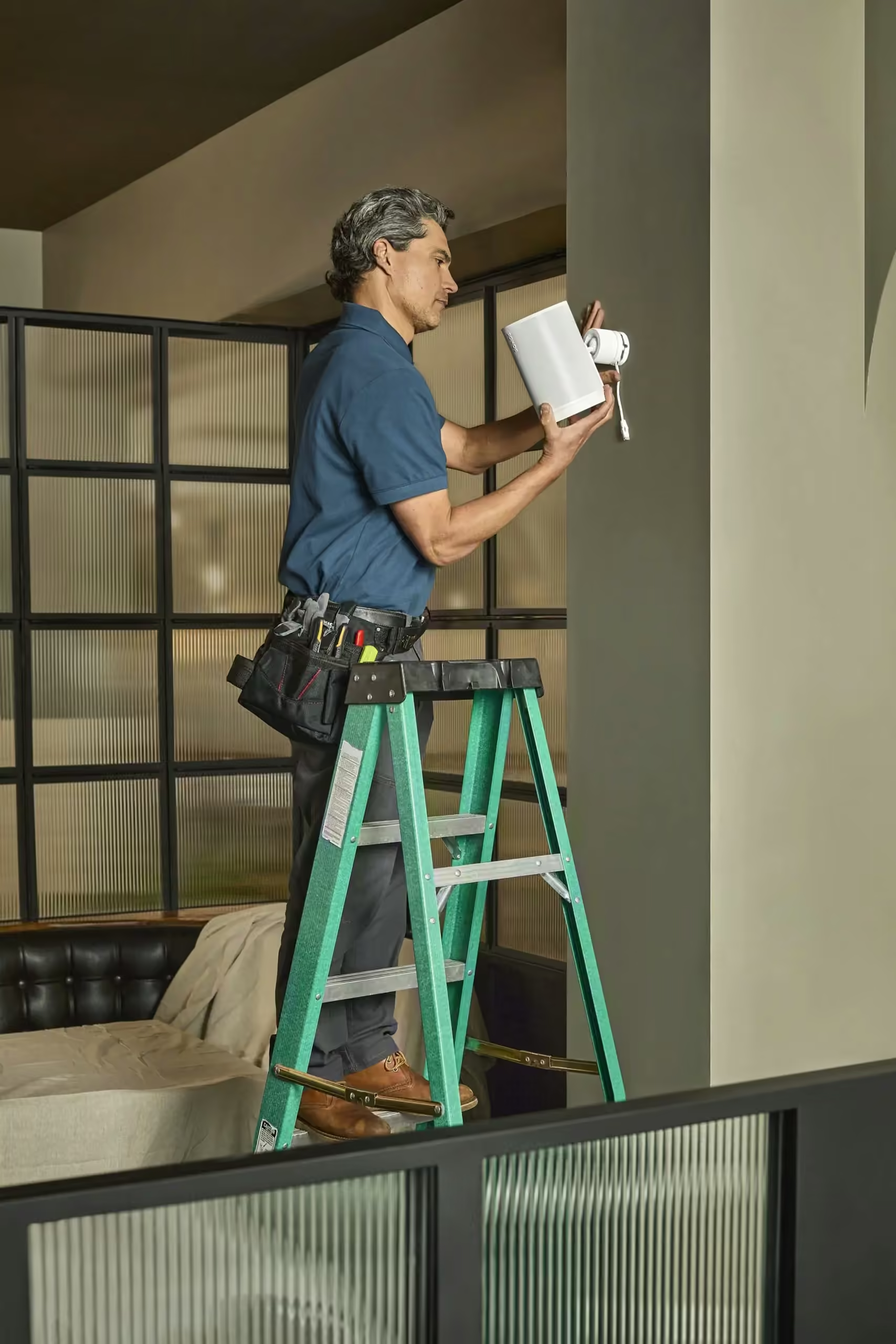
On-Site Support & System Repair
Rooms that vanish after a router change, surrounds that drop out mid-playback, new speakers that will not join the system. Each has a specific cause, and the technician identifies it on-site.
How much does Sonos
installation cost in Toronto?
Sonos work in Toronto starts at a $200 minimum when we supply the hardware and a $300 minimum for a diagnostic or installation-only visit, each covering the first 90 minutes on site — enough for most single-room installs and repairs. Larger multi-room systems take longer, and we confirm any additional time with you before continuing. Choose your visit type below.
Sonos System Diagnostic Visit
- Speaker connectivity and app configuration
- Wi-Fi signal and network conditions
- Dropout, grouping, and playback issues
- Correction and verification before we leave
- System walkthrough and user training before we leave
Most issues are resolved during the visit. If additional time is needed, we confirm before continuing.
Sonos Installation Visit
- Full hardware setup and placement
- App configuration, rooms, and grouping
- Network integration and signal verification
- Playback testing across all connected speakers
- System walkthrough and user training before we leave
Configuration fee applies when equipment is sourced elsewhere. If additional time is needed, we confirm before continuing.
Sonos Supply & Installation
- Equipment sourced and supplied through SetupTeam
- Full hardware setup, app, rooms, and grouping
- Network integration and signal verification
- Authorized dealer warranty, full Sonos coverage
- System walkthrough and user training before we leave
Equipment supplied at price-match pricing. We match any authorized Canadian retailer.
Sonos Gold Dealer · $2M Liability Insurance · 530+ Five-Star Google Reviews
All visit minimums include on-site time as noted. Additional time beyond the included window is confirmed before proceeding.
How does the Sonos
booking and install process work?
Whether you want to set up Sonos for the first time or add to a system you already own, booking a Toronto installation runs in four steps: a phone or message exchange to confirm scope and product mix, building-access setup we handle for you when the address is a condo, an arrival window with hardware and tools on the truck, and a finished, named, app-organized system before we leave the unit.
Call or message us
Tell us the rooms you want covered, whether there is existing Sonos already, and any specific products you are considering. We give you a clear scope and price, usually in the same conversation.
We confirm building access
For condos we book the service elevator, send the insurance certificate to your property manager, and confirm parking. You do not chase any of this.
We arrive with the hardware
Sonos product supplied from our Gold Dealer stock, plus all cables, anchors, and tools on the truck. Wall type and network behaviour assessed before anything is mounted or added to the app.
Finished before we leave
Zones named consistently, soundbar calibrated, surrounds Trueplay-tuned where supported, Wi-Fi behaviour verified. We do not pack up until the system is stable in normal daily use.
Same-day Sonos installation and repair across Toronto. Call to confirm a time.
Call (647) 464-0606What does a Sonos install
in a Toronto condo or older home involve?
Most Sonos failures in Toronto trace to network and construction conditions the original installer did not account for. The four most common patterns are downtown condo concrete walls, older-home plaster blocking Wi-Fi, layered ISP-plus-mesh setups creating double-NATs, and large custom homes with too many zones added piecemeal over time. Each has a specific fix.
Downtown condo access and concrete walls
Glass towers, King West conversions, and concrete lofts need masonry anchoring and surface-channel cable runs. Drilling a chase through poured concrete is not practical. Most buildings also require a certificate of insurance before any contractor enters, plus 24-hour elevator booking through the concierge. We handle the COI and elevator booking as standard, and the truck carries both concrete and metal-stud hardware so the technician confirms the wall type on arrival.
Older Toronto homes and Wi-Fi limits
Annex, Cabbagetown, Riverdale, Leslieville, Junction and Roncesvalles homes often have plaster-over-lath walls. The metal lath behind the plaster degrades 5 GHz Wi-Fi badly, so speakers connect, drop, and reconnect on a loop. Adding more speakers or a Sonos Boost rarely fixes it. The technician places an access point correctly on the same subnet instead, sometimes adding a wired Sonos Port or Amp to pull the signal closer to the rest of the system.
Layered ISP routers and mesh nodes
Bell Giga Hub, Rogers Ignite XB7, eero, Google Nest Wifi and Deco systems all behave differently with Sonos. The most common Toronto pattern: an ISP router left active alongside a separate mesh, creating a double-NAT. Speakers join one subnet, the phone joins another, and "No products found" appears in the Sonos app. We identify which device is doing DHCP and put the other in bridge mode, once and correctly.
Custom and larger Toronto homes
Forest Hill, Rosedale, Bridle Path, Lawrence Park, Kingsway, and Hoggs Hollow homes often carry 6–12 Sonos zones added across multiple renovations. Naming drifts, app groups break, and adding a new zone can introduce a problem nowhere near the new device. The technician rebuilds the structure rather than adding to the mess, and where Control4 is the interface, aligns the Sonos driver and zone names to match.
What can SetupTeam do
in a single Sonos visit?
A single Sonos visit can combine hardware supply, mounting, system expansion, and configuration repair, provided the scope is confirmed before arrival. The six combinations below are the ones we book most often across Toronto and the GTA.
Condo soundbar and TV mount
Arc Ultra or Beam Gen 2 supplied, TV wall-mounted on concrete or metal stud, HDMI eARC verified, cables concealed by in-wall channel where the wall cavity allows or by paint-matched surface raceway on concrete. Insurance certificate and elevator booking handled before the visit.
Surround configuration
Arc Ultra or Arc with Sub plus Era 300 rears: placement geometry confirmed against the room, Trueplay run on a supported iOS device, levels matched. Incorrect rear placement is the single most common reason surrounds appear to produce no effect.
Room additions to an existing system
Adding zones without disrupting what already works. Naming and grouping aligned to the existing structure rather than creating a parallel mess in the app. New speaker joined on the same subnet, Trueplay tuned, and tested in the existing group.
Sonos Amp + architectural speakers
Amp installed, Sonos by Sonance in-ceiling or in-wall speakers fitted, speaker wire terminated cleanly, and the zone added to the existing app structure. Best timed mid-renovation while walls are open; possible post-reno with planned ceiling access points.
Control4 + Sonos integration
Sonos driver installed in Control4, naming standardized across both systems, TV audio switching verified from the C4 interface before we leave. Common in Forest Hill, Rosedale, Bridle Path and high-end Midtown homes.
Network repair for an existing Sonos
Double-NAT identified, DHCP scope corrected, mesh configuration adjusted, multicast verified. The system is fixed at the source, not masked by a reboot. Wi-Fi assessment available as a standalone visit or combined with the Sonos call.
Why did my Sonos stop working
after a new router or ISP install?
A router or ISP change is the single most common trigger for Sonos failures we see in Toronto. When the router changes, the network's IP range usually changes too, along with the DHCP behaviour, the multicast handling, and whether AP isolation is on by default. Speakers that were enrolled on the old network configuration lose their stability. The Sonos app shows "No products found", or some rooms appear and others vanish. The hardware is fine. The network underneath is different.
Bell Giga Hub and Rogers Ignite gateways are the most common culprits in Toronto. Both arrive set up as the primary router by default. If a homeowner already has a mesh system (eero, Deco, Nest Wifi, Orbi) and adds the ISP gateway without putting it in bridge mode, the network ends up with two devices doing DHCP. Sonos requires every speaker and every controller on a single subnet, and a double-NAT breaks that. The technician identifies which device should be the router, puts the other in bridge mode, and confirms the entire system rejoins on the same subnet before leaving.
Read the full breakdown: Sonos Speakers Disconnecting · Wi-Fi Optimization
How should multi-room Sonos
be designed for a Toronto home?
Whole house audio through Sonos works best when each room is treated as an independent zone with a consistent naming pattern, and groups are built around how the household lives day to day. In a typical Toronto layout, that means Kitchen and Living grouped for evening cooking, Primary Bedroom on its own for late-night listening, Office on its own for calls, and rooftop deck or backyard on its own outdoor group. The zones expand without breaking when the structure is right from the start.
Speaker choice is matched to room size and intent. Era 100 covers a typical 200–400 sq ft Toronto bedroom or office. Era 300 is the right pick where Atmos content matters or where the room is over 400 sq ft. Move 2 covers a balcony or patio where the speaker needs to come inside in winter. Sonos Amp powers in-ceiling speakers where flush, invisible audio matters: kitchens, hallways, bathrooms, and main-floor open plans most often. We confirm the mix during the assessment and supply the products through our Gold Dealer account.
Can you install Sonos Amp
and in-ceiling speakers during a Toronto renovation?
Yes. Sonos Amp driving in-ceiling or in-wall Sonos by Sonance speakers is one of our most common Toronto renovation bookings. The Amp itself lives in a closet, mudroom shelf, or AV rack, and up to three pairs of architectural speakers wire back to it. The result is invisible, flush audio in kitchens, hallways, ensuites, primary bedrooms, and main-floor open plans, controlled from the Sonos app like any other zone.
The right time to install architectural speakers is while the ceiling is open during a renovation. We coordinate the speaker rough-in with your contractor: speaker wire pulled before drywall, back boxes set, and Amp location confirmed at the same time as the structured wiring rough-in. Post-renovation retrofits are also possible where ceiling access points exist or where a portion of the ceiling can be opened cleanly. Annex, Junction and Cabbagetown gut renovations are the most common context, followed by Midtown semi additions and condo townhouse builds.
Sonos Arc Ultra or Arc:
which is the right soundbar for a Toronto living room?
Arc Ultra is the better soundbar in absolute terms: more drivers, a dedicated centre channel, better low-end without a Sub, and stronger spatial audio. The advantage shows in rooms wider than 4 metres with reasonable ceiling height. In an 800 sq ft Leslieville semi main floor, a Riverside loft, or an open-plan North York great room, Arc Ultra is the right pick.
In a 320 sq ft downtown condo living room with an 8-foot ceiling, the difference shrinks. Arc performs comparably and the price difference is rarely justified. Beam Gen 2 with a Sub Mini covers most small condo rooms convincingly for less. We assess the room (width, ceiling, sofa-to-TV distance, side-wall reflectivity) before recommending. Not all Toronto condos suit Arc Ultra, and the wrong pick in a small room makes the system feel overbought rather than impressive.
Where do Era 300 surrounds
go in a Toronto condo or living room?
Era 300 rears work best placed behind the seating position, mounted at roughly ear height when seated, and angled slightly toward the listener. The most common Toronto problem is rears placed beside the sofa or on a console at the front of the room. That geometry is one Trueplay cannot correct, no matter how many times it runs. Wall mounts or floor stands behind the sofa are almost always the right answer; the speaker connects over Wi-Fi, so no wire needs to cross the floor.
In an open-plan condo where the sofa floats in the middle of the room with no wall behind it, the right placement is floor stands set 6–12 inches behind the sofa edge, with the speakers tilted slightly toward the seating ears. Once geometry is correct, Trueplay tuning is the final step. Trueplay does what it claims when the technician runs it on a supported iOS device and walks the room properly.
Can you fix Sonos
that keeps losing rooms after I reset it?
Yes. A factory reset rarely fixes structural problems. If rooms keep disappearing after a reset, the underlying network configuration is the issue. The four root causes in order of frequency are: a double-NAT created by a layered router-and-mesh setup, a DHCP scope too small for the number of devices on the network, multicast or IGMP snooping settings on a mesh blocking Sonos discovery, and an AP isolation toggle turned on by default on the primary router. The technician fixes each of these in minutes once identified, by checking the network rather than the app.
We bring a small Wi-Fi analyser and the tools to read every router's admin interface on the truck. Most Toronto Sonos repair visits resolve in a single appointment. Where the network itself is the underlying problem (an overloaded mesh, weak coverage to one floor, an unreliable ISP gateway), we can scope the Wi-Fi fix the same day and combine the work. See Wi-Fi Optimization for the standalone service.
How fast can you come
to install or fix Sonos in Toronto?
Same-day Sonos installation and repair in Toronto is usually available for residential jobs, especially weekday mornings. Next-day is almost always available. Call or message with the rooms involved, whether you want hardware supplied, and the postal code, and we confirm a time the same day you reach out. A typical single-room soundbar install runs 60–120 minutes including TV mounting; a multi-zone repair visit usually runs 90 minutes to half a day.
For condo bookings, the slowest piece is normally the building's 24-hour elevator-booking notice. We handle that the moment we confirm the appointment. Same-day installs in concrete buildings are still possible where your building permits short-notice elevator bookings; otherwise next-day is the norm. Service hours are Monday to Sunday, 8:30 AM to 9:00 PM.
What questions do Toronto
homeowners and condo residents ask about Sonos?
Sonos Installation Near You in the GTA
SetupTeam serves communities across the Greater Toronto Area.
Book a Toronto Sonos visit
or get a quote.
Every visit is booked as a flat professional service fee. See the pricing section above for diagnostic, installation, and supply-and-install rates. Same-day and next-day appointments available.

