

UniFi Security Cameras: When UniFi Protect Is the Right Choice
When you want wired PoE cameras, local recording, and a system that grows with the property, UniFi Protect earns its place. Here is how SetupTeam approaches system design, camera placement, and long-term reliability across Toronto and the GTA.
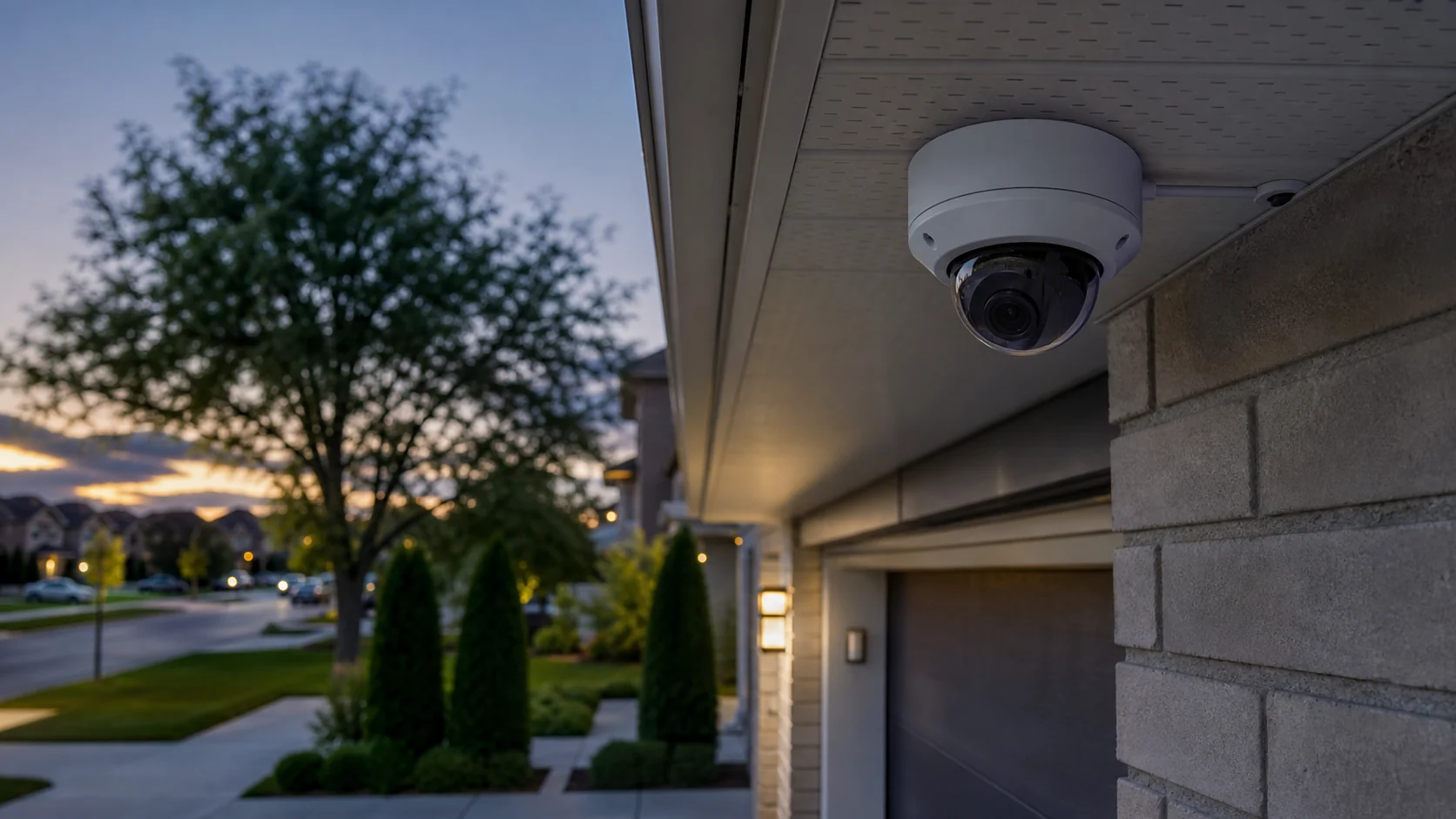
Not every home or small business needs a large security camera system. But if you have been burned by a cloud camera that stopped recording when a subscription changed — or watched wireless cameras cover everything except the areas that matter — you are probably asking a better question now: is there a wired security camera system that makes sense long-term?
For a lot of homes and businesses in Toronto and the GTA, the answer is UniFi Protect. Not always. But when it fits, it fits well. This post explains what the system is, where it earns its place, and what a proper installation looks like from SetupTeam's perspective.
What Is UniFi Protect, and Why Should You Care?
Ubiquiti's camera platform — hardware, software, and management from one ecosystem
UniFi Protect is the camera security platform built by Ubiquiti, the same company behind the widely used UniFi networking lineup. It brings together PoE-powered IP cameras, a dedicated network video recorder, and a management software layer that ties everything into one interface — the UniFi Protect app, which you use to check cameras, review footage, manage detection zones, and configure alerts whether you're on-site or not.
This is a complete physical security infrastructure, not a grab-bag of hardware from a big-box store.
The NVR lineup runs from compact units suited for smaller residential installs up to rack-mounted recorders that can handle dozens of 4K cameras. The camera side of the lineup includes different form factors for different jobs — turret and dome cameras, bullet cameras, PTZ cameras, doorbells, wide-angle models, and AI-focused cameras. Exact features and specifications vary by model; always confirm against current Ubiquiti product listings before specifying hardware for a job.

For most permanent wired installations, SetupTeam designs around PoE cameras — Power over Ethernet — where a single Cat6 cable delivers both power and data to each camera. Ubiquiti also offers WiFi-connected camera models for situations where running cable isn't practical.
As a UniFi system integrator working across Toronto and the GTA, SetupTeam handles the full scope: site assessment, PoE network design, structured wiring, NVR setup, camera mounting, and post-installation testing with user training.
Here is what that planning produces in the field. The clip below is real UniFi G6 PTZ footage from a SetupTeam UniFi Protect installation — a pan-tilt-zoom camera tracking a person across an elevated backyard deck, the kind of wide outdoor coverage a single PTZ can hold from one mounting point. For a closer look at video quality and how footage is reviewed, see our security camera video evidence article.

How Is UniFi Protect Different From the Cloud Cameras You Already Googled?
The difference is where your footage lives — and who controls it
If you've priced out Ring, Nest, or any consumer cloud camera platform, you've noticed the pattern: the camera is inexpensive upfront, but the subscription can become the long-term cost, and the footage lives on someone else's server. Miss a payment or have the company change their pricing — and you may lose access to your own recordings.
UniFi Protect uses a different architecture. Your system records footage locally to an NVR sitting on your property. Cameras run over wired Ethernet. Remote access works through Ubiquiti's cloud relay, but the primary recording remains on your local drives rather than being stored as a cloud-camera clip. This is what makes UniFi Protect a genuine alternative for people who want local recording, even though remote viewing still uses Ubiquiti's infrastructure.
The broader difference is design intent. Consumer cloud cameras are built for plug-and-play convenience. UniFi Protect is closer to proper surveillance system architecture — designed to be planned before it's installed, configured for the site, and maintained over time.
That said: Ubiquiti does offer optional services and features involving cloud connectivity, and pricing models evolve. Always verify current terms with Ubiquiti directly or through your installer before committing.
Why Do Most UniFi Protect Installs Use Wired PoE Cameras?
Because wired PoE cameras are more reliable than Wi-Fi cameras for permanent coverage
For permanent installations on residential or commercial properties, most UniFi Protect deployments are built around wired PoE cameras. A single Cat6 cable delivers both power and data to each camera — no wall outlet required near the camera position, no batteries, no wireless signal to maintain. Ubiquiti also offers WiFi-connected camera models, but for long-term exterior coverage, wired PoE is usually the right choice where the cable route is practical.
The reliability argument is straightforward. Wi-Fi can be reliable when designed properly, but it is still more exposed to interference, router changes, weak signal, and coverage problems than a dedicated cable run. A wired camera connected over PoE records because it's physically connected to the recorder — the signal path is a cable, not a radio wave.

There's also the placement argument. PoE infrastructure goes where the cable runs — which means a well-planned install puts cameras exactly where they need to be, not wherever the Wi-Fi reaches. Front entrance, rear soffit, driveway corner, side walkway — all fixed, all exactly where the site assessment determined they should go.
The structured wiring also keeps things tidy. Cables run through walls or attic space, terminate at the NVR location, and cameras mount flush to the soffit or wall.
The trade-off is honest: a proper security camera installation requires actual cable runs. If you want something working in an afternoon without opening a wall, this isn't it.
Does UniFi Protect Actually Record Locally, and How Does That Work?
Yes — video goes to your NVR on-site, stored on hard drives you own
Local recording is the architectural core of the UniFi Protect system. Each camera streams to the NVR, which writes footage to installed hard drives on your property. The recorder manages continuous or motion-triggered recording depending on your configuration.
How long does it keep recordings? That depends on the number of cameras, the resolution you're recording at, and how much hard drive capacity is installed. Ubiquiti provides a capacity calculator on their product pages — use it before specifying drives, not after.
In practical terms: for core recording, footage is stored on your local recorder rather than relying on a cloud storage account. When something happens on your property, the clip is on your drives. Remote viewing works through Ubiquiti's cloud relay — when you open the UniFi Protect app from outside your local network, it connects back to your NVR for live and recorded footage. The primary recording remains on your local drives rather than being stored as a cloud-camera clip.
Local storage with remote viewing. That distinction matters for long-term reliability and control.
How Many UniFi Cameras Do You Actually Need for a House?
Coverage matters more than count — four well-placed cameras beat ten random ones every time
This is the question where most DIY installs fall apart. Someone orders six cameras, mounts them wherever is convenient, and ends up with three views of the same driveway and a completely uncovered backyard.
For most detached homes in Toronto and the GTA, a properly planned camera layout sits somewhere between 4 and 8 cameras depending on lot size, home footprint, and what the homeowner needs covered. The core positions are: front entrance facing the door at face level for clear capture; driveway covering the full vehicle bay and street approach; rear yard covering the backyard and any gate or lane access; side walkways between the home and fence line; and garage if there's a detached structure or high-value items stored there.

Every angle needs to be thought through: field of view at that mounting height, IR night vision range, light sources that could blow out the image, and what the motion detection zone needs to trigger on — a person, a vehicle, or a raccoon at 2 a.m.
Getting this right is what separates a useful camera system from one that generates ten false alerts per day.
Is UniFi Protect a Good Fit for a Home Security System?
For homeowners who want wired cameras, local video storage, and long-term reliability — yes
UniFi Protect is built for environments where reliability, scalability, and serviceability matter. A properly installed residential system gives a homeowner wired PoE cameras with no wireless dependency, local video storage with remote access via the app, configurable activity zones and smart alert settings, AI-assisted detection on supported camera models, and a single interface to manage cameras, review footage, and adjust settings.
For smaller residential installs, the compact UNVR Instant is a practical starting point. It fits in a network rack, utility room shelf, or closet wherever cable runs terminate, and the system can be expanded as needs change — cameras and drives added without replacing the whole platform.
One thing worth saying clearly: UniFi Protect depends on proper networking. Cameras need a PoE switch or PoE-capable NVR. The NVR needs a stable network connection. The network installation underpinning the system matters — weak networking will show up in camera performance, remote access reliability, and app responsiveness.
Can a Small Business Run UniFi Protect for Their Security Cameras?
Yes — this is arguably where UniFi Protect makes the most practical sense
Small businesses have different requirements than residential properties: more cameras, coverage across multiple areas — retail floor, back-of-house, parking lot, reception — longer recording retention, and the need to add cameras over time without replacing the whole system. UniFi Protect handles all of this cleanly, and it is one of the platforms we deploy for commercial security camera installation.

A small business running 8 to 12 cameras can sit on a mid-range NVR with headroom to grow. When a new space gets added, cameras go in and the existing infrastructure expands. No rip-and-replace.
The app gives business owners remote access to live footage from anywhere. Motion events are logged and searchable by camera, time range, or detection type. When an incident occurs — a break-in, a dispute, a slip-and-fall — pulling and exporting the clip is straightforward.
Activity zones are particularly valuable for businesses. You define exactly which areas of the camera frame trigger smart alerts. A camera covering a loading dock doesn't need to fire an alert every time a car passes on the street behind it. Proper detection tuning is one of the most underrated benefits of a well-configured system.
UniFi Protect also supports integration beyond cameras — access control and camera management can run in the same platform within the UniFi ecosystem, if that's part of the security scope.
Can UniFi Protect Work Without a Full UniFi Network?
Mostly yes — but the NVR still needs a proper network connection and gateway
This comes up constantly from businesses and homeowners who already have a different brand of router and don't want to replace everything.
UniFi Protect cameras and NVRs do not require a UniFi router or UniFi access points to function. Cameras connect to the NVR over PoE — whether from a UniFi switch or a third-party PoE switch — and the NVR connects to your network for remote access and management.
Some UniFi Protect recorders have specific network requirements. For example, Ubiquiti lists the UNVR Instant as requiring connection to a gateway or Layer 3 switch. This should be checked during planning, especially when the property doesn't already use a full UniFi network.
In practice, most remote access features work through Ubiquiti's cloud relay regardless of what's running the local network. But tighter integration — unified network visibility, automated VLAN handling for camera traffic, single-console management — works better with a full UniFi setup. If you're already running a UniFi network, adding Protect cameras is clean. If you're on a different platform, the cameras work — you just won't have a single pane of glass for everything.
This is worth discussing during site assessment, especially if the property has existing PoE infrastructure or a question about whether existing camera wiring can be reused.
When Is UniFi Protect NOT the Right Fit?
Rentals, plug-and-play expectations, and under-budgeted installs
Let's be clear about where this system shouldn't go.
Rental properties. Running PoE cable through walls is a structural change. Most rental agreements won't allow it. And the cabling stays behind when you move. A cloud camera is probably the more practical choice for renters.
Plug-and-play expectations. UniFi Protect requires proper installation. An NVR needs to be configured. Cameras need to be mounted and aimed. Activity zones need to be tuned so smart alerts fire on what matters and not on everything that moves. If you want something working in an afternoon with no drilling, this isn't it.
Very small installs with no expansion plans. If you need one or two cameras and a monthly subscription doesn't bother you, a consumer cloud camera is the more practical choice. The overhead of a proper NVR-based system is hard to justify for a single doorbell.
Installs where the budget doesn't include professional installation. A proper UniFi Protect installation — PoE cable runs, NVR placement, camera mounting, configuration, and post-installation testing — takes time and expertise. Anyone quoting this system without asking about cable routes and NVR location first is skipping the parts that determine whether it actually works.
What Does SetupTeam Look at Before Installing UniFi Cameras?
The site, the cable paths, the network, the recorder location, and the actual goal
Before any UniFi installation goes in, the conversation starts with what the system needs to accomplish. That shapes every decision that follows.
Camera positions and field of view. Where do the cameras go, what do they need to see, and at what distance? This determines camera model, mounting height, and angle. These decisions happen during site assessment, not after the order arrives.
Cable routing. How do runs get from each camera position to the NVR location? Finished basement? Attic space? Exterior conduit? A poorly routed cable run creates long-term problems — exposed cable, difficult service access, and camera positions compromised because the cable couldn't reach the right spot.
NVR and recorder placement. Where does the recorder sit? It needs power, a network connection, and a climate-controlled location that isn't easily accessible to someone who shouldn't be touching it. A network rack in a utility room is the right answer.
Drive sizing. How many cameras, at what resolution, for how long? The capacity calculation shapes the HDD specification. Get it wrong and you're swapping drives six months later.
Network environment. What's the existing infrastructure? Is there already a UniFi network in place? What PoE switch is needed for camera traffic on this property?
Detection zone configuration. What should trigger a smart alert, and what shouldn't? What causes false alerts? Usually it's camera positions that weren't thought through — a camera aimed at a tree in the wind, a motion zone that includes a public sidewalk, a night vision angle that catches passing headlights. Getting detection zones right at setup time prevents weeks of alert fatigue after handover.
The last step before the job is done is system demonstration and user training. We walk through the app with you, show you how to pull footage, set notification preferences, and check camera health. A system nobody knows how to use is a very expensive piece of hardware.
If you're in Toronto or the GTA and thinking through this, contact SetupTeam and we'll walk the site before anything gets ordered.
Ready to plan a proper UniFi Protect installation?
SetupTeam installs UniFi Protect systems across Toronto and the GTA — from site assessment and PoE cable runs to NVR setup, camera mounting, and user training. We handle the full scope.
UniFi Protect — Frequently Asked Questions
12 answersUniFi Protect makes sense when you want a wired, local-recording camera system with remote access, scalable NVR-based architecture, and smart detection features — and you're prepared to have it installed properly with real cable runs and a configured recorder. It's the right call for permanent residential installs, small businesses, and commercial properties that want security infrastructure they control.
Yes — for homeowners who want wired PoE cameras, local video storage, and a system that doesn't rely on a recurring cloud subscription for the core recording function. It's not the right fit for renters or anyone expecting a plug-and-play wireless setup.
Yes. It's a scalable system that handles multi-camera commercial deployments cleanly, offers centralized management through a single app, and supports expansion over time without replacing the base infrastructure.
UniFi Protect is primarily a local recording system, which is why many people choose it over subscription-based cloud cameras. That said, Ubiquiti does offer optional services and platform features — always verify current terms directly with Ubiquiti or your installer before committing.
Yes. All footage records to an NVR with installed hard drives on your property. Remote viewing is handled through Ubiquiti's cloud relay, but the primary recording remains on your local drives rather than being stored as a cloud-camera clip.
Yes. The UniFi Protect app connects to your NVR remotely via Ubiquiti's relay infrastructure. You can view a live feed, review recorded footage, and manage detection settings from anywhere.
Not always. Most UniFi Protect cameras used for permanent installations are wired PoE models — a single Cat6 cable delivers both power and data, with no Wi-Fi required. UniFi also offers WiFi-connected camera models for specific use cases where running cable isn't practical.
For permanent exterior installations, yes. Wired PoE cameras don't drop signal, don't depend on Wi-Fi coverage at the camera position, and don't require batteries. The trade-off is that proper installation requires cable runs through walls or structure — it's not a plug-in setup.
Generally yes. Cameras and NVRs don't require a UniFi router or access points. However, some recorders have specific network requirements — for example, Ubiquiti lists the UNVR Instant as requiring connection to a gateway or Layer 3 switch. Always verify requirements for the specific NVR model against current Ubiquiti documentation during planning.
Most detached homes in the GTA are well covered by 4 to 8 cameras across front entrance, driveway, rear yard, side walkways, and garage. The right number depends on the property — a site assessment gives you an accurate count.
Key positions: front entrance at face level for clear capture, driveway for vehicle and approach coverage, rear yard covering the backyard and gate access, side walkways, and any detached structure. Every position should be determined by field of view, IR range, and what the camera actually needs to capture — not by what's convenient to mount.
When you want the system planned before it's installed, cable runs done right the first time, and detection zones configured so the system works from day one. A professional installer handles site assessment, PoE cable installation, NVR setup, camera mounting, app configuration, and user training as part of the job.
Ready to plan a proper UniFi Protect installation?
SetupTeam installs UniFi Protect security camera systems across Toronto and the GTA — site assessment, PoE cable runs, NVR setup, camera mounting, and user training — as part of security camera installation across the GTA.
We walk the site and plan the system before anything gets ordered.

