Why Richmond Hill Custom Homes Need Wired Access Points
Why Richmond Hill Custom Homes Need Wired Access Points
The square footage is large. The walls are thick. And the device count is climbing. Here is how to build a network that keeps up.
A custom home in Richmond Hill is one of the most demanding Wi-Fi environments you can build. The square footage is large. The walls are thick. The floors are often concrete-slab construction. And the device count — thermostats, cameras, audio systems, televisions, phones, laptops, and whatever else accumulates over time — can push well past fifty or sixty without much effort. Dropping a router from your ISP on a shelf somewhere and expecting it to cover all of that is not a plan. It is an assumption, and it will fail in predictable ways.
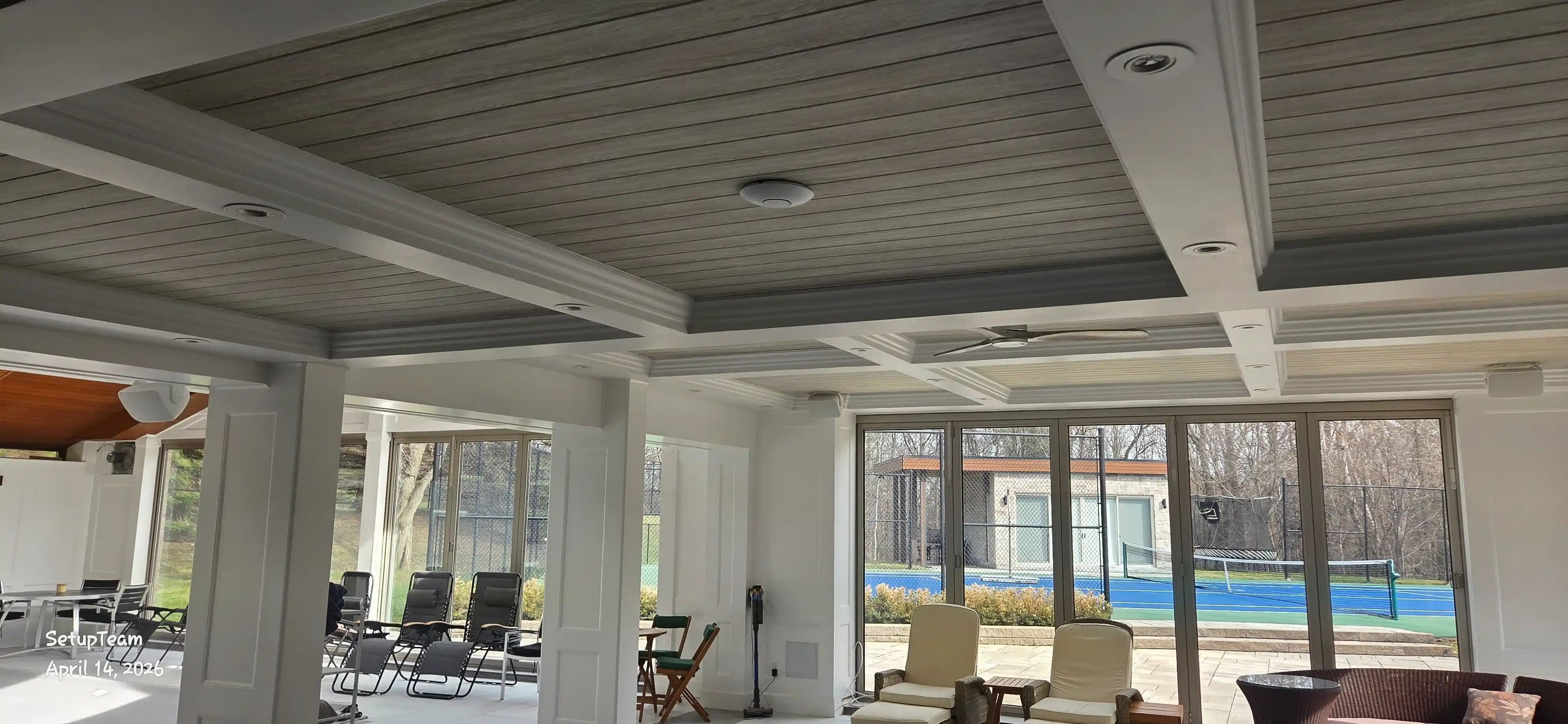
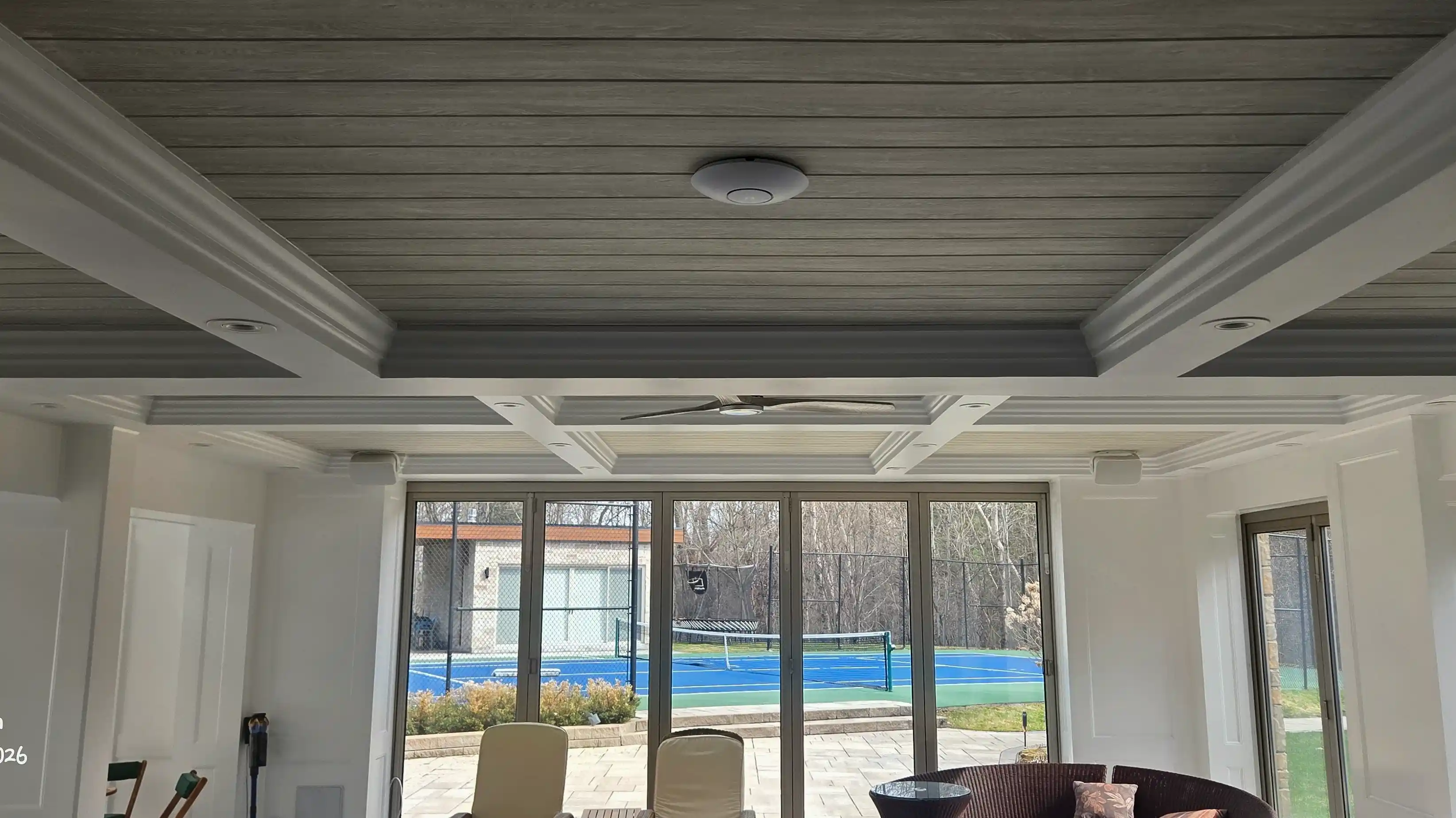
The correct approach for a custom home is a system of wired access points distributed across the floor plan, each one hardwired back to a central network panel. This is what professional network installation in Richmond Hill looks like when it is done properly.
The Wired Advantage — What Access Points Actually Do
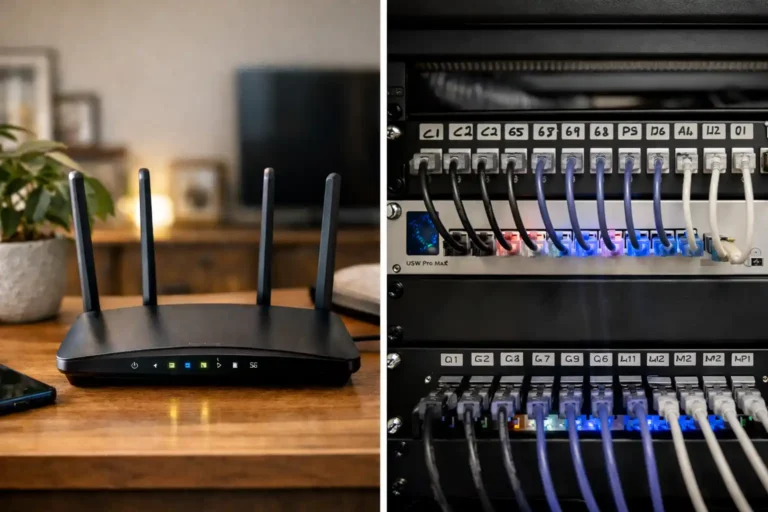
An access point is not a router. It does not manage your network — it extends it. Multiple access points, each connected to your core switch by a physical cable, create a unified wireless network where every device gets a strong, local signal regardless of where it is in the house. You are not relying on one device to broadcast through walls and floors. You are putting the signal where people actually are.
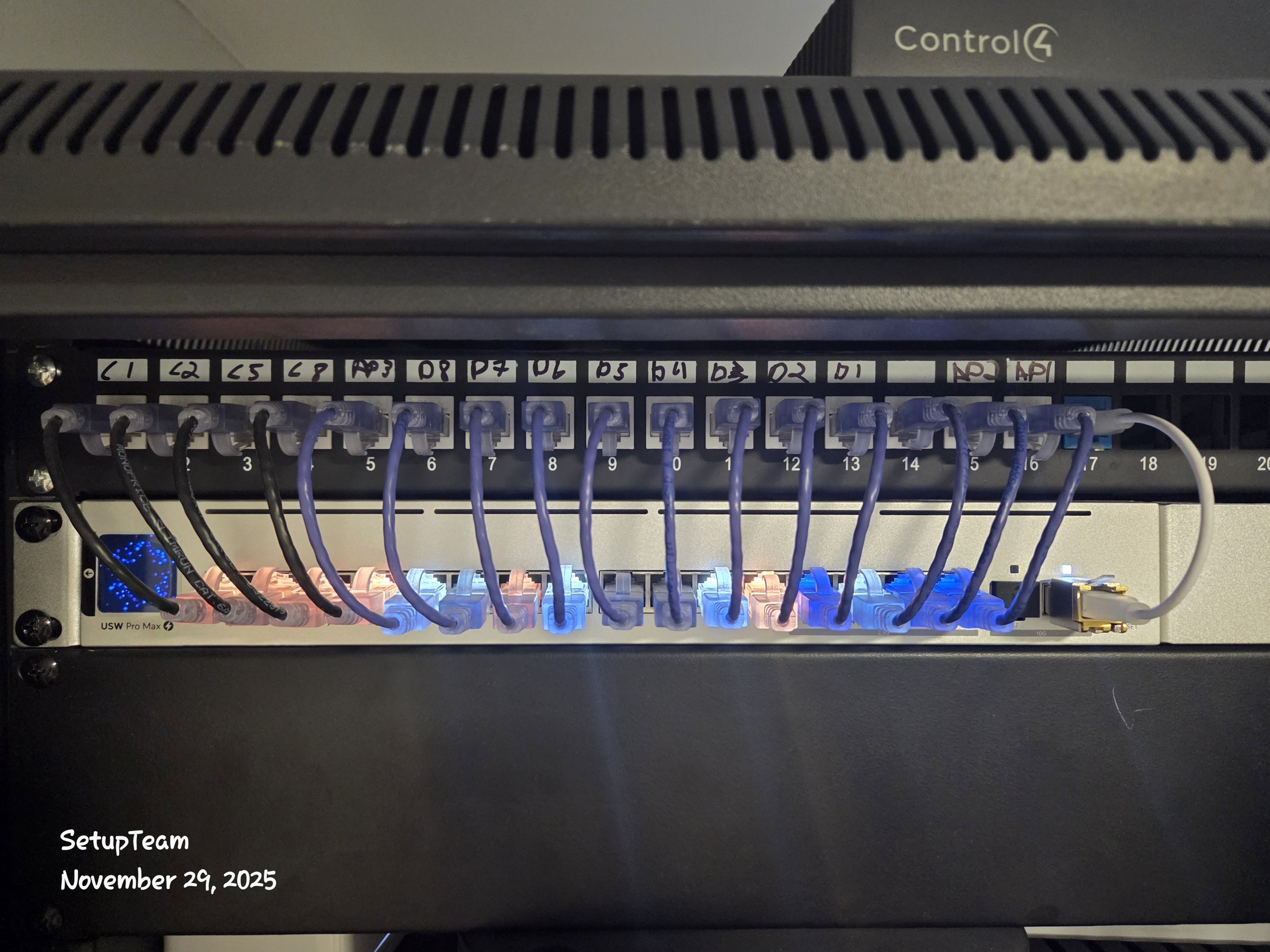
The cable is the key part. When an access point is hardwired — typically with Cat6 — it has a direct, low-latency connection back to your router and internet feed. Nothing competes for that bandwidth. Nothing degrades it as it passes through walls. The connection is as stable as a physical Ethernet port, just delivered wirelessly to your phone or laptop.
Wireless access points exist too, but they are a compromise. A wireless access point receiving its signal over Wi-Fi from another node is doing two things at once: receiving and transmitting. That split always costs performance. It is manageable in smaller spaces. In a 5,000-square-foot custom home across three floors, that cost compounds quickly.
Why Custom Homes Are Different
Square Footage and Building Materials
The homes being built in Richmond Hill, King City, and across York Region are not bungalows. Multi-storey builds with finished basements, home theatres, triple-car garages, and outdoor living areas are common. Each of those spaces needs coverage, and each transition — floor to floor, indoors to outdoors — is a point where signal degrades or disappears entirely.
Construction materials make this worse. Concrete slabs between floors, insulated exterior walls, and steel structural elements all attenuate radio frequency signals. A Wi-Fi signal does not pass through these materials the way it passes through drywall. A single router placed at the main floor simply cannot reach a basement media room or a second-floor home office with enough signal strength to matter.
The Device Load Problem
Modern households accumulate connected devices faster than most people track. Smart TVs, streaming sticks, home automation hubs, thermostats, video doorbells, security cameras, Sonos speakers — these are all competing for airtime on the same network. Add phones, tablets, and laptops for a family of four, and you are easily at forty or fifty devices. A well-appointed custom home can exceed a hundred.
Older Wi-Fi standards were not designed for this. A network trying to serve that many devices on a single access point will start to degrade — dropped connections, buffering, sluggish response from smart home devices. The solution is not a faster router. It is more access points, better distributed, running a current-generation standard.
Wi-Fi 6E and Wi-Fi 7: Why the Standard Matters in a Large Home
Two Wi-Fi standards are relevant to custom home installations right now. Understanding what each one actually does — beyond the marketing — helps clarify why hardware selection is not arbitrary.
Wi-Fi 6E introduced the 6 GHz band. Prior to 6E, Wi-Fi operated on 2.4 GHz and 5 GHz exclusively. Both of those bands are crowded — shared by neighbours, cordless phones, Bluetooth devices, and other interference sources. The 6 GHz band is largely interference-free, and because it is new, comparatively uncrowded. Devices that support 6E can connect on a cleaner, faster channel. In a dense residential neighbourhood in Richmond Hill, where dozens of networks are competing in the same airspace, that separation matters.
Wi-Fi 7 goes further. Its primary design purpose is high-density environments — meaning networks with many devices connecting simultaneously. The practical benefit in a home context is reliability under load. A household with a hundred-plus connected devices, including bandwidth-intensive video and audio systems, is exactly the environment Wi-Fi 7 was built to serve well. It also introduces multi-link operation, which allows a device to send and receive data across multiple bands at once rather than committing to one.
We do not install anything below Wi-Fi 6E. A custom home is a long-term investment, and the network infrastructure should last. Installing hardware that is already a generation behind on a new build creates a ceiling you will hit faster than you expect.
When the Wiring Doesn’t Exist: The eero Pro Alternative
Not every home has the infrastructure for wired access points. Some existing homes were never pre-wired during construction. Others have limited structured wiring that covers the main floor but leaves the upper levels or basement without drops. Retrofitting Cat6 behind finished walls is possible but disruptive and, depending on the construction, sometimes impractical.
In those situations, the best available option — by a meaningful margin, based on fifteen years of residential installations across the GTA — is the eero Pro mesh system. Specifically, the eero Pro 6E and the eero Pro 7.

The eero Pro 6E is a tri-band Wi-Fi 6E system. It uses the 6 GHz band as a dedicated backhaul channel between nodes, which means the bandwidth used for node-to-node communication is separated from the bandwidth available to your devices. That separation is what makes it perform meaningfully better than most mesh systems, which share a single band for both purposes. The eero Pro 7 steps that up further with Wi-Fi 7 capability, appropriate for homes with very high device counts or where future-proofing is a priority.
The honest comparison: eero Pro on wireless backhaul is still not as consistent as UniFi on wired backhaul. Physics is physics. But as wireless mesh systems go, it is the best option available for homes where running cable is not feasible.
Remote Monitoring and Diagnostic Reporting
One capability of the eero platform that is often overlooked — and that makes a concrete difference in real situations — is backend access for professional installers. Most consumer mesh systems are closed. You see what the app shows you. If something is wrong, you are troubleshooting blind.
The eero platform allows us, as installers, access to the backend of a customer’s system. Not to what they see or do on their network — that remains private — but to performance data, connection logs, and diagnostic reports. We can see when devices drop, how often, for how long, and whether the issue is internal to the network or external to it.
That distinction matters more than most people realize. A customer we worked with had been dealing with persistent internet disconnects — two or three times a day, every day — for over a year. Bell had been out multiple times and replaced the modem four times. Their position was that the modem was fine and the problem was elsewhere. Without data, there was no way to challenge that.
After we installed the eero system, the logs told a different story. There were physical disconnects happening almost two hours out of every day, consistently. Not inside the home, not in the router or the Wi-Fi — at the network level, before the signal even reached the house. We compiled the reports and took them back to Bell. That documentation was what finally moved the issue forward. A technician was dispatched to a local fibre hub — not the house, the external infrastructure — and a fault was found and repaired. The disconnects stopped immediately.
That kind of outcome is not possible with a system that does not give you access to the data. For our Wi-Fi troubleshooting and network optimization in Richmond Hill, that visibility is often the difference between guessing and knowing.
Wired vs. Wireless Backhaul: How to Think About the Decision
The decision is not really wired versus wireless as a philosophical preference. It is a question of what the infrastructure allows and what the performance requirements are.
If the home is under construction or in early renovation, run the wire. Cat6 to every room, every floor, every outdoor area you want covered. The cost of doing it during construction is a fraction of what it costs to retrofit later — both in materials and in disruption. A properly installed UniFi network installation, with access points placed based on the floor plan rather than proximity to existing outlets, will outperform any wireless mesh system in every metric that matters: throughput, latency, reliability, and longevity.
If the home is finished and re-wiring is not practical, eero Pro 6E or eero Pro 7 is the right call. It is the best wireless backhaul option available, and with backend access, it is a system that can be properly monitored and maintained — not just rebooted when things go sideways.
Some homes end up with a hybrid: wired access points where drops already exist, eero nodes filling the gaps in areas that were not pre-wired. That is a legitimate approach when infrastructure is partial rather than absent. The priority is always to put wired connections where the load is highest — the home office, the media room, the main living area — and use wireless to cover lower-demand areas.
Planning the Infrastructure During Construction
The single most expensive Wi-Fi mistake in a custom home is not making a bad hardware choice. It is finishing the walls before the cable is in.
Once drywall is up and painted, adding a network drop means opening walls, fishing cable through insulation, patching and repainting. In a home with spray foam insulation or complex framing — both common in high-end new builds in York Region — it can be genuinely difficult. The rough-in stage is the window, and it closes fast.
The decisions that need to be made before that window closes: where the central network panel will go, how many access point locations are needed and where, which rooms need hardwired Ethernet ports for televisions or desktops, and whether outdoor coverage is part of the plan. All of that requires a floor plan and a conversation with whoever is designing the network — ideally before the framers are finished, not after.
The cable itself is not expensive. Cat6 is a commodity. What costs money is the labour to install it after the fact. Spending a few hours planning the network during construction is one of the highest-return investments a custom home owner can make — one that pays dividends every time someone tries to work from the basement or stream from the bedroom and the connection just works, without any thought required.
For homes across Richmond Hill and York Region, that kind of infrastructure planning is exactly what separates a house that performs from one that frustrates. The networking services that matter most are the ones that happen before the walls go up.
Quick Answers
Common questions, answered directly.
Do I need wired access points in my custom home?
If the home has Cat6 wiring or is under construction, wired access points are the best choice for whole-home Wi-Fi — they deliver faster, more stable connections than any wireless mesh system. If wired infrastructure does not exist and retrofitting is not practical, a Wi-Fi 6E or Wi-Fi 7 mesh system such as the eero Pro 6E or eero Pro 7 is the recommended alternative.
What is the difference between Wi-Fi 6E and Wi-Fi 7?
Wi-Fi 6E added the 6 GHz band, giving devices access to a cleaner, less congested wireless channel. Wi-Fi 7 builds on that with multi-link operation and significantly higher performance under load — it is designed for environments with many devices connecting simultaneously, such as a large custom home with smart home systems, streaming devices, and multiple users.
Is mesh Wi-Fi good enough for a large custom home?
A current-generation mesh system — specifically eero Pro 6E or eero Pro 7 — can deliver strong whole-home coverage in a large home when wired access points are not possible. It is the best available wireless backhaul option. That said, a wired access point system will outperform it in throughput, latency, and long-term reliability.
When is the best time to add network wiring to a custom home?
During construction, before drywall goes up. Running Cat6 during the rough-in stage is straightforward and inexpensive compared to retrofitting it through finished walls — which, in homes with concrete or spray foam insulation, can be significantly more complex and costly.
Frequently Asked Questions
Six questions we hear from Richmond Hill homeowners and builders.
How many access points does a custom home in Richmond Hill typically need?
It depends on the floor plan, square footage, and building materials, but most custom homes in the 3,000–6,000 square foot range require three to six access points for full coverage — including basement, main floor, upper floors, and any finished outdoor areas. A network designer can determine exact placement from the floor plan.
Can I add wired access points to an existing home without major renovation?
In some cases, yes — particularly in homes with unfinished basements or accessible ceiling spaces that allow cable to be run without opening walls. In fully finished homes with concrete construction or spray foam insulation, it can be significantly more difficult. A site assessment determines what is feasible.
What is wired backhaul?
Wired backhaul means the connection between your access points and your router travels over a physical cable rather than wirelessly. Because the cable carries that traffic, the full wireless bandwidth of each access point is available to your devices — nothing is reserved for node-to-node communication.
Why does SetupTeam recommend eero Pro specifically over other mesh systems?
The eero Pro 6E and eero Pro 7 are among the few consumer mesh systems that provide backend access to professional installers. That access allows for remote monitoring, performance logging, and diagnostic reporting — which makes it possible to identify whether a problem is inside the home network or in the ISP’s infrastructure. Most mesh systems do not offer this capability.
Does Wi-Fi 7 make sense for a home, or is it just for commercial use?
Wi-Fi 7 was designed with high-density environments in mind, but modern custom homes can easily exceed the device counts where its benefits become real. A home with a hundred or more connected devices — including smart home systems, multiple TVs, streaming audio, security cameras, and personal devices — is a reasonable candidate for Wi-Fi 7 hardware.
What type of cable is used for wired access points?
Cat6 is the standard for residential network installations. It supports the speeds and distances required for whole-home access point deployments without the cost premium of Cat6A or Cat7. For most custom home applications, Cat6 is the appropriate choice.