Fixed, Tilt, or Full-Motion TV Mount — Which One Is Right for Your Room?
Fixed, Tilt, or Full-Motion TV Mount — Which One Is Right for Your Room?
Most installers push full-motion mounts. We don’t — and here’s the honest reason why.
The mount is not the afterthought. It is the decision that determines whether your TV looks like it belongs on the wall or was simply placed there. Choose wrong and you will live with it — an arm that drifts, a gap between screen and wall that catches dust and attention, or cables that make a professional installation look like a weekend project. The mount type matters more than most people realise until it is too late to change it cleanly.
Three types dominate the market: flush (fixed), tilt, and full-motion. Most installers will recommend full-motion. We do not — and the reason has nothing to do with what is easiest to sell.
The Short Answer: Most Rooms Need Either a Flush or a Tilt Mount
If your TV is going into a living room and seating faces it directly, a flush mount gives you the cleanest possible result. If the TV is going high — above a fireplace, in a bedroom, or on a wall where eye-level placement isn’t possible — a tilt mount corrects the angle without pulling the screen away from the wall. Full-motion makes sense in a narrow set of situations. A corner install with genuinely split seating is one. A room where someone physically cannot sit facing the TV is another. Outside those cases, full-motion adds complexity, wall stress, and visual bulk without delivering anything you actually need.
What Each Mount Type Actually Does
Flush Mount (Fixed)
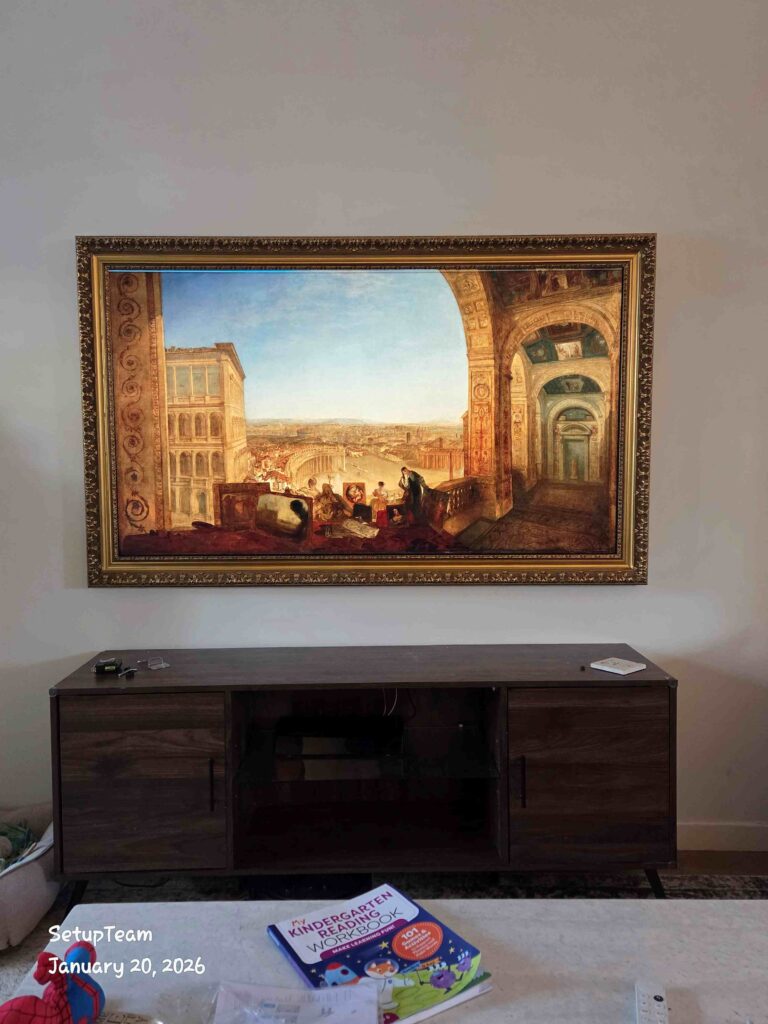
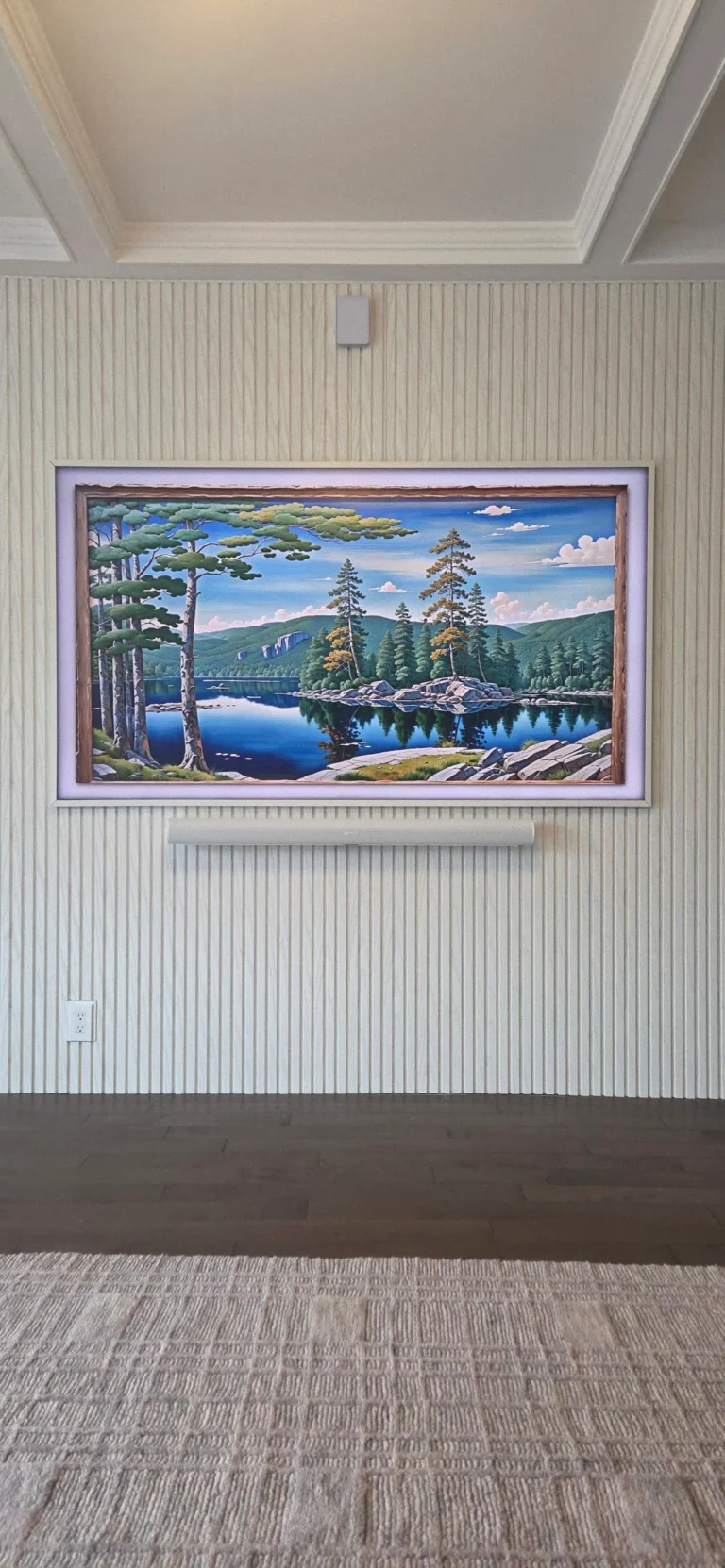
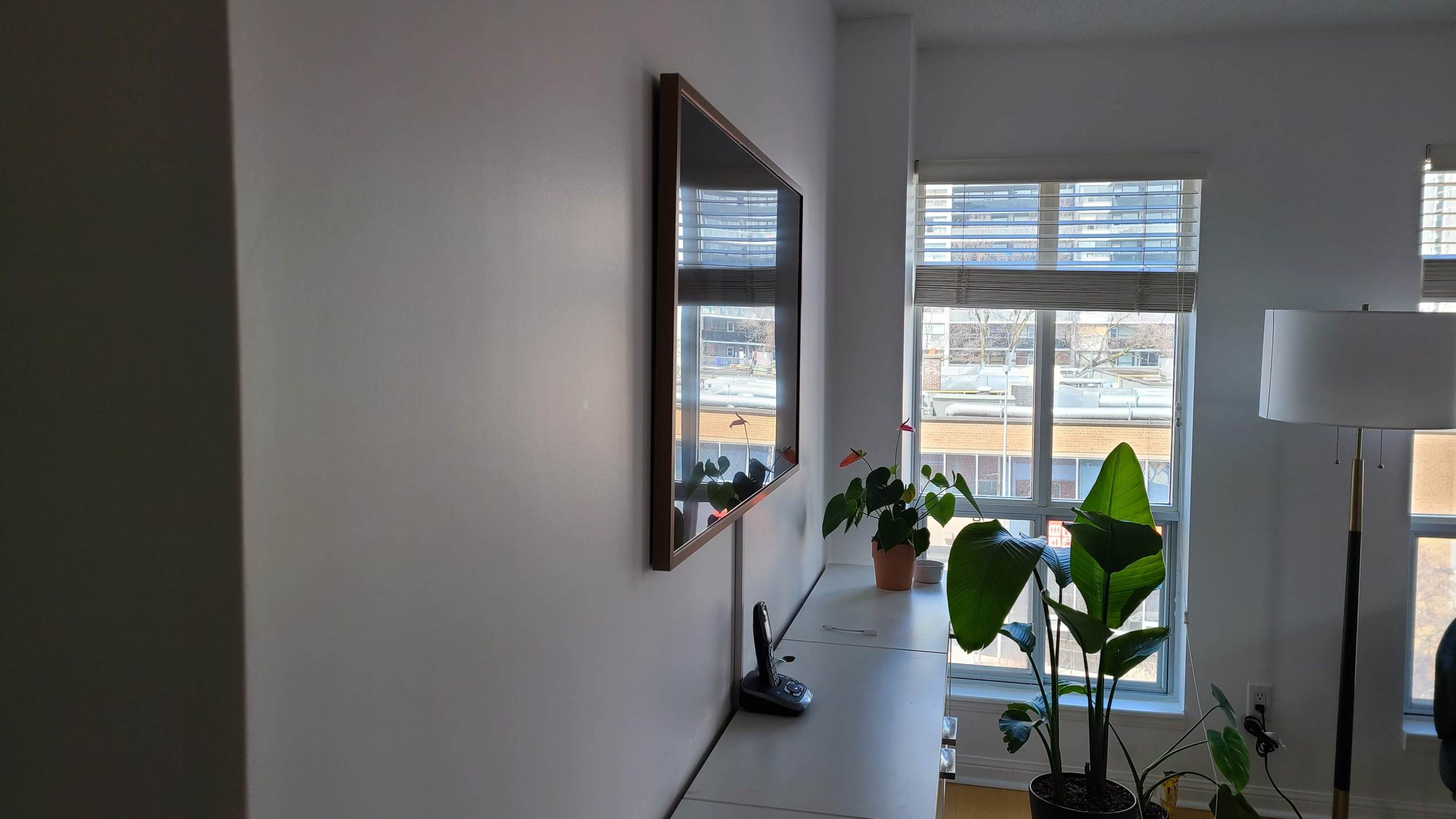
A flush mount holds the TV flat against the wall. No movement, no adjustment — just a screen that sits 25 to 50 millimetres from the surface, depending on the bracket and the TV’s rear profile. The result is the closest thing to a built-in look that wall mounting can achieve. Done properly, it reads as furniture, not hardware.
This is the mount type that photographs well, that guests notice without knowing why, and that ages the best. There are no moving parts to loosen over time, no arm to drift out of position, no joints to tighten. What goes up stays exactly where it was put.
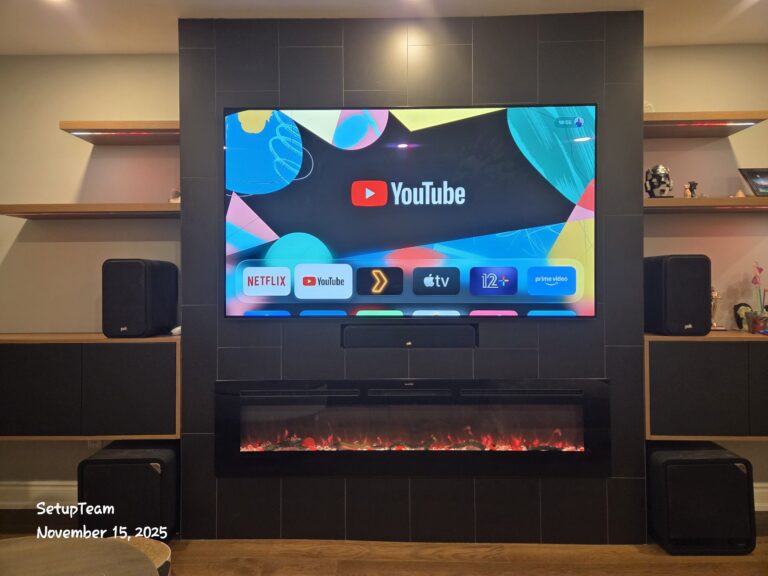
A flush-mounted TV in a Toronto living room — 25mm off the wall, zero visible cabling, and nothing competing with the room’s finish.
The trade-off is access. Cables need to be run before the TV goes up, and if you want them hidden, they need to go through the wall. That is not a complication — it is simply part of the installation. A flush mount with in-wall cable management is both cleaner and more permanent than any alternative. You can see examples of what that looks like in our recent work.
Tilt Mount
A tilt mount looks nearly identical to a flush mount when the TV is in its default position. The difference is the hinge — a mechanism that lets you angle the screen downward, typically between 5 and 15 degrees depending on the bracket. When the TV is pushed flat, the profile is almost as slim as a flush mount. When tilted, the bottom of the screen comes forward slightly while the top stays close to the wall.
That small angle change is significant. A TV mounted above a fireplace at 60 inches from the floor, or on a bedroom wall where you’re watching from a reclined position, will cause genuine neck discomfort without a downward correction. A tilt mount solves this without any of the structural compromises of a full-motion bracket.
For large TVs — 65 inches and above — we default to tilt over flush even at standard heights. The sheer size of the panel means that getting behind it later for any reason, if that’s ever necessary, is far easier with a bracket that gives a few degrees of working angle. It is a practical choice as much as a functional one.
Full-Motion Mount (Articulating)
A full-motion mount uses an extending arm — sometimes two — to pull the TV away from the wall and allow it to swivel side to side, tilt up and down, and rotate to face almost any direction in the room. When retracted, the arm folds back and the TV sits closer to the wall, though never as close as a flush or tilt mount. When extended, the TV can swing out 40 to 60 centimetres or more.
The flexibility is real. So are the compromises. We will come back to both.
When a Tilt Mount Is the Right Call
Three scenarios make tilt the clear answer.
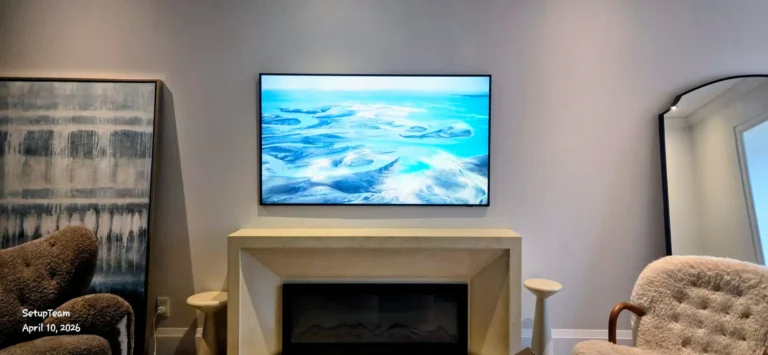
The first is any placement above eye level. Above a fireplace is the most common — it is also one of the most common mounting mistakes in Toronto homes when done without a tilt correction. A TV at 65 to 70 inches off the floor, viewed from a sofa at normal seating height, creates a neck angle that becomes uncomfortable within 20 minutes. A tilt mount brings the viewing plane back to something closer to horizontal.
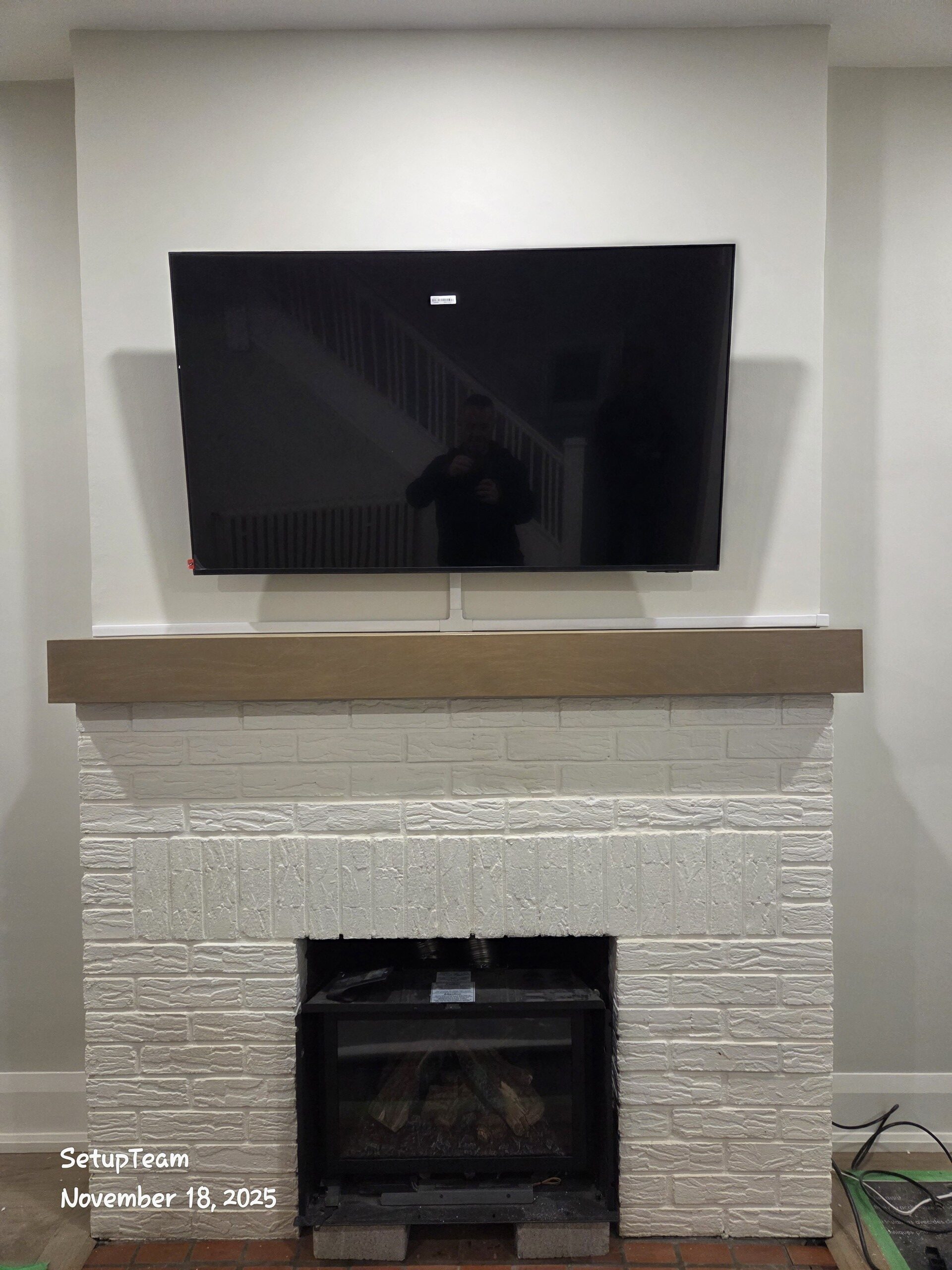
TV mounted above a fireplace with a tilt bracket — a downward correction of 8–12 degrees removes the neck strain that a flush mount at this height would cause.
The second is bedrooms. Most people watch from a reclined position in bed, which means the TV needs to angle down toward the viewer. A flush mount in a bedroom almost always results in a suboptimal picture — either the TV is too low on the wall, or it is at the right height but the viewer is looking slightly upward. A tilt mount at the right height with an 8 to 12 degree downward correction is the standard answer.
The third is large-screen living room installs where the TV is going higher than ideal — a wall with limited space below, a media unit that pushes the mount point up, or a room where the sightline from the main seating position doesn’t land at true centre. Tilt handles all of these without the visual cost of a full-motion arm.
When a Flush Mount Is the Right Call
Living rooms. That is the short answer for most Toronto and GTA homes.
A TV in a dedicated living room, where the sofa or primary seating faces the wall directly and the mount height is at or near eye level, does not need to move. The screen is never going to be watched from a kitchen around a corner or a dining area at a 90-degree angle. It is going to be watched from the couch, from the same position, every time. A flush mount is the right tool for that job — and it is the better-looking one.
Flush mounts also pair best with in-wall cable management. When a full home cinema installation or a clean single-TV living room setup is the goal, flush is the foundation. The TV disappears into the room rather than declaring itself. For newer builds in particular — condos, custom homes, recently renovated spaces in North York, Etobicoke, Oakville — where walls are flat, finishes are sharp, and the aesthetic standard is high, a flush mount with zero visible cabling is the expected result.
It is also less expensive to install than full-motion, and structurally simpler for the wall.
The Case Against Full-Motion — Told Honestly
Full-motion mounts are the highest-margin product in TV mounting. The hardware costs more, the installation is more involved, and the labour time is longer. That is not a conspiracy — it is a straightforward business reality. It also means that when you ask almost any installation company which mount they recommend, full-motion is an easy default answer. More profit, more upsell opportunity, a customer who feels like they got the premium option.
We do not operate that way. After thousands of installations across Toronto and the GTA, our position is this: we will not recommend a full-motion mount unless the room genuinely requires one. Most do not.
The Cable Access Argument — and Why It Doesn’t Hold Up
The most common reason homeowners request a full-motion mount is cable access. The thinking makes sense on the surface: if the TV can swing out from the wall, I can reach the HDMI ports whenever I need to plug something in. That is true. It is also a problem that is better solved a different way.
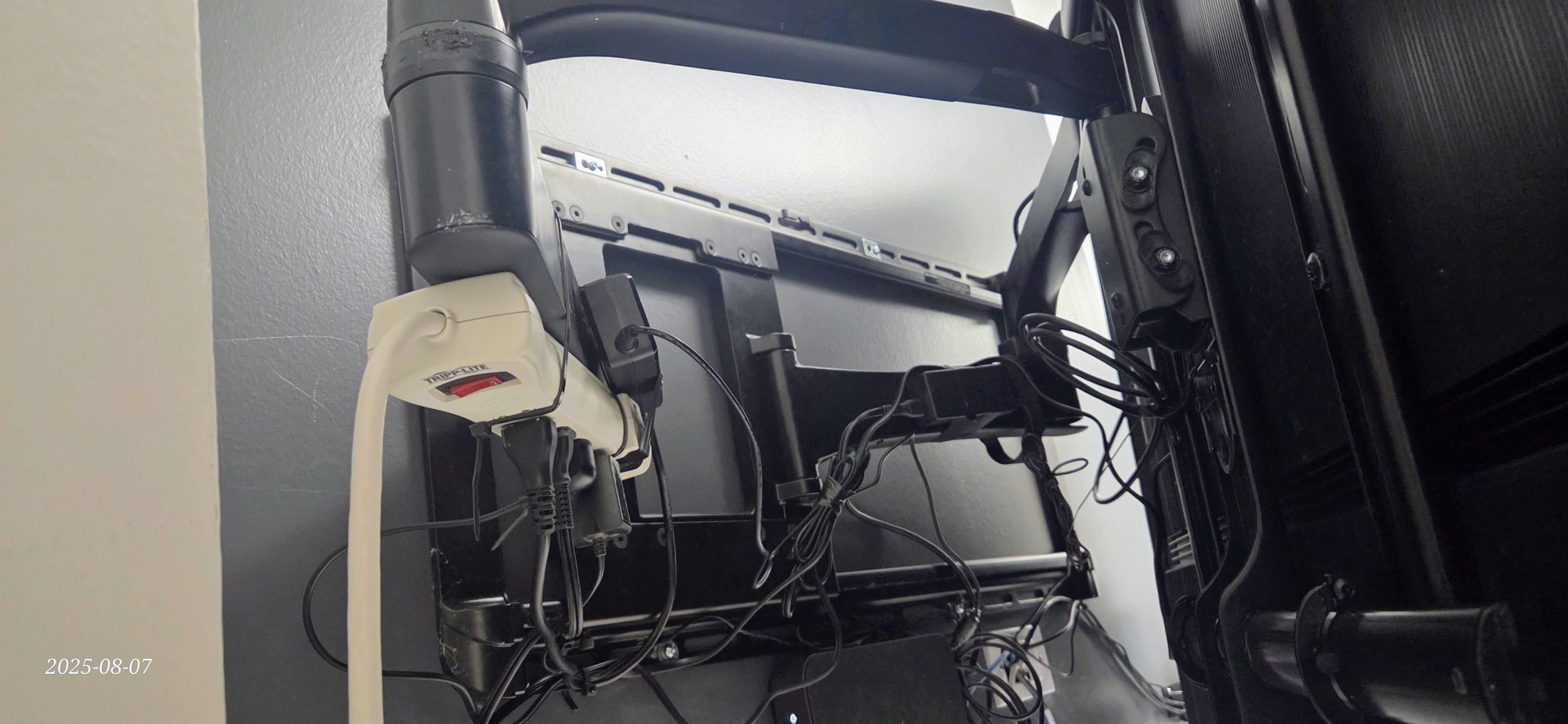
Cable management behind a full-motion mount in real-world conditions — slack that has to go somewhere when the arm retracts.
When we run cables during a TV wall mounting installation in Toronto, we run all of them. If the TV has four HDMI ports, all four get populated during the installation — cables go through the wall to the source equipment, labelled and terminated cleanly. Once that is done, there is no reason to reach behind the TV again. The sources are connected. The system is finished. A full-motion arm becomes a solution to a problem that no longer exists.
The photo above tells the story more clearly than any explanation. That is what cable management looks like behind a full-motion mount in real-world conditions — not a clean run, but a bundle of slack that has to go somewhere when the arm retracts. A properly executed flush or tilt install with in-wall cabling has none of that. It is also a safer installation, with no exposed cable runs that can be snagged, pulled, or damaged when the arm moves.
What Full-Motion Does to Your Wall Over Time
Physics is the issue here, and it is not a minor one. A flush mount holds a TV close to the wall. The load it places on the fasteners is essentially vertical — downward weight, distributed across the stud anchors. A full-motion arm changes that equation dramatically. When the arm is extended, the TV’s centre of mass moves outward. That outward distance creates leverage — a prying force on the wall anchors that multiplies with every centimetre of extension.
A 65-inch TV weighing 25 kilograms, on an arm that extends 50 centimetres, is placing forces on those fasteners that no flush mount would ever generate. Over time — through the daily extension and retraction of the arm, through the micro-movements of adjustment — drywall compresses around fasteners, joints loosen, and the arm begins to droop or drift. The mount does not fail catastrophically in most cases. It just slowly stops being right.
Full-motion mounts typically require anchoring into two studs, which is not always possible depending on wall framing. In older Toronto homes and many pre-2010 condo builds, stud spacing and wall construction can complicate this. A flush or tilt mount is significantly more forgiving and, in most configurations, far more stable long term.
The Rare Cases Where Full-Motion Actually Makes Sense
Corner installations are the clearest legitimate use case. A TV mounted in the corner of a room, where the screen needs to face a seating area that runs at an angle to the wall, genuinely requires the swivel range of a full-motion arm. There is no flush or tilt solution that solves a 45-degree corner effectively.
The second case is a room with genuinely split seating — not a couch and a chair slightly off-axis, but a space where people regularly watch from two locations that face different directions. An open-concept home where the kitchen island and the living room sofa are at a significant angle to each other is a real example. If someone is actually cooking and watching simultaneously, and the viewing distances and angles are far enough apart, a full-motion mount does meaningful work.
Outside those two scenarios, the argument for full-motion is usually more about perceived flexibility than actual use. Most homeowners who install a full-motion mount adjust it once during setup and never move it again — at which point the arm’s complexity is pure downside.
Quick Reference: Mount Type by Room and Situation
| Situation | Recommended Mount | Reason |
|---|---|---|
| Living room, direct seating, eye-level placement | Flush (fixed) | Best aesthetics, lowest wall stress, cleanest cable solution |
| Living room, large TV (65″+) | Tilt | Practical access angle, minimal profile, still clean |
| Above fireplace | Tilt | Corrects downward viewing angle; flush mount too high without tilt |
| Bedroom | Tilt | Reclined viewing requires downward screen angle |
| Corner installation | Full-motion | Only mount type that solves a true corner-facing placement |
| Open-concept with genuinely split seating | Full-motion | Multi-direction viewing where tilt range is insufficient |
| Anywhere, if cable access is the reason | Flush or Tilt + in-wall cabling | Run all cables during install; cable access is not a mount-type problem |
The right mount is almost always the simpler one. If you are planning a TV installation in Toronto or the GTA, it is worth having a conversation about placement and cable routing before the mount is chosen — not after. The mount decision follows the room, not the other way around.
Quick Answers
What is the difference between a flush mount and a tilt mount?
A flush mount holds the TV flat and stationary against the wall — no movement at all. A tilt mount looks similar but includes a hinge that lets you angle the screen downward, typically 5 to 15 degrees. Tilt is recommended for TVs mounted higher than eye level, including above fireplaces and in bedrooms.
Do I need a full-motion mount to access my HDMI ports?
No. The better solution is to run all cables through the wall during installation — all HDMI ports populated, cables terminated behind the wall. Once that is done, there is no reason to reach behind the TV. Full-motion mounts are not necessary for cable access when the installation is done properly.
Which TV mount is best for a bedroom?
A tilt mount. Bedroom viewing typically happens from a reclined position, which means the TV needs to angle downward toward the viewer. A flush mount at a practical wall height will usually result in the viewer looking slightly upward — a tilt mount corrects this.
Is a full-motion TV mount worth it?
In most rooms, no. Full-motion mounts are worth it for corner installations and rooms with genuinely split seating areas that face different directions. For standard living rooms and bedrooms, they add wall stress, visual bulk, and cable management challenges without delivering meaningful benefit.
What is the best TV mount for above a fireplace?
A tilt mount. A TV above a fireplace is typically higher than ideal viewing height, so a downward tilt of 8 to 12 degrees makes a significant difference in comfort. A flush mount at that height will cause neck strain during extended viewing.
Frequently Asked Questions
Yes — and this is the preferred approach. Cables are run through the wall before the TV is mounted, with all ports populated and terminated at a wall plate or routed to nearby equipment. The result is a TV with no visible cabling, regardless of mount type.
It can, particularly in drywall. When a full-motion arm is extended, the TV’s weight creates outward leverage on the wall anchors — forces that a flush or tilt mount never generates. Over time, repeated extension and retraction can loosen fasteners and compress drywall around the mounting points. This is why full-motion mounts typically require anchoring into two studs.
A tilt mount adjusts vertically only — the screen angles down toward the viewer. A full-motion mount uses an extending arm that allows the TV to swing side to side, tilt in multiple directions, and pull significantly away from the wall. Full-motion offers more flexibility but at higher cost, greater wall stress, and more complex cable management.
Full-motion mounts carry higher hardware costs and require more installation time, which means higher revenue per job. That financial incentive influences what gets recommended. In most rooms, a flush or tilt mount is the better choice technically — the recommendation to go full-motion often reflects margin rather than room requirements.
Two situations genuinely warrant full-motion: a corner installation where the TV needs to face seating at a significant angle to the wall, and an open-concept space where two seating areas face substantially different directions. If neither describes your room, a flush or tilt mount is almost certainly the better choice.
Both are less expensive than full-motion — in hardware, installation complexity, and time. A flush mount is typically the most affordable of the three. For most Toronto and GTA homeowners, it is also the cleanest-looking and most structurally sound long-term option.