Samsung Frame TV Installation: What to Know
Samsung Frame TV Installation:
What to Know
One Connect box placement, electrical code compliance, Frame vs Frame Pro — and why the wall matters as much as the TV.
Most homeowners who buy a Samsung Frame TV assume the installation works like any other wall mount. It doesn’t. The Frame is purpose-built to hang flat against the wall like a framed painting — and achieving that look requires decisions that have to be made before anything goes up, not after. For TV wall mounting in Toronto, no model generates more questions on-site or more regret from rushed installations than the Frame.
The issues aren’t complicated. But they are specific to this TV. Get the One Connect box placement wrong, ignore the wiring code question, or overlook what a tile wall actually requires, and a beautiful television ends up looking like an afterthought. Done properly, it disappears into the wall.
Can you run the Samsung Frame TV One Connect cable through the wall?
No — the standard One Connect cable is not rated for in-wall installation and running it inside a wall cavity violates Ontario electrical code. The correct approach is a recessed low-voltage enclosure built into the wall behind the TV, which keeps the cable out of the wall cavity entirely.
Where should the One Connect box go on a Samsung Frame TV?
The cleanest option is a recessed low-voltage enclosure built into the wall directly behind the TV. When that isn’t possible — on concrete, masonry, or certain condo walls — the box can sit on a nearby console or in a cabinet, with the cable managed along the wall surface using a surface cover kit.
What is the difference between the Samsung Frame and the Frame Pro?
The Frame Pro uses a Neo QLED Mini LED panel with approximately 1,000 nits peak brightness versus around 400 on the standard Frame — a visible picture quality improvement. It also features a Wireless One Connect Box, costs roughly 30% more, and is available only in 65″, 75″, and 85″ sizes.
Does the Samsung Frame Pro still need a power cable at the TV?
Yes. The Wireless One Connect Box eliminates the One Connect cable running up the wall, but the TV itself still requires a direct power connection — so a recessed outlet behind the TV remains necessary for a clean, flush installation.
Can a Samsung Frame TV be mounted on a porcelain or tile wall?
Yes, but it’s significantly more complex and expensive than a drywall installation. The best approach is to embed the low-voltage enclosure and run conduit before the tile goes up during a renovation — retrofitting into finished porcelain is difficult and costly.
What Makes the Frame TV Different to Install
Three things separate a Frame TV installation from a standard wall mount job: the flush mount system, the One Connect box, and a wiring compliance question that a surprising number of installers choose to ignore. None of them are difficult once you understand what’s involved. All three will produce a poor result if you skip them.
The Flush Wall Mount
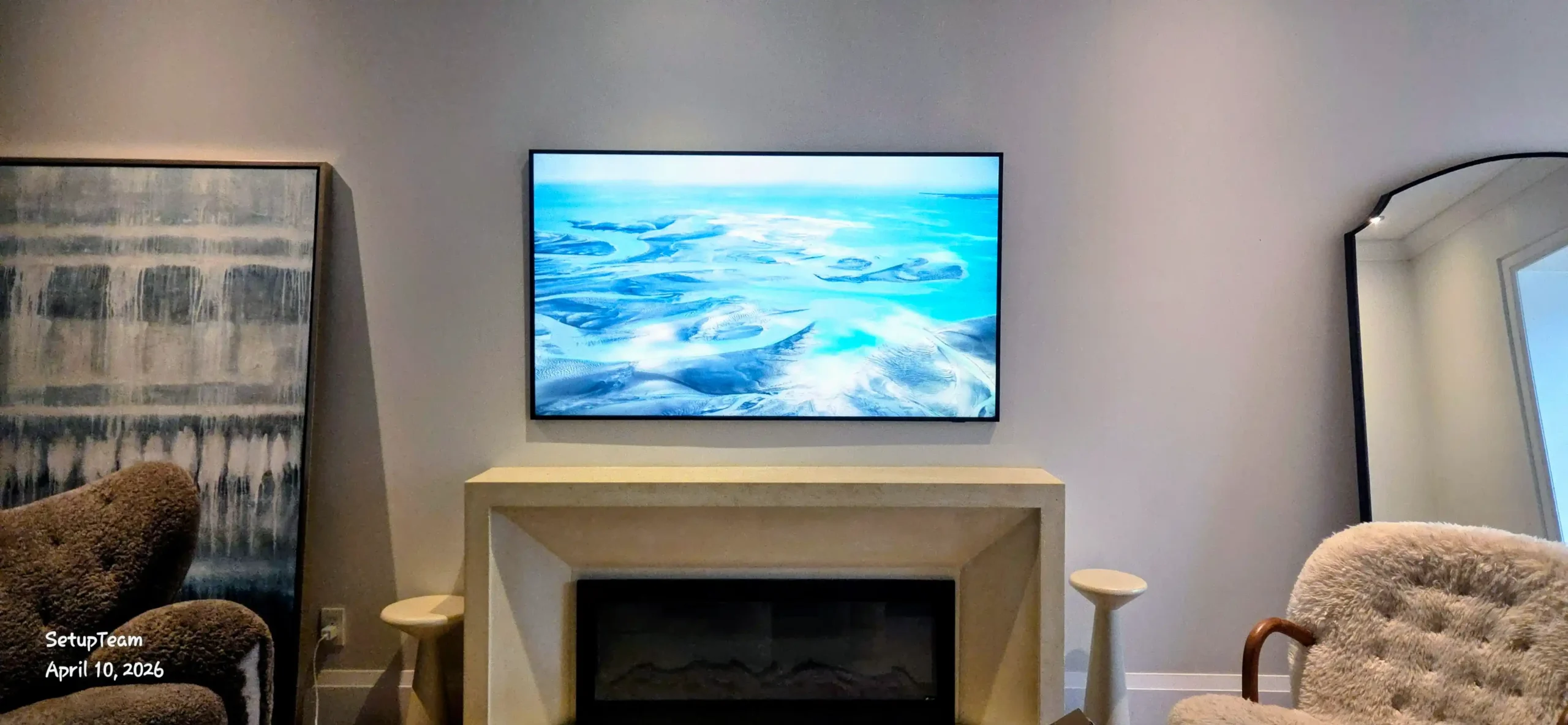
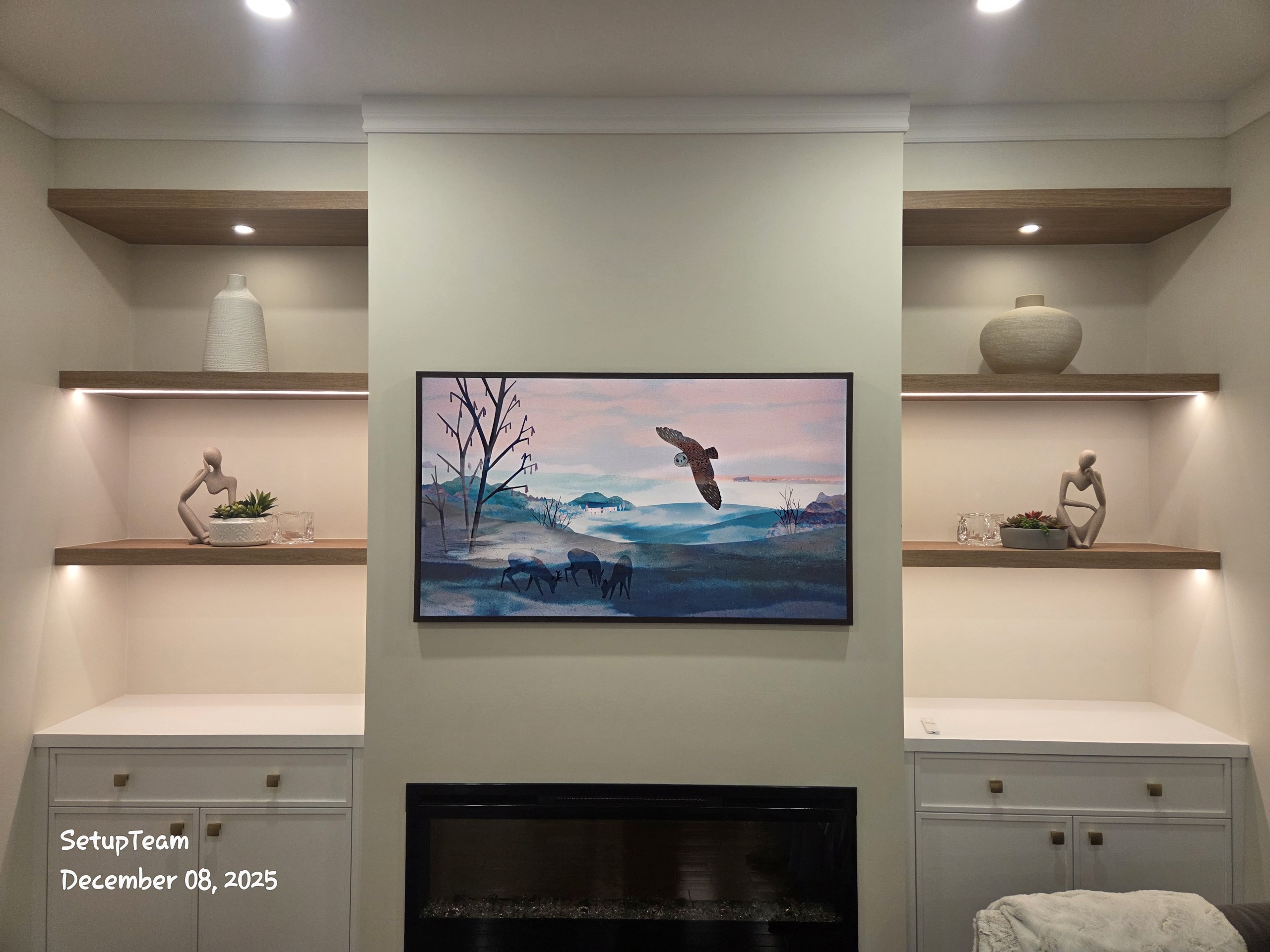
Every Frame TV ships with its own flush wall mount. Don’t swap it for an aftermarket tilt or full-motion bracket unless you’ve accepted that the TV won’t sit flush — and the entire point of the Frame’s design will be lost. The included mount pulls the TV to within a few millimetres of the wall surface. A standard articulating arm leaves a gap of five to ten centimetres, which reads immediately as a television, not a painting.
The included mount is fixed — no tilt, no swivel. That’s intentional. If the room layout actually requires tilt, a compatible aftermarket option exists, but it’s a design compromise. Levelling matters more on the Frame than on almost any other TV. A crooked picture frame is conspicuous, and the included mount has minimal post-installation adjustment range. The wall plate has to go in perfectly level the first time.
The One Connect Box — Where It Goes and Why It Matters
Samsung’s Frame TV moves all the HDMI inputs, USB ports, and the power connection off the back of the TV into a separate unit: the One Connect Box. A single slim cable runs between the box and the TV. All the cable clutter concentrates at the box — away from the screen itself. This is what makes the Frame look clean on the wall. The One Connect box and the Frame TV are inseparable parts of the same design; how and where the box is hidden determines whether the finished install looks like art or looks like a television with a cable problem.
The standard One Connect cable is approximately five metres long. A 15-metre version is available separately. Where the box ends up is the central installation decision, and it must be settled before the TV goes on the wall. The box generates heat — don’t put it in a sealed drawer, a tightly enclosed cabinet, or anywhere airflow is restricted. Overheating shortens the unit’s lifespan and can cause image issues.
The One Connect Cable and Electrical Code — What Most Installers Get Wrong
This is the part most installation guides skip. A lot of Frame TVs across the GTA — and across North America — are installed in violation of electrical code. The installations look identical to compliant ones from the outside. They’re not.
In the field, this is the single most common surprise GTA homeowners encounter when they’ve already had a Frame TV mounted elsewhere. The cable is in the wall, the TV looks clean, and nobody mentioned that the installation doesn’t meet Ontario Electrical Safety Authority requirements. The problem isn’t visible — until it is.
Why the Standard One Connect Cable Cannot Go Inside the Wall
The One Connect cable is not a standard low-voltage data cable. It carries both power and audio-video signals in a single cord. That combination puts it under a different set of requirements than an HDMI cable, which can be fished through wall cavities without issue.
The cable that ships with the Frame TV is not rated for in-wall installation. Running it through drywall violates Ontario electrical code — and most other North American jurisdictions. It can also void homeowner’s insurance if a fire results. The fact that many installers do it anyway doesn’t change the code; it just means a large number of GTA homeowners have installations that wouldn’t pass inspection.
The In-Wall Rated Cable: Technically an Option, Practically Not
Samsung produced an in-wall-rated version of the One Connect cable — the VG-SOCM15U. It carries a UL listing for in-wall installation and was the correct solution for a period. The problem: Samsung has discontinued it. Finding one in Canada today is nearly impossible. Inventory has dried up at Canadian retailers, and US sources are largely depleted as well. Beyond availability, the rated cable is only compatible with a limited range of Frame TV models — confirming compatibility before sourcing would be required even if you locate one.
For most GTA installations in 2025 and 2026, treating the VG-SOCM15U as a viable option isn’t realistic.
The Right Solution: Low-Voltage Enclosure Behind the TV
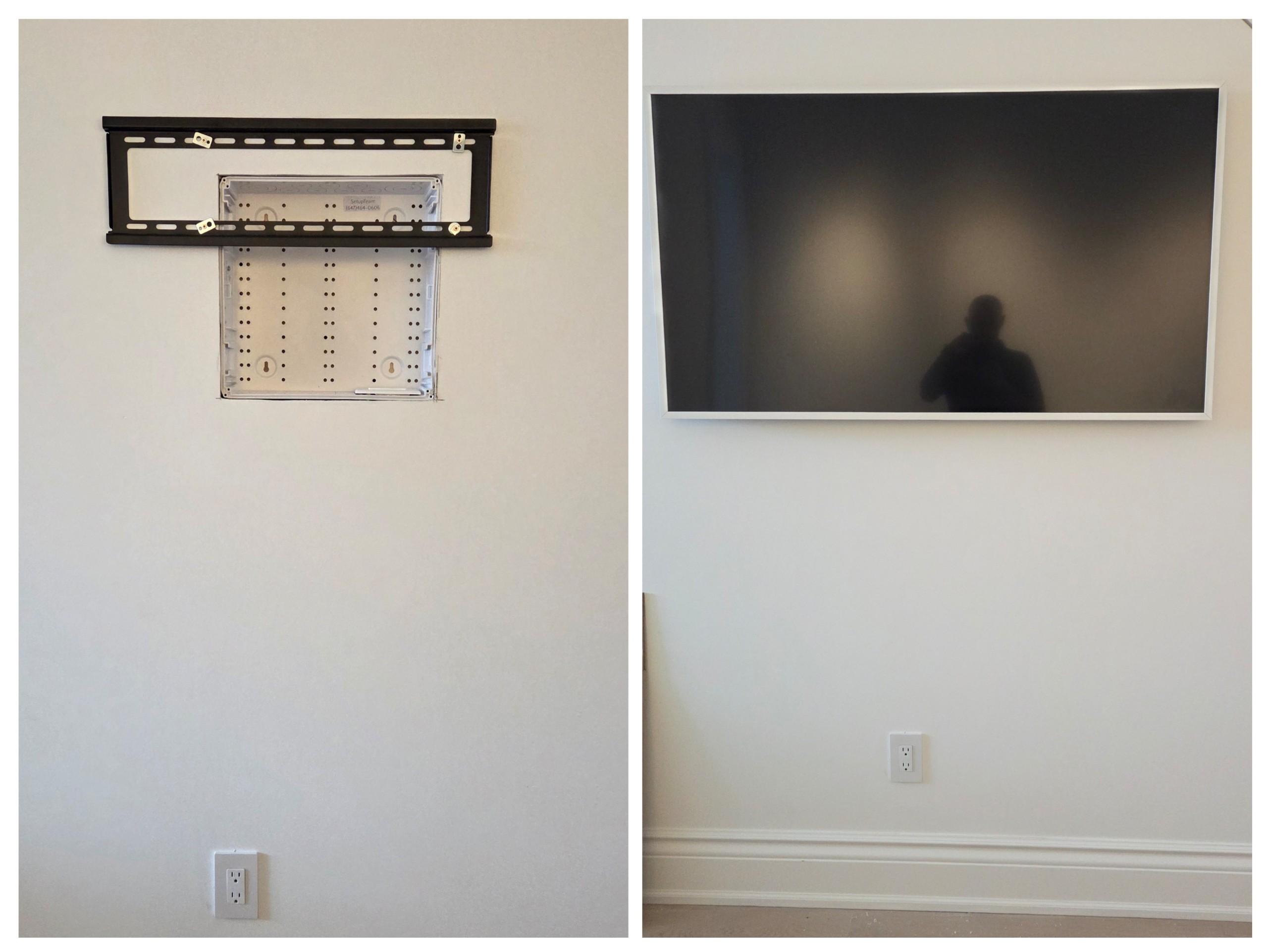
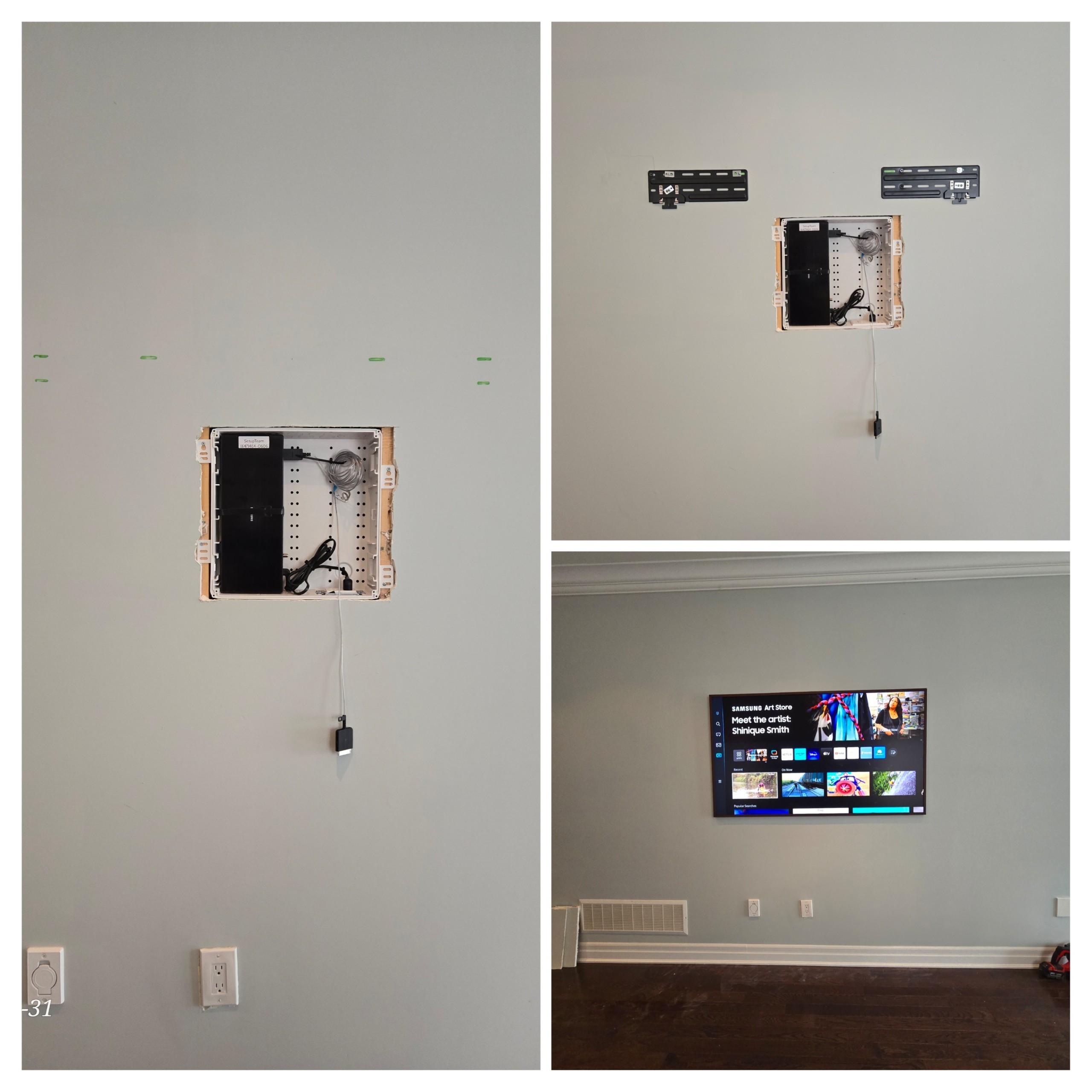
The cleanest, most compliant approach is to place the One Connect box behind the TV inside a recessed low-voltage enclosure built into the wall. The box sits in a purpose-built cavity, completely out of sight. A recessed outlet is installed inside the enclosure to power it — wired by a licensed electrician as a proper electrical installation, not a workaround. This is how the One Connect box and the Frame TV work together as Samsung intended: the box hidden, the TV flush, and the cable connecting them contained entirely behind the wall surface without entering the wall cavity.
The photos below show the process — from the open enclosure with the One Connect box in its wall brackets, to the finished install with a completely clean wall surface.
When the Box Cannot Go Behind the TV: Surface Cover Kits
Not every wall allows for a recessed enclosure. Concrete, thick masonry, and certain GTA condo construction types make in-wall work impractical or expensive. In those situations, the One Connect box sits nearby — on a media console, inside a cabinet, or in a recessed shelf — and the cable is managed along the wall surface using a surface cover kit. It isn’t invisible, but it’s compliant and far cleaner than a bare cable run. With a well-matched paint colour, it typically reads as intentional rather than improvised.
Samsung Frame vs Frame Pro: Which One Is Right for Your Home?
Samsung released The Frame Pro in 2025. It’s a meaningful step up from the standard Frame — not a minor refresh — and the picture quality difference is real and visible in everyday use.
The standard Frame uses a QLED 4K panel. The Frame Pro uses Neo QLED with Mini LED backlighting, delivering higher peak brightness and more precise local dimming. Samsung rates the Frame Pro at approximately 1,000 nits against roughly 400 on the standard model — a gap that’s clearly visible side by side, particularly in a well-lit room with artwork displayed. Both models share the same matte, anti-reflective display finish. The Frame Pro adds Pantone-validated colour accuracy and both access the Samsung Art Store.
| Feature | The Frame | The Frame Pro |
|---|---|---|
| Panel technology | QLED 4K | Neo QLED Mini LED |
| Peak brightness | ~400 nits | ~1,000 nits |
| Available sizes | 43″, 50″, 55″, 65″ | 65″, 75″, 85″ |
| One Connect | Wired cable | Wireless One Connect Box |
| Power outlet at TV | Required | Required |
| Relative price | Base | ~30% premium |
| Samsung Art Store | Yes | Yes |
Size options differ. The standard Frame comes in 43″, 50″, 55″, and 65″. The Frame Pro is available only in 65″, 75″, and 85″. If you need anything smaller than 65 inches, the Frame Pro isn’t an option. The Frame Pro costs roughly 30% more than the equivalent standard Frame — a premium that makes sense when picture quality is the priority, less so for a TV that will primarily display static art in a low-light room where the QLED panel is adequate.
For a home cinema installation where the TV is the centrepiece of a full AV system, that 30% difference is worth evaluating carefully against the reliability considerations below.
The Frame Pro’s Wireless Box Still Needs a Power Outlet at the TV
The Frame Pro’s Wireless One Connect Box is a real innovation. It transmits 4K content wirelessly from up to 10 metres away using Wi-Fi 7 — all your HDMI sources, streaming devices, and gaming consoles can sit entirely separate from the TV. No One Connect cable running up the wall.
The TV itself, however, still requires a direct power connection to an outlet. A recessed outlet behind the TV is still necessary for a clean install — the same electrical planning, the same licensed electrician involvement. The Frame Pro doesn’t float cable-free. It eliminates one cable while the power cord remains. The Wireless One Connect Box is also exclusive to the Frame Pro; it cannot be purchased separately for the standard Frame.
What Installers Are Saying About Wireless Reliability
Early Frame Pro units received notable feedback from professional installers and consumers about intermittent wireless disconnects between the box and the TV. This was documented particularly with first-production units. Samsung has released firmware updates to address some of these issues. As of early 2026, wireless reliability remains an active topic in professional installer communities. A wired connection — as used on the standard Frame — is inherently more stable. For homeowners where reliability is the priority over wireless convenience, the standard Frame is the lower-risk choice.
Installing the Frame TV on a Tile or Porcelain Feature Wall
Porcelain feature walls are increasingly common in GTA renovations. A floor-to-ceiling tile installation makes a striking backdrop for a gallery TV, and the Frame is a natural aesthetic fit. The installation challenge, though, is significant.
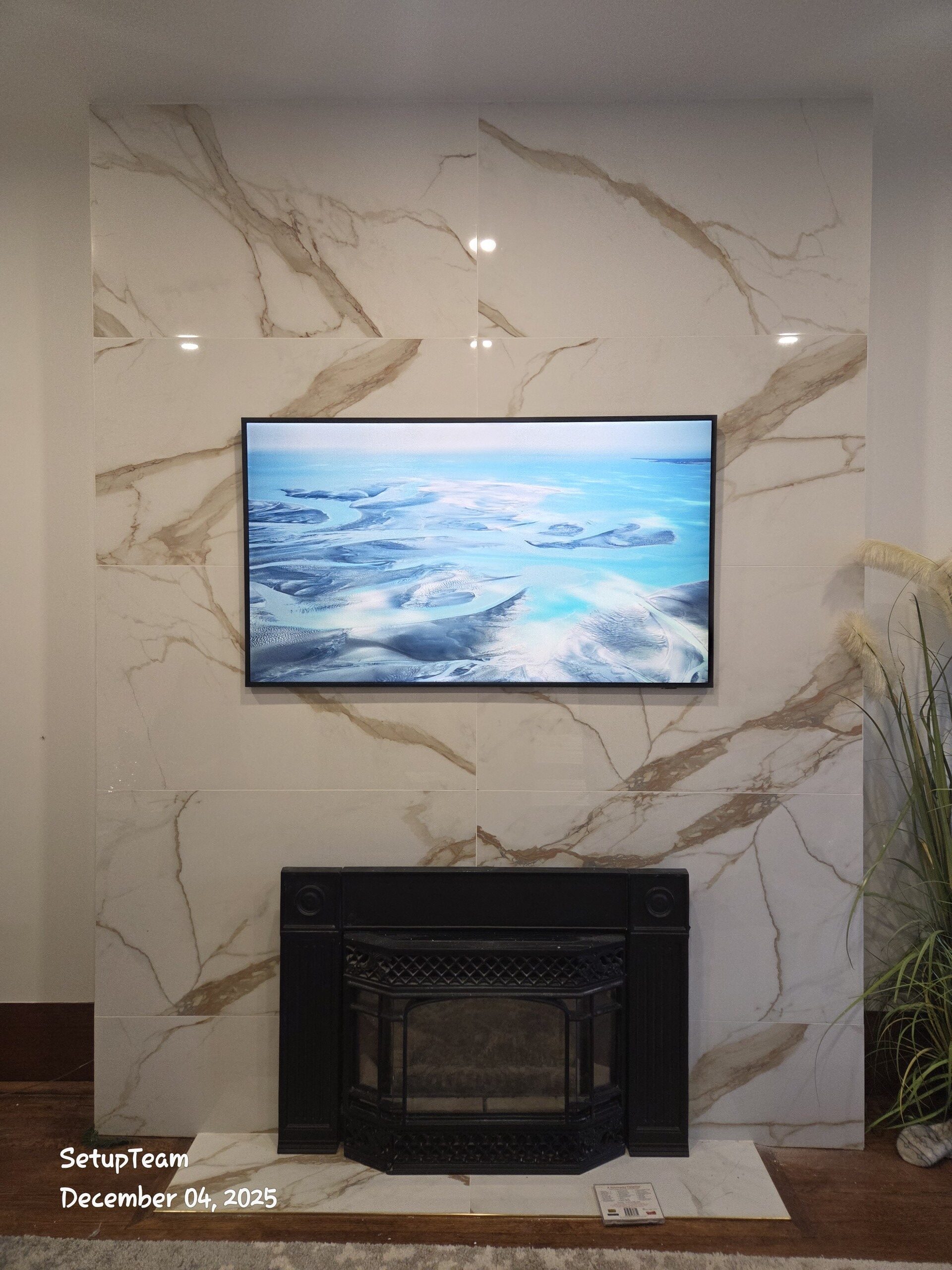
Cutting into finished porcelain to create a recessed enclosure after the wall is complete is expensive and carries real risk — cracked tiles, the difficulty of sourcing matching replacement tile, and the challenge of drilling cleanly through large-format porcelain without specialised tooling. Post-construction, the surface cover kit approach becomes the practical option, with the One Connect box positioned in an accessible nearby location.
If you’re building a porcelain feature wall and a Frame TV is going on it, plan before the tile goes up. Embed a low-voltage enclosure during construction, run conduit — minimum 1.5 inches inner diameter — from the enclosure to a point where cables can route cleanly, and complete the electrical rough-in at the same time. Once the porcelain is down, that window is gone. Involving an AV installer during the renovation planning stage, before any tile work begins, costs far less than remediation after the fact.
Why Pre-Planning the Entire Wall Makes All the Difference
The biggest variable in a Frame TV installation isn’t the TV. It’s how much thought went into the wall before anything was mounted. The two photos below make that argument directly.
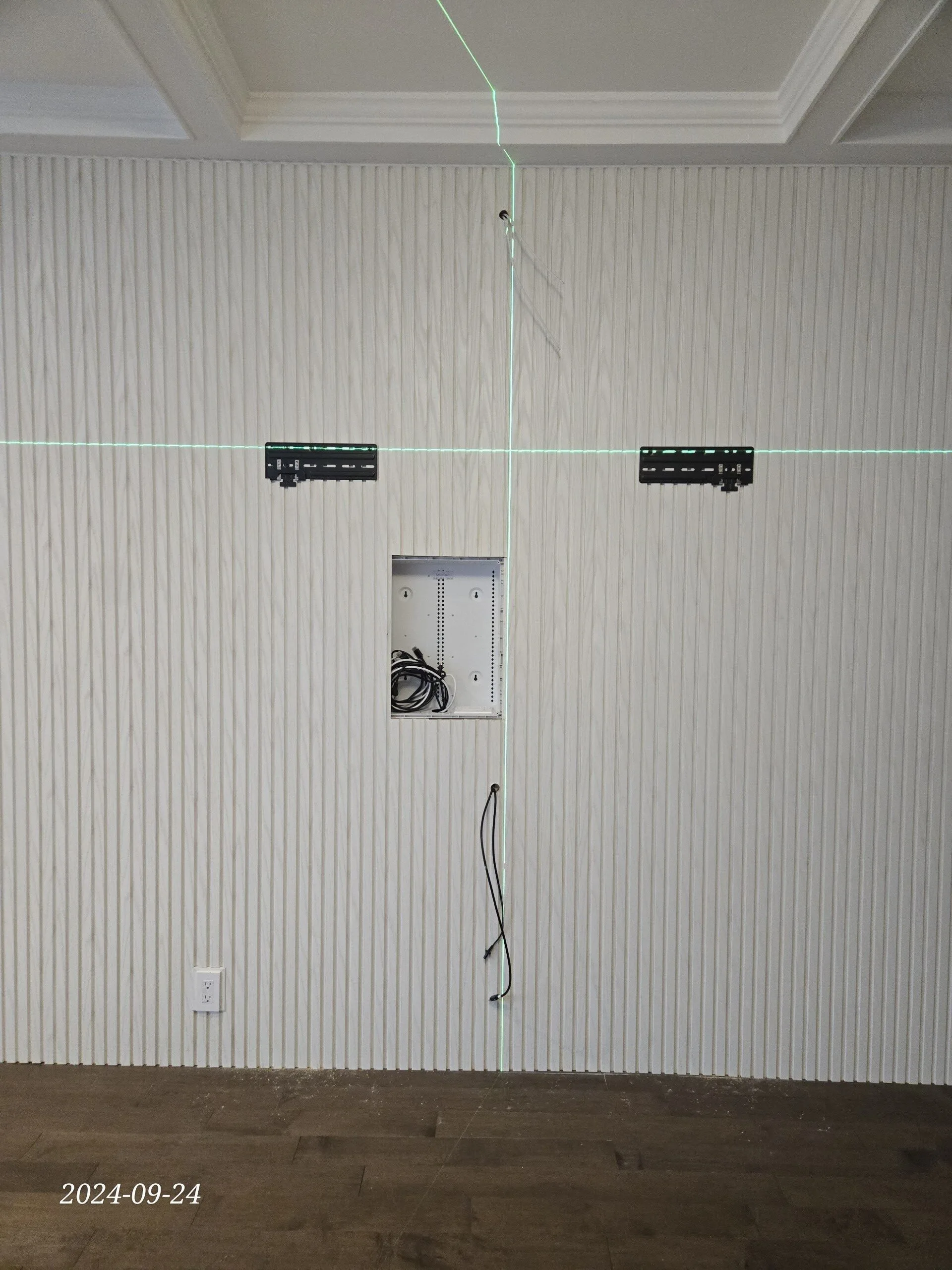
The first image shows the preparation phase for an 85-inch Frame TV installation: a low-voltage enclosure already embedded in the wall, network cabling run to position, blocking placed for a Sonos Arc Ultra soundbar. Nothing is mounted yet. Every decision about what the finished wall will hold has already been resolved — outlet position, conduit routing, network drop — before a single panel goes up.
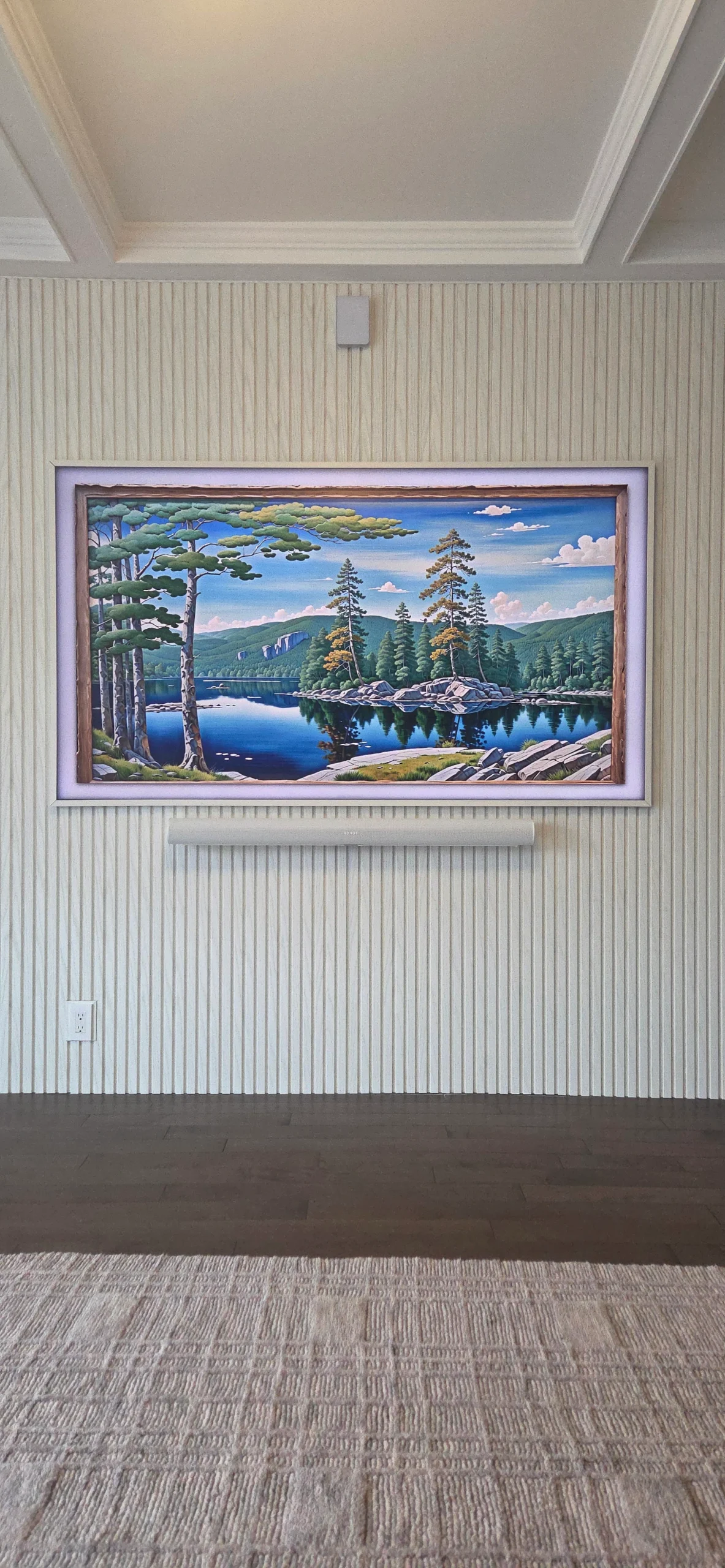
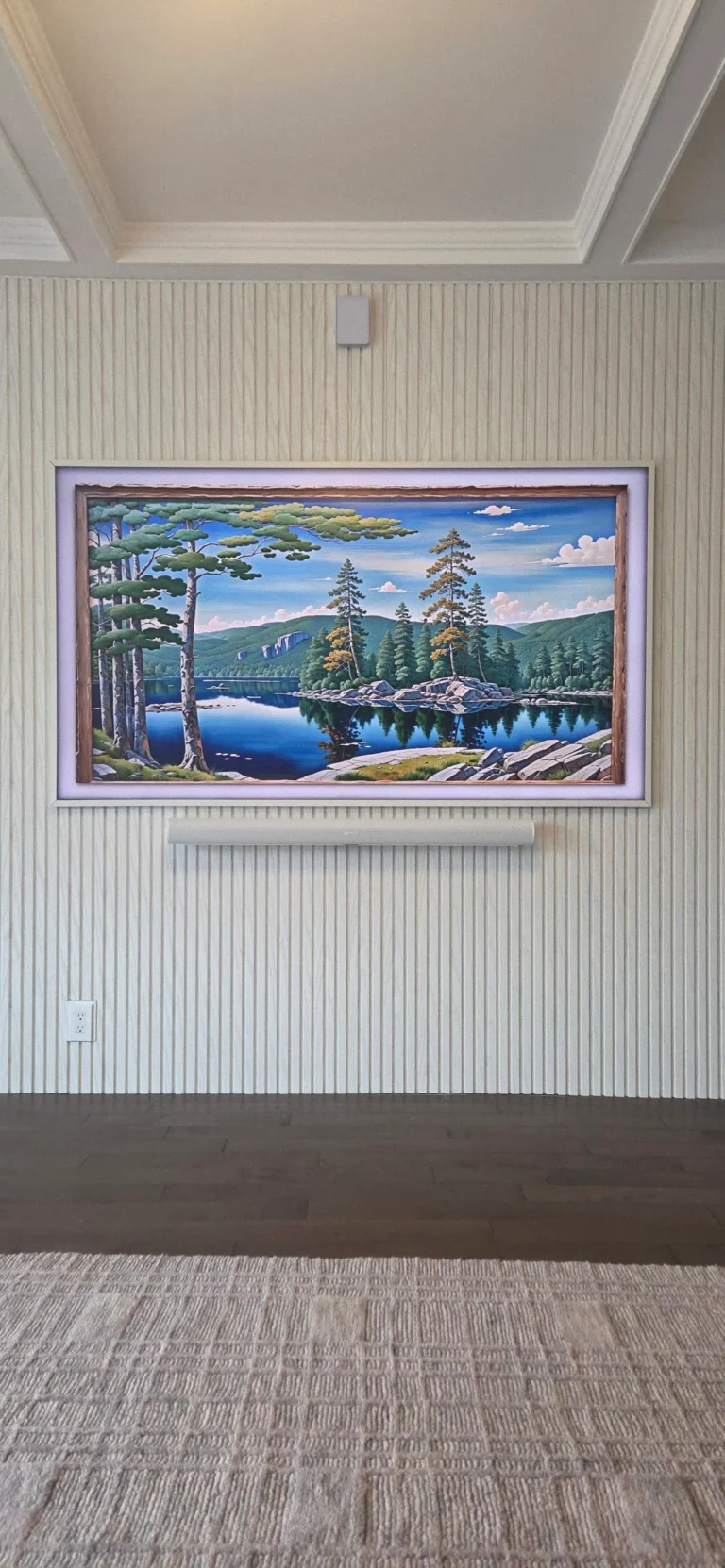
The second image shows the result. The 85-inch Frame TV sits flush. The Sonos Arc Ultra soundbar sits directly below it, acoustically positioned for the room. A UniFi access point is mounted above — integrated into the wall design, not added as an afterthought. No visible cables anywhere. The Frame TV, the Sonos Arc Ultra, and the UniFi access point aren’t three separate installations: they’re a single system that works because the wall infrastructure was built to hold all three. That’s only possible when the planning happens before construction, not after.
For GTA homeowners doing a renovation or new build, this is the argument for involving an AV installer during the design phase. More examples of complete installations are on the recent work page.
A Budget Alternative Worth Knowing: The Hisense CanvasTV
The Samsung Frame isn’t the only gallery-style TV available. Hisense produces the CanvasTV — a flat-panel display built around the same premise: a matte screen and an art display mode that makes the TV recede visually when you’re not watching it.
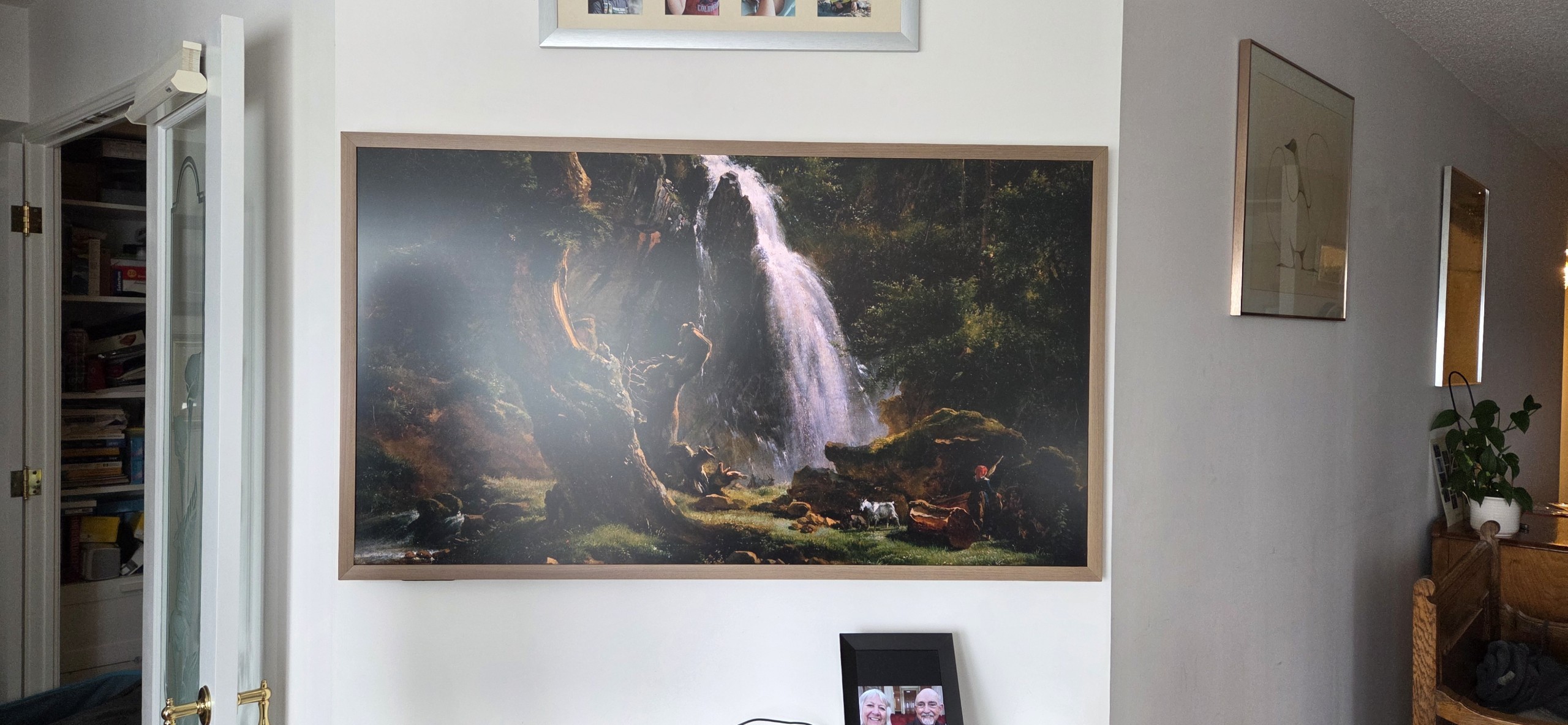
The CanvasTV is thicker than the Frame and doesn’t carry the same panel refinement or the Art Store ecosystem. It uses standard rear-panel HDMI connections rather than a One Connect box — which actually simplifies installation considerably. No separate box to position or conceal, no wiring compliance question to navigate. For a homeowner where budget is the real constraint, the CanvasTV delivers a similar gallery aesthetic at a more accessible price point. It’s a reasonable choice. It’s a different product.