Ring vs. Professional Security Cameras: What GTA Homeowners Actually Need to Know
Security Camera Guide
Ring vs. Professional Security Cameras: What GTA Homeowners Actually Need to Know
Consumer cameras look affordable — until installation, subscriptions, and a Wi-Fi upgrade enter the picture. Here is what the math actually looks like.
Most GTA homeowners researching security cameras start in the same place: Amazon, a Ring listing, and a price tag that looks reasonable. A hundred metres of driveway, a side gate, two corners of the house — four cameras, done. Except it rarely works out that way. The hardware is just the beginning of a cost and performance equation that catches a lot of people off guard, and by the time the full picture emerges, a professionally installed system often comes out ahead on both counts.
This is not an argument that consumer cameras are useless. For the right property and the right use case, Ring and Google Nest do exactly what they promise. But for most detached homes, larger lots, and any commercial property in the GTA, the gap between what a consumer system delivers and what a professionally installed NVR-based system delivers is significant — and almost nobody talks about it honestly before the purchase.
The Appeal of Ring and Google Nest — And Why It Makes Sense at First
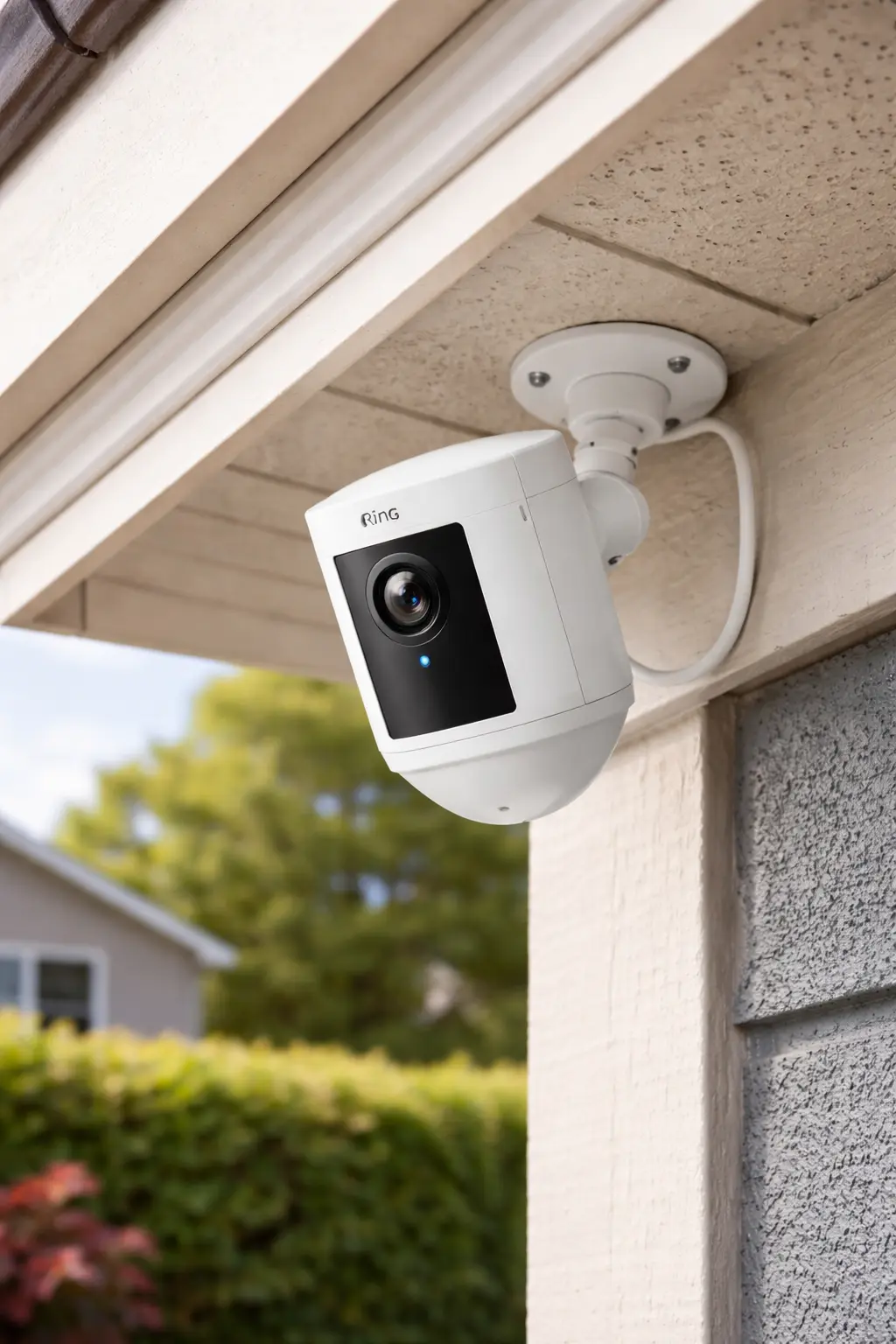
Ring and Google Nest have done something genuinely impressive: they made home security feel accessible. No contractor, no cable runs, no complicated setup. Buy the camera, download the app, mount it yourself on a Saturday afternoon. The marketing is clean, the products look good on a soffit, and the brand recognition makes them feel trustworthy.
Both brands offer solid outdoor cameras with real features — two-way audio, motion alerts, decent night vision, and smartphone integration. For a renter, a condo owner, or someone who needs a single camera covering a front door, they are hard to argue against. The problem is not that these cameras are bad. The problem is that most GTA homeowners are buying them for situations they are not designed to handle well.
The Real Cost of a DIY Wireless Camera System
The sticker price on a Ring or Nest outdoor camera — the kind worth buying, not the entry-level model — runs approximately $250 to $300 CAD per camera. That is where the simple math ends.
Camera Cost
At the outdoor tier that actually performs in GTA weather conditions, Ring’s Spotlight Cam Pro and Google Nest’s comparable outdoor cameras both land in that $250–$300 range. Budget cameras exist below that threshold, but they cut corners on weather resistance, night vision quality, and detection accuracy — the things that matter most when a camera is mounted on the corner of a house in January.
Installation Cost
Here is the detail that surprises most people: having a wireless camera professionally installed costs roughly as much as the camera itself. Mounting to a soffit or brick, running power if the camera is plug-in rather than battery, configuring the network connection, and setting up zones and alerts typically runs $200 to $300 per camera. DIY installation is possible — Ring includes mounting hardware — but improper placement, poor angle selection, and misconfigured motion zones are the leading reasons consumer camera systems fail to capture the footage that actually matters.
Add it up: one camera, properly purchased and professionally installed, is already $450 to $600. A four-camera system — the minimum for meaningful coverage of a detached GTA home — lands between $1,800 and $2,400 before a single month of subscription has been paid.
Subscription Cost
Without a subscription, Ring and Google Nest cameras do not save video. They will alert you that something happened, but without an active plan — Ring Protect or Nest Aware — there is no footage to review after the fact. Both subscriptions run approximately $10 to $15 per month depending on the tier and number of cameras.
Over three years, that is $360 to $540 in subscription fees. Roughly the cost of another camera. Over five years, you have paid for the system twice. This is not a criticism of the business model — cloud storage has real costs — but it is a number that rarely appears in the Saturday afternoon purchase decision.
The Wi-Fi Problem You Didn’t Budget For
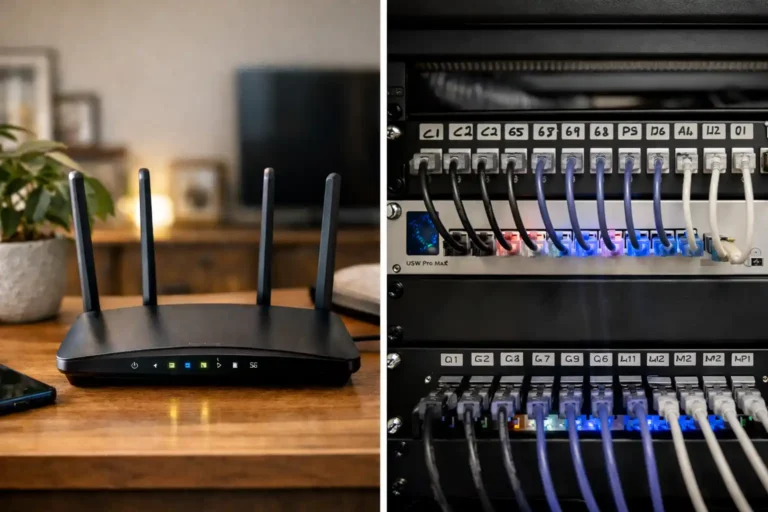
Wireless cameras live and die by their Wi-Fi signal. Inside a house, routers perform reasonably well. Outside — through brick walls, across a driveway, around a corner to a side gate — the picture changes fast. Thick exterior walls attenuate the 2.4GHz and 5GHz bands significantly. A camera mounted 15 metres from the house, or on the far side of a garage, will frequently drop signal, buffer, or miss recording windows entirely.
A network that works fine for streaming video in a living room is often inadequate for outdoor camera coverage. Extending Wi-Fi coverage across your property to support outdoor cameras reliably can cost $1,000 to $1,500 — sometimes more on larger lots. That figure appears in no camera listing, but it shows up in the quote when the system does not perform as expected. Proper structured network installation is the foundation that outdoor wireless cameras depend on, and it is frequently the piece that was skipped.
Battery-Powered Cameras in a Canadian Winter: What Nobody Tells You
Battery life estimates on Ring and Nest cameras are calculated under normal operating conditions — temperate climate, moderate motion activity, standard recording settings. A GTA winter is none of those things.
Lithium batteries lose capacity in cold temperatures. In real-world Canadian conditions, a battery-powered outdoor camera that the manufacturer rates for several months of use will typically need recharging within three to four weeks during winter. On a high-traffic zone — a driveway facing the street, a backyard with regular movement — that window can compress to two weeks or less. Every motion event triggers the camera to wake, connect, record, and upload. In cold weather, that cycle draws more power than the spec sheet reflects.
Recharging means physically removing the camera, which means the position is temporarily unmounted, coverage has a gap, and in a two-storey soffit installation, someone is going up a ladder in February. This is not a dealbreaker for every homeowner — but it is a maintenance reality that rarely surfaces before purchase.
Solar Panels: Viable Only With the Right Exposure
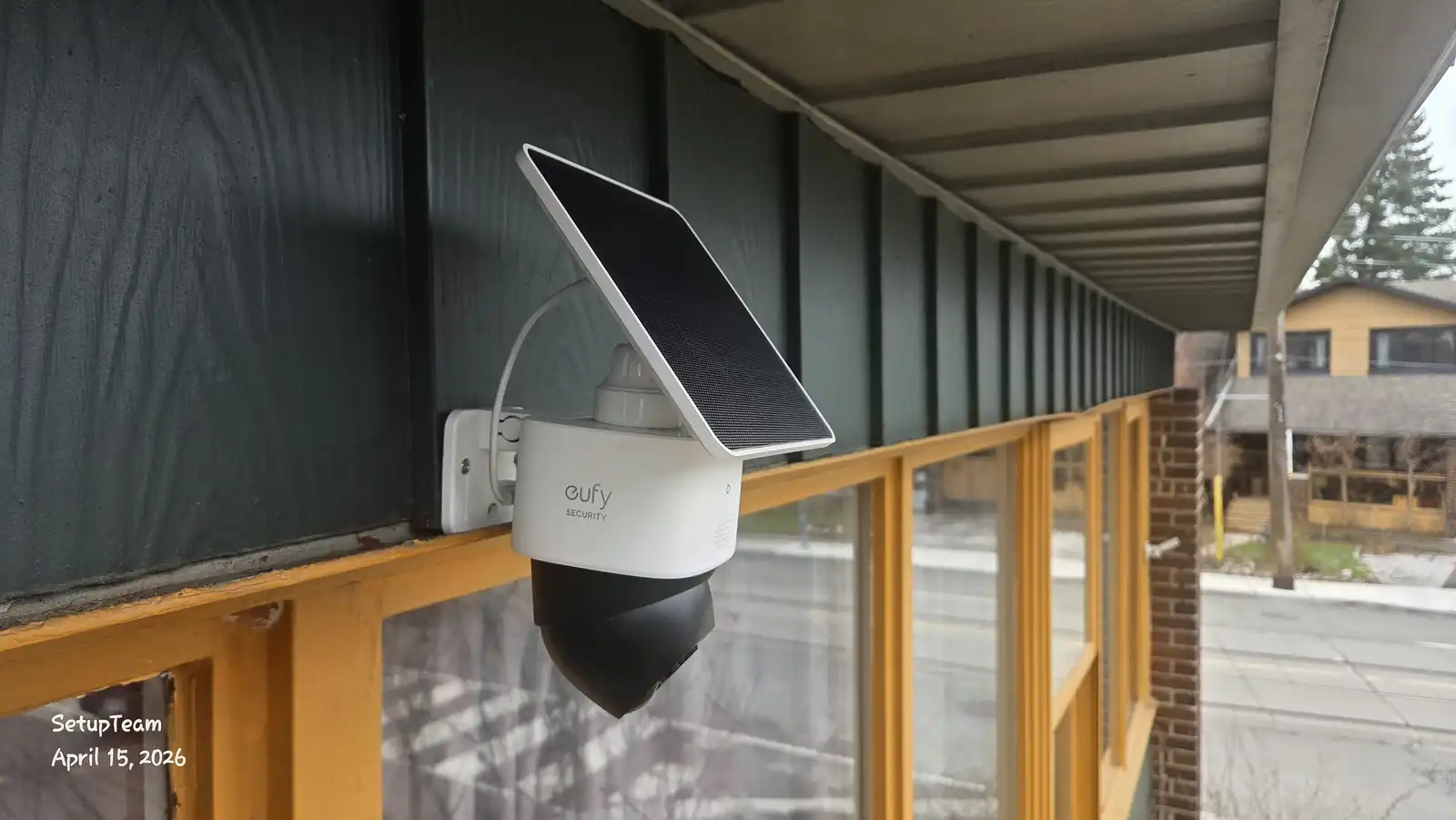
Several manufacturers, including Eufy, now offer cameras with integrated or attachable solar panels. In principle, this solves the battery problem. In practice, it solves it only under specific conditions.
A solar panel feeding a security camera needs meaningful direct sunlight to keep pace with consumption. In the GTA, that means southwest-facing exposure — ideally unobstructed from late morning through late afternoon. A camera on a north-facing wall will receive almost no direct sun from October through March. Even southwest-facing panels may generate insufficient charge during overcast stretches or in the low-sun angle of a Canadian winter.
Solar cameras are a reasonable option in summer. As a year-round solution in Ontario, they require careful placement planning. A panel angled correctly on a south-facing garage wall can work. The same camera on a north-facing fence, or under a deep soffit overhang, will run down regardless of the weather.
Event Recording vs. Continuous Recording: A Difference That Actually Matters
Every major consumer wireless camera — Ring, Google Nest, and most others in that category — records on a motion-triggered basis. The camera wakes when it detects movement, records a clip, and goes back to standby. There is no footage from the moments before the trigger fires.
This is not a flaw. It is a deliberate design choice that conserves battery and reduces cloud storage costs. But it creates a meaningful gap in actual security coverage. If someone approaches a property and the motion zone is not precisely calibrated, the camera may not trigger until after the relevant moment has passed. If a vehicle moves slowly through a detection area, the trigger may fire a second too late to capture the licence plate. If two events overlap, the second may not record at all.
A professional NVR-based system records continuously, 24 hours a day, regardless of motion. Every second is captured and stored locally. There are no trigger windows, no missed clips, no gaps in the timeline. When something happens, the footage exists — not because a sensor detected it in time, but because the camera never stopped recording.
What a Professional NVR System Actually Gives You
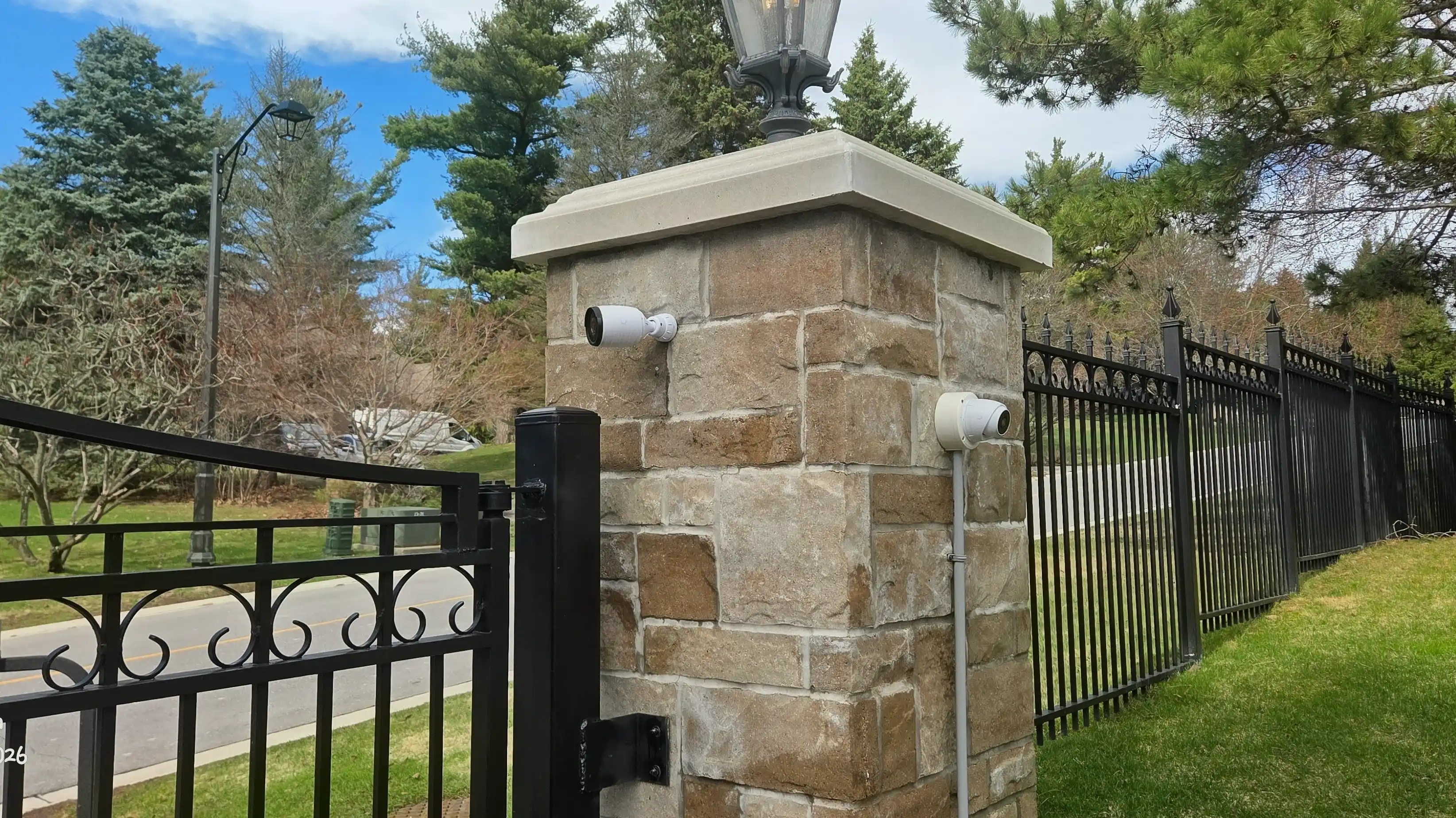
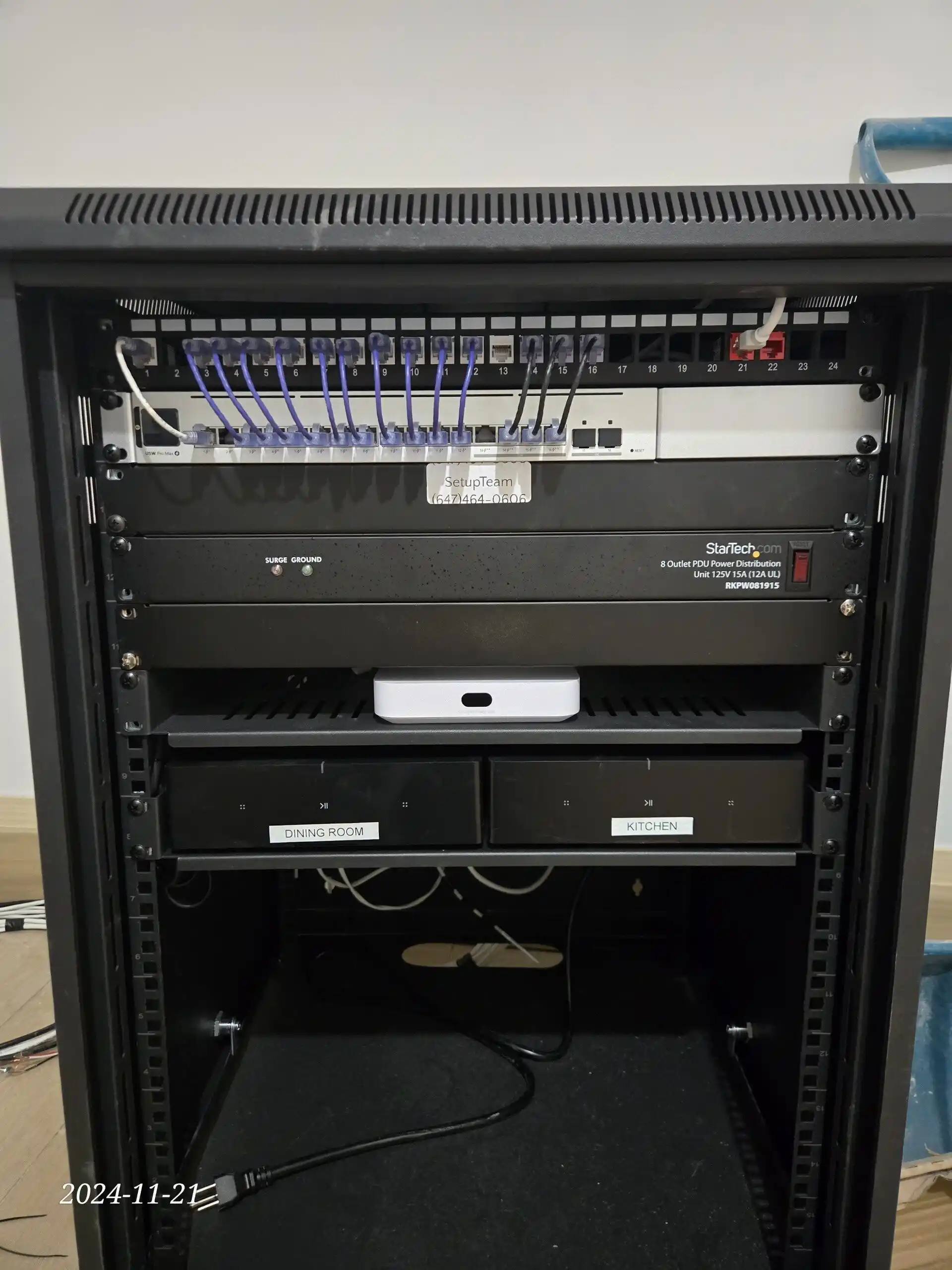
A professionally installed NVR system — cameras connected via Cat6 cable to a central Network Video Recorder — operates on fundamentally different principles than a consumer wireless setup. The cameras receive both power and data through a single PoE (Power over Ethernet) cable. There is no battery to manage, no Wi-Fi signal to maintain, and no cloud subscription required.
A starter system covering four cameras, including cable runs, NVR configuration, camera placement, and remote access setup, typically runs around $2,000 installed. That is comparable to — and often less than — the total cost of a four-camera Ring system with installation and three years of subscription. The NVR system has no ongoing fees. Footage is stored locally on the recorder’s hard drive, stays on the property, and is accessible remotely through a secure app connection without the footage ever touching a third-party server.
No Internet Required to Record
A properly installed NVR system does not need an active internet connection to record. The cameras write directly to the recorder. If the internet goes down — or more relevantly, if power is interrupted — a small UPS (uninterruptible power supply) connected to the NVR and network switch will keep the system recording for several hours. This matters in the GTA during ice storms, power fluctuations, and the kinds of infrastructure disruptions that happen unpredictably in Ontario winters.
A wireless camera that loses power or internet access stops recording entirely. There is no fallback.
AI Features: Face Recognition, Licence Plate Detection, Smart Alerts
Modern NVR platforms — including UniFi Protect installation — come with on-device AI processing as a standard feature, not a subscription add-on. Face detection, vehicle recognition, licence plate capture, and configurable smart alert zones are included in the system, stored locally, and processed without sending footage to any external service.
Ring and Nest offer similar AI features, but most are locked behind their paid subscription tiers. Without an active plan, you receive a motion alert and no recorded clip. With a plan, you receive AI-enhanced alerts and stored footage — features you are effectively renting rather than owning.
What Size Property Actually Needs a Professional System?
A consumer wireless camera system is not the wrong choice for every property. For a house under approximately 1,500 to 2,000 square feet, with strong Wi-Fi coverage already extending to the exterior walls, and a front-of-house use case rather than full perimeter coverage, Ring or Google Nest can perform adequately.
Eufy in particular stands out among consumer brands as an exception worth noting. Their cameras support local storage without a mandatory subscription, which eliminates the ongoing fee problem. Their PTZ (pan-tilt-zoom) cameras with solar panel attachments offer genuine flexibility for small properties with good sun exposure. For a townhouse, a semi-detached, or a small commercial storefront with one or two key coverage points, this category of product is more defensible than a traditional Ring setup.
Beyond that threshold — larger lots, detached homes with side yards and rear gates, properties where a camera needs to be mounted more than 10 to 15 metres from the router, or any commercial installation — a hardwired NVR system is the appropriate solution. Not because consumer cameras are bad, but because the combination of Wi-Fi dependency, battery limitations, event-only recording, and subscription costs compounds into a system that costs more and delivers less over any meaningful time horizon.
So Which System Is Right for Your Property?
The honest answer is that it depends on the property — and that is exactly how SetupTeam approaches it. We install both consumer and professional systems. When a homeowner has a small property with solid Wi-Fi and a straightforward coverage need, we will say so. When the property is larger, the coverage requirements are more complex, or the goal is genuine security rather than convenience, we will recommend a hardwired NVR system and explain why.
What we will not do is sell a wireless system to a property that will spend the next three winters fighting dead batteries, intermittent signal, and gaps in footage. That is not a security system — it is the appearance of one.
For GTA homeowners and business owners who want a straightforward assessment of what their property actually needs, SetupTeam offers professional security camera installation across the full region — with an honest conversation first about whether wired or wireless is the right starting point.
Quick Answers
Is Ring a professional-grade security camera?
No. Ring and Google Nest are consumer-grade cameras designed for ease of use and DIY installation. They rely on Wi-Fi, record only on motion triggers, and require a paid subscription to store and review footage. Professional systems use hardwired PoE cameras, record continuously to a local NVR, and have no ongoing subscription fees.
How much does a 4-camera security system cost installed in the GTA?
A consumer wireless system (Ring or Nest) with professional installation runs approximately $1,800–$2,400 in hardware and installation alone, plus $10–$15/month in subscription fees. A professionally installed hardwired NVR system covering four cameras typically starts around $2,000 all-in — with no ongoing fees.
Do Ring camera batteries last through a Canadian winter?
Not reliably. Cold temperatures reduce battery capacity significantly, and high-traffic motion zones in winter can drain a Ring battery in two to four weeks. Battery-powered cameras require regular removal and recharging — including ladder access for soffit-mounted installations.
Do professional security cameras need an internet connection to record?
No. A hardwired NVR system records directly to the local recorder without requiring internet access. With a UPS (uninterruptible power supply) connected to the recorder and network switch, the system continues recording during power outages for several hours.
Are solar-powered security cameras practical in Ontario winters?
Only with the right sun exposure. Solar cameras need direct sunlight — ideally southwest-facing — to maintain charge. North-facing walls receive almost no direct sun from October through March. With proper placement and orientation, solar charging can work, but it is not a reliable year-round solution for every mounting position.
Frequently Asked
Security Camera Questions — Answered
What is the difference between a Ring camera and a professional security camera?
Ring and Google Nest cameras are consumer products designed around Wi-Fi connectivity, battery or plug-in power, and cloud-based storage. They record motion-triggered clips and require a monthly subscription to save and review footage. Professional security cameras — typically PoE (Power over Ethernet) models connected to a Network Video Recorder — are hardwired, record continuously 24/7, store footage locally without any subscription, and do not depend on Wi-Fi signal strength or internet connectivity to function.
Is it worth professionally installing Ring or Nest cameras, or should I just do it myself?
DIY installation is possible, but improper camera placement, poorly configured motion zones, and inadequate mounting are the most common reasons consumer cameras fail to capture footage when it matters. Professional installation typically costs $200–$300 per camera and ensures correct angle selection, secure mounting, proper network configuration, and zone setup. If you are investing $250–$300 per camera on hardware, the installation is the wrong place to cut costs.
Do I need a subscription for Ring or Google Nest cameras?
Without a subscription, Ring and Google Nest cameras will alert you to motion events but will not save video for you to review. Ring Protect and Nest Aware plans both run approximately $10–$15 per month depending on the tier and number of cameras covered. Over three years, that adds $360–$540 to the system cost. Some brands — notably Eufy — offer local storage options that do not require a subscription, which is a meaningful distinction for homeowners who want to avoid ongoing fees.
Why do Ring cameras stop recording or miss events?
Ring cameras record on a motion-triggered basis, not continuously. If the motion zone is not correctly configured, if the trigger sensitivity is too low, or if two events occur close together, the second may not be captured. Additionally, battery-powered cameras in cold weather or cameras with a weak Wi-Fi signal may fail to connect fast enough to record the full event. A continuously recording NVR-based system eliminates these gaps entirely — every second is captured regardless of motion detection.
How does a professional NVR security camera system work?
An NVR (Network Video Recorder) system connects cameras to a central recorder via Cat6 cable using PoE (Power over Ethernet) — a single cable carries both power and video data to each camera. The recorder stores footage locally on a hard drive, typically with several weeks to months of retention depending on drive size and resolution settings. Cameras do not require Wi-Fi, do not depend on internet connectivity to record, and do not send footage to any cloud service. Remote viewing is available through a secure app connection that accesses the local recorder directly.
How much does professional security camera installation cost in the GTA?
A professionally installed hardwired NVR system covering four cameras — including camera hardware, Cat6 cabling, NVR configuration, and remote access setup — typically starts around $2,000 for a residential property in the GTA. Additional cameras can be added at lower marginal cost once the infrastructure is in place. This is comparable to the all-in cost of a four-camera consumer system once installation and three years of subscription fees are included.
Can security cameras work without internet in a power outage?
A hardwired NVR system can continue recording during a power outage if the recorder and network switch are connected to a UPS (uninterruptible power supply). A reasonably sized UPS can sustain a small NVR system for several hours. Wireless cameras — whether battery-powered or plug-in — lose functionality when the router or internet connection goes down, since they depend on Wi-Fi for both recording and uploading footage to the cloud.
Are Ring cameras good enough for a large property or commercial building?
Generally, no. Ring and Nest cameras are best suited for single coverage points — a front door, a specific entry — on smaller properties with reliable Wi-Fi coverage reaching the camera location. For larger residential properties, multi-point perimeter coverage, gated driveways, properties with detached garages or outbuildings, or any commercial installation, the Wi-Fi dependency, battery limitations, and event-only recording make consumer cameras inadequate. A hardwired NVR system with PoE cameras is designed specifically for these scenarios.
What security camera brands do professionals use?
For residential and light commercial installations, UniFi Protect (by Ubiquiti) is a leading choice — it offers professional-grade PoE cameras, a powerful local NVR platform, on-device AI processing, and no subscription fees. For commercial and higher-density applications, Hikvision and Dahua are widely used professional-grade brands with extensive camera ranges and robust NVR platforms. All of these differ fundamentally from consumer brands in that they record locally, continuously, and without relying on cloud subscriptions.
Do I need to upgrade my Wi-Fi to use outdoor security cameras?
Potentially, yes. Exterior walls, brick, and distance from the router significantly reduce Wi-Fi signal strength for outdoor cameras. A network that performs well inside the house may be inadequate for cameras mounted on the far side of a garage, near a back gate, or at the corners of a larger property. Extending reliable Wi-Fi coverage to support outdoor wireless cameras can add $1,000–$1,500 or more to the project cost — a figure that is rarely included in consumer camera purchase decisions. A hardwired NVR system bypasses this problem entirely, since cameras connect via Cat6 cable rather than Wi-Fi.
What is PoE and why does it matter for security cameras?
PoE stands for Power over Ethernet. It means a single Cat6 cable carries both electrical power and video data from the NVR to each camera. There is no separate power outlet required at the camera location, no extension cord, and no battery. The cable runs cleanly through the wall or along the exterior of the building to wherever the camera needs to be positioned. This makes PoE cameras far more flexible for placement — a camera can be installed 100 metres from the building on a gate post, for example, with no Wi-Fi signal required and no battery to manage.
Can I add more cameras to a professional NVR system later?
Yes. NVR systems are designed to scale. Most recorders have available channels — typically 8 or 16 — and additional cameras can be added as long as channel capacity and hard drive storage allow. Running additional Cat6 cable to a new camera location is generally straightforward once the core infrastructure is in place. This is a significant advantage over consumer systems, where expanding coverage often means purchasing entirely new hardware with separate app accounts and subscriptions.
Where is security camera footage stored on a professional system?
On a professional NVR system, footage is stored locally on a hard drive inside the recorder — typically located in a utility room, equipment rack, or secure cabinet on the property. Footage never leaves the property unless you choose to access it remotely or export a specific clip. There is no cloud service involved, no third-party data storage, and no risk of footage being accessible through an external breach. For homeowners and businesses with privacy concerns about cloud-based storage, local NVR recording is the appropriate solution.
How long is footage kept on an NVR system?
Retention depends on the hard drive capacity installed in the NVR and the resolution and number of cameras recording. A 4-camera system recording in 4K on a 4TB drive will typically retain two to four weeks of continuous footage before the oldest recordings are overwritten. Larger drives extend this — 8TB or higher is common for systems where longer retention is required. Consumer cloud systems like Ring and Nest typically retain footage for 30 to 60 days depending on the subscription tier, but cloud storage has cost implications at higher tiers.
Is my Ring camera footage private?
Ring and Google Nest cameras upload footage to cloud servers — Amazon’s infrastructure for Ring, Google’s for Nest. While both companies have privacy policies governing data use, the footage leaves your property. This is a meaningful consideration for homeowners and businesses that capture footage of private areas, guests, or sensitive locations. A local NVR system keeps all footage on your property. It is not accessible to the manufacturer, is not processed on external servers, and cannot be subject to data requests directed at a cloud provider.