

Commercial TV Installation in Aurora
The Magna International head-office corridor on Magna Drive, the Yonge & Wellington Heritage Conservation District restaurants and boutique storefronts, the SmartCentres Aurora North open-air power centre at Wellington and Highway 404, the Wellington East Business Centre beyond-net-zero office condominiums, and the Yonge Street dealership spine — commercial TV installation Aurora handled across all five of Aurora’s commercial environments with after-hours scheduling and full property-manager documentation.
How do you install a boardroom or atrium display inside the Magna International head-office corridor in Aurora?
A Magna Drive head-office install is built around the visitor lobby, the executive boardroom, and the engineering review rooms. A commercial display is mounted on a structural-rated wall in the lobby behind reception or in the boardroom on the long-axis wall, sized to read across the room from the furthest seat, with cable paths routed inside the wall cavity or through a Wiremold raceway rather than across exposed concrete or carpet.
Aurora’s Magna Drive / Bloomington Road corridor anchors a cluster of corporate offices around the Magna International global head office at 337 Magna Drive. The same corridor hosts supplier engineering offices, training centres, and divisional head-office suites that share a similar AV brief.
The install side differs from a Yonge Street restaurant or a SmartCentres tenant brief in three ways. First, the visitor lobby is the page-one visual for global suppliers and OEM clients, so we specify a 75 to 98-inch commercial-grade LCD (Samsung QMC, QM, or QHR series, LG UH5N or UH5F, NEC ME or MA series) instead of a consumer panel — commercial panels carry a three-year warranty, 16/7 or 24/7 duty rating, and brightness sufficient for atrium glazing. Second, the executive boardroom typically pairs the display with a Microsoft Teams Rooms or Zoom Rooms bar (Logitech Rally Bar, Poly Studio X70, Yealink MeetingBar) and a touch console on the table, so the cable path must carry HDMI, USB, and Cat6 to a credenza-mounted compute module without exposed runs. Third, executive and engineering review spaces frequently request a 2x2 or 3x3 LCD video wall installation Aurora scope for product walk-throughs and program reviews — calibrated for uniform brightness so the wall reads as one image.
For brand-controlled content, the install pairs a BrightSign player or a Samsung MagicInfo / LG webOS Signage CMS direct from the display with the corporate brand template, scheduled by the in-house communications team. See our commercial TV installation hub for the full scope across the GTA.

Lobby and reception displays
75 to 98-inch Samsung QMC, QHR, LG UH5N, or NEC ME-series panels mounted behind reception or on the lobby feature wall, rated for atrium glazing and a 16/7 duty cycle.
Executive boardroom Teams Rooms
Display paired with a Logitech Rally Bar, Poly Studio X70, or Yealink MeetingBar plus a Crestron or Q-SYS touch console, with all cabling concealed inside the wall or credenza.
Engineering review video wall
2x2 or 3x3 bezel-to-bezel LCD video wall along a review-room wall, brightness-matched and edge-aligned for full-image walkthroughs.
Corporate CMS and brand loops
BrightSign players or Samsung MagicInfo direct from the display, loaded with the corporate brand template and scheduled by the in-house communications team.
How do you install a commercial display inside a Yonge or Wellington heritage storefront in downtown Aurora?
A Yonge or Wellington heritage storefront install is built around the building’s heritage designation, the existing plaster or brick wall surfaces, and the absence of exterior signage approval for backlit screens on the protected facade. A commercial display is mounted on a discreet interior wall or behind the bar inside the unit, with cabling fished through wall cavities or run inside a colour-matched raceway, and any exterior signage handled by the Town of Aurora’s heritage permit process.
Aurora’s Heritage Conservation District in the northeast quadrant of Yonge and Wellington spans the original 1800s commercial core. Anchor venues like Aw Shucks (a preserved 1800s brick building), Romy’s, LOCALE Aurora, and State & Main on Yonge Street at Murray operate inside heritage-designated buildings with brick or plaster walls, exposed timber beams, and small operating windows. The Yonge & Wellington intersection holds a Walk Score of 93.
The install side differs from a SmartCentres open-air power-centre tenant in three ways. First, the wall substrate is rarely modern drywall — we expect old plaster, brick, or stone, so the mount specification calls for masonry anchors or stand-off mounting rather than standard stud anchors. Second, the building’s heritage designation restricts exterior signage and limits exterior cable penetrations, so menu board installation Aurora scope in a heritage unit is run inside the storefront, behind the bar, or on a back wall — not on the protected facade.
Third, sit-down restaurants and licensed venues in this corridor request a commercial-warranty hospitality TV (Samsung HG-series, LG US670H, Philips MediaSuite) tied to a small ProCentric or Sapphire RMS console so menu loops, sports feeds, and event boards can be controlled from the office without server-room infrastructure. For sports-bar viewing rooms, the install pairs the display with a Sonos or commercial-rated soundbar zoned to the unit so audio does not bleed into the neighbouring heritage unit. Pair it with TV wall mounting in Aurora if the operator wants a single procurement line for the panel, mount, and commissioning.

Heritage wall mounting
Brick, plaster, and stone-wall mounts using masonry anchors or stand-off frames, with cabling fished through cavities or hidden inside colour-matched raceways.
Hospitality-warranty TVs
Samsung HG-series, LG US670H, or Philips MediaSuite hospitality TVs tied to a small ProCentric or Sapphire RMS console for menu, sports, and event loops.
Digital menu boards over the bar
Wall-mounted commercial LCDs above the bar or behind the counter, sized for the room and tied to a cloud CMS for daily menu updates.
Town of Aurora heritage permits
Any exterior screen, sign, or facade mount is filed through the Town of Aurora’s heritage permit process before installation — we co-ordinate the permit package with the operator.
What does a SmartCentres Aurora North tenant need from a commercial TV installer at Wellington and Highway 404?
A SmartCentres Aurora North tenant install runs through the landlord’s tenant-coordination process, including a Certificate of Insurance naming SmartCentres Real Estate Investment Trust as additional insured and an install method statement filed before the work date. Work is typically scheduled after the centre’s posted hours so the parking field and pad walkways are quiet, and the unit’s electrical and data terminations are confirmed against the tenant’s lease drawings.
SmartCentres Aurora North is the 520,000 sq ft Walmart-anchored open-air regional power centre at 135 First Commerce Drive, on the southwest of Wellington Street East at Highway 404. Tenants include Best Buy, Dollarama, Bulk Barn, Starbucks, The Keg, Boston Pizza, plus chain-restaurant pads and supporting CRUs (commercial retail units).
The install side differs from a downtown Yonge or Wellington heritage unit in three ways. First, the property is an open-air power centre, not an enclosed mall, so corridor close-down is not the constraint — the constraint is pad signage, parking-field cabling, and tenant-coordination paperwork. We file the COI, install method statement, and after-hours work request with SmartCentres tenant coordination before the booking is confirmed.
Second, chain-restaurant and chain-retail tenants run brand-controlled CMS at the corporate level (BrightSign network, Samsung MagicInfo cloud, NoviSign, or a chain-specific platform like Coates Group for QSR menu boards), so the local install scope is the panel, mount, and player commissioning with handoff to the chain’s content team. Third, single-storey CRUs at SmartCentres typically expose the back-of-house and stockroom, so we plan cable runs above the suspended ceiling tile through to the front-of-house display with cable trays and J-hooks rated for plenum where the construction calls for it. Pair it with Aurora network installation when the unit needs a managed switch and a separate signage VLAN at the same time.
SmartCentres COI and tenant coordination
Certificate of Insurance naming SmartCentres REIT as additional insured, plus install method statement and after-hours work request filed before the booking is confirmed.
Chain brand-controlled CMS
BrightSign network, Samsung MagicInfo cloud, NoviSign, or a chain-specific platform like Coates Group for QSR menu boards — we commission the player and hand off to the chain’s content team.
Pad and CRU cable runs
Cable runs above the suspended ceiling tile through to the front-of-house display, with cable trays and J-hooks rated for plenum where the construction calls for it.
After-hours scheduling around the pad
Work scheduled after the centre’s posted hours so the parking field and pad walkways are quiet — no impact on the surrounding tenants’ trading hours.
How do you install a boardroom TV inside the Wellington East Business Centre net-zero office condominium in Aurora?
A Wellington East Business Centre suite install is built around the building’s beyond-net-zero envelope and the suite’s interior layout. The display is mounted on the boardroom’s long-axis wall, sized to read from the furthest seat, with cable paths run inside the wall cavity or through a colour-matched raceway and the entire AV bay sub-fed off the suite’s existing electrical so the building’s photovoltaic and geothermal performance is not compromised.
The Wellington East Business Centre is a four-storey, 7,432 m² commercial condominium at Wellington Street East and Highway 404. The envelope is built to beyond-net-zero standards — geothermal heating and cooling, a full photovoltaic roof, and rainwater recapture. Office TV installation Aurora scope inside this building has constraints a standard Class A floor does not.
The install side differs from a Magna Drive head-office suite in three ways. First, the photovoltaic roof rules out any new roof penetrations — satellite dish, exterior conduit drop, and roof-mounted AV antennae are off the table, and any external feed enters through the existing service riser. Second, the geothermal mechanical system is sub-metered per suite, so we avoid concealing AV power runs inside HVAC chases and instead route through dedicated low-voltage pathways. Third, the building’s sustainability rating means adhesives, cable jacket types, and panel disposal are tracked, so we specify low-VOC mounting adhesives and recyclable cable jackets where the suite owner asks for documentation.
For day-to-day use, the boardroom install pairs a 65 to 86-inch commercial LCD with a Microsoft Teams Rooms or Zoom Rooms bar, a touch console on the table, and a single front-of-room control source so the operator does not chase remotes. Smaller huddle rooms inside the same suite carry a wireless presentation system such as Airtame, Mersive Solstice, or Barco ClickShare for guest devices. For full-room camera, mic, and matrix design, see our conference room solutions.

No roof penetrations on a PV roof
Satellite dishes, exterior conduit drops, and roof-mounted antennae are off the table — any external feed enters through the existing service riser to preserve the photovoltaic roof.
Sub-metered low-voltage routing
Cable paths run through dedicated low-voltage pathways, not the geothermal mechanical chases, so the suite’s sub-metered envelope is not compromised.
Teams Rooms or Zoom Rooms boardroom
65 to 86-inch commercial LCD paired with a Logitech Rally Bar, Poly Studio X70, or Yealink MeetingBar and a single front-of-room control source on the table.
Wireless presentation for huddle rooms
Airtame, Mersive Solstice, or Barco ClickShare wireless presentation for huddle rooms inside the same suite so guest devices share without cables.
How do you install a feature-wall display in a Yonge Street Aurora dealership or Serpa Automotive Boutique showroom?
A Yonge Street Aurora dealership feature-wall install is built around the showroom floor, the front-glass frontage facing Yonge Street, and the lead vehicle positioned under or beside the screen. A feature-wall display is mounted on a structural-rated wall above or behind the lead vehicle, sized to read across the showroom from the customer-greeting area in afternoon sun, with cable paths routed inside the wall cavity rather than across polished concrete or showroom carpet.
Aurora’s auto-retail spine runs along Yonge Street north of Wellington, including McAlpine Ford Lincoln at 15815 Yonge, Highland Chevrolet Cadillac at 15783 Yonge, Paramount Truck Sales at 15725 Yonge, and Chevalier Chrysler at 14535 Yonge. Wellington East adds Aurora Toyota at 669 Wellington E and Ab Cox Pontiac Buick GMC at 305 Wellington E. Serpa Automotive Boutique on Industrial Parkway South operates Aurora’s luxury used-vehicle showroom format.
The install side differs from a SmartCentres CRU or a heritage downtown unit in three ways. First, the lighting envelope is dominated by full-height front-glass frontage facing Yonge Street, so a 350-nit consumer panel washes out by mid-afternoon — we specify 500 to 700-nit commercial panels (Samsung QMR, QHR, or QM series, LG UH5N or UH5F, NEC ME-series, or Philips Q-Line) sized to read across the showroom floor. Second, the lead vehicle sits under or next to the screen, so the install plan respects the vehicle’s position and the showroom’s walking lines.
Third, luxury boutiques like Serpa frequently want a tighter video wall installation Aurora scope — a 2x2 bezel-to-bezel LCD video wall behind the lead vehicle, or a direct-view LED ribbon along the back of the showroom — calibrated for uniform brightness so the wall reads as one image. Manufacturer brand-loop content is paired with a BrightSign player or Samsung MagicInfo direct from the display, sized to the dealer’s content workflow. Audio zoning in a luxury showroom often pairs with Sonos installation in Aurora so brand-loop sound and customer-greeting music run on separate zones.

High-brightness commercial panels
500 to 700-nit Samsung QMR or QHR, LG UH5N or UH5F, NEC ME-series, or Philips Q-Line panels rated to read across a glazed Yonge Street showroom in afternoon sun.
Mounts above the lead vehicle
Structural-rated feature-wall mount above or behind the lead vehicle, with cable paths concealed inside the wall cavity or behind a column rather than across the showroom floor.
Luxury video wall or LED ribbon
2x2 bezel-to-bezel LCD video wall behind the lead vehicle for boutique formats like Serpa, or a direct-view LED ribbon along the back of the showroom for larger franchise stores.
Manufacturer brand-loop content
BrightSign player or Samsung MagicInfo direct from the display, loaded with the manufacturer’s brand template and scheduled to the dealer’s content workflow.
How do you install commercial TVs in an Aurora business without disrupting trading hours?
The install is scheduled outside the venue’s trading hours — evening or overnight for a Yonge Street restaurant, after the pad close for a SmartCentres tenant, after the showroom shuts for a dealership, and out-of-office hours for a Magna Drive boardroom or a Wellington East Business Centre suite. We confirm the access plan, the building’s after-hours procedure, the COI requirement, and the alarm or security contact before the booking date.
Each Aurora commercial environment has its own after-hours window. Yonge Street and Wellington heritage restaurants and licensed venues book installs after kitchen close or on a closed day so the dining room and bar are quiet. SmartCentres Aurora North tenants schedule work after the centre’s posted hours and the parking field is quiet. Yonge Street dealerships install after the showroom shuts so the lead vehicle can be repositioned and the showroom floor is clear. Magna Drive and other corporate offices book the install out of executive hours so the lobby and boardroom are not in use during the work. Wellington East Business Centre suites coordinate the work through the condominium corporation’s after-hours procedure so the building’s shared corridors are accessed under the building’s standard rules. The wireless side often ties into Aurora Wi-Fi optimization so the signage devices land on a separate VLAN from the operator’s POS network.
How is the Certificate of Insurance, install method statement, and after-hours access coordinated for an Aurora install?
The administrative side is the same across all five Aurora environments. The Certificate of Insurance is issued naming the building owner and the property manager (or SmartCentres REIT for the power centre), the install method statement is filed before the work date, and the alarm or security contact is confirmed so the team can access the unit, complete the install, and re-arm without an after-hours service call.
Magna Drive out-of-office installs
Corporate offices book the install out of executive hours so the lobby and boardroom are not in use during the work.
Yonge & Wellington after-close
Heritage restaurants and licensed venues book installs after kitchen close or on a closed day so the dining room and bar are quiet.
SmartCentres post-hours scheduling
Tenants schedule work after the centre’s posted hours so the parking field and pad walkways are quiet during the install.
Dealership after-showroom installs
Yonge Street dealerships install after the showroom shuts so the lead vehicle can be repositioned and the showroom floor is clear.
What CMS and distribution architecture fits an Aurora digital signage or multi-display install?
For most Aurora venues the right answer is a small footprint: a commercial display with a BrightSign player or the panel’s built-in System on Chip (Samsung MagicInfo, LG webOS Signage), cloud-managed, with no separate signage server on site. A multi-display Yonge Street dealership, a Magna corporate atrium, or a SmartCentres pad with multiple screens steps up to a matrix or AV-over-IP distribution so one source can feed many endpoints.
A single-display Aurora install — a Yonge & Wellington restaurant menu board, a Wellington East Business Centre boardroom, a SmartCentres CRU front-of-house screen — runs from a BrightSign player or the panel’s own CMS over the venue’s existing internet. Content is scheduled in the cloud (NoviSign, Yodeck, ScreenCloud, OptiSigns, or the brand’s own platform) so the operator updates from a laptop. This pattern handles digital signage installation Aurora for small operators and chain CRUs without a dedicated server room.
Multi-display venues step up. A Yonge Street dealership with a lobby feature wall plus a service-bay display plus a customer-lounge TV is best run from a small video matrix (HDBaseT or AV-over-IP on a managed switch) so one PC, one tuner, or one signage player can feed any screen. A Magna Drive corporate atrium with a video wall plus lobby and boardroom displays runs on AV-over-IP using SDVoE, Crestron NVX, or similar so the wall reads as one image and any feed can route to any zone.
In every architecture we keep the AV network on its own VLAN, separated from the venue’s customer Wi-Fi and POS, and we hand the operator a one-page system map so the next service call doesn’t start from zero. Where the venue lacks the network backbone, we coordinate a structured cabling and managed-switch upgrade with the Aurora network installation team.
When does an Aurora venue need a video matrix or AV-over-IP instead of a single signage player?
Step up to a matrix or AV-over-IP distribution when the venue has three or more displays that share sources, when a single source must route to multiple zones (sports bar matrix, dealership lobby plus service-bay plus lounge, corporate atrium plus boardroom plus huddle rooms), or when the operator wants any input on any output without re-cabling. Single signage screens stay on a BrightSign or panel-CMS pattern. For the endpoint costs behind that decision, see how UniFi EAV compares with Crestron NVX and other AV-over-IP systems.
Single-display SaaS CMS
BrightSign or panel System on Chip (MagicInfo, webOS Signage) running a cloud CMS such as Yodeck, ScreenCloud, NoviSign, or OptiSigns — no signage server on site.
HDBaseT or AV-over-IP matrix
HDBaseT extends one HDMI source over Cat6 up to 100 metres; AV-over-IP / NDI / SDVoE scales to dozens of displays on the existing LAN for multi-zone venues.
Corporate video wall stitching
Dedicated video wall processor (Crestron NVX, SDVoE) stitches LCD panels into one image and calibrates uniform brightness across the wall for Magna-grade atrium installs.
Dedicated AV VLAN
AV network kept on its own VLAN, separated from the venue’s customer Wi-Fi and POS, with a one-page system map handed to the operator for the next service call.
How much does commercial TV installation cost for an Aurora business?
A single-display install in Aurora starts at $179.99 before tax for the mounting line item, and from there the number moves with panel size, mount type, wall substrate, cable concealment, CMS commissioning, and after-hours scheduling. SetupTeam’s commercial-TV hub publishes a standard wall-mount commercial install starting at $179.99 before tax for the install line item, with the panel, mount, player, CMS, and structured cabling quoted separately on a written line-item estimate after a site visit.
Most Aurora commercial installs land in one of three pricing bands. A single-display install — one commercial-grade panel mounted to a stud wall in a Wellington East Business Centre boardroom, a Yonge Street restaurant menu board, or a SmartCentres CRU front-of-house screen — sits in the lower band, with the install line item starting from the hub’s published $179.99 before tax and a panel-plus-mount package quoted from the supplier list. In every band the COI, after-hours scheduling, and CMS commissioning are itemised on the same quote so the operator has a single procurement line through to the property manager. To see recent installation work in the same scope, visit our recent work gallery.
What pricing band does a multi-display dealership, sports-bar matrix, or corporate video wall fall into in Aurora?
A multi-display install — a Yonge Street dealership feature wall plus a customer-lounge TV, a sports-bar matrix in a Yonge & Wellington licensed venue, a Magna Drive atrium plus boardroom set — sits in the mid band and is quoted on a labour-plus-materials line-item estimate that covers the structured cabling, the matrix or AV-over-IP backbone, the CMS commissioning, and the after-hours scheduling. A full corporate or large-format install — a Magna 3x3 video wall, a Serpa Automotive Boutique LED ribbon, a Wellington East Business Centre Teams Rooms suite with multiple endpoints — sits in the upper band and is quoted on a per-project basis after a site visit.
Single-display venues
One commercial-grade panel in a boardroom, restaurant menu board, or SmartCentres CRU — lower band, install line item starts from $179.99 before tax.
Multi-display and matrix installs
Dealership feature wall plus lounge TV, sports-bar matrix, or corporate atrium plus boardroom — mid band, labour-plus-materials line-item estimate.
Corporate video walls and LED ribbons
Magna 3x3 video wall, Serpa LED ribbon, or full Wellington East Business Centre Teams Rooms suite — upper band, per-project quote after a site visit.
What do Aurora commercial TV installs actually look like across the town?

Across Aurora, a commercial TV install reads as four typical scenes: a 75 to 98-inch lobby display inside a Magna Drive head-office reception, a hospitality TV behind the bar of a Yonge or Wellington heritage restaurant, a chain-restaurant menu board inside a SmartCentres Aurora North CRU at Wellington and Highway 404, and a Teams Rooms boardroom inside a Wellington East Business Centre suite — each on its own building procedure, each on its own after-hours window. A commercial display installer York Region team handles each of the four from the same site-visit appointment.
A typical install in the Magna Drive corridor involves a 75 to 98-inch commercial-grade lobby display anchored behind a brushed-aluminium reception desk, a Teams Rooms boardroom on the executive floor, and a 2x2 LCD video wall in a program review room — all commissioned out of office hours so visitor traffic continues uninterrupted.
What does a typical install look like in the Yonge & Wellington Heritage Conservation District?
A typical install in a heritage-designated building on Yonge Street north of Wellington involves a hospitality TV mounted behind the bar on the masonry wall with cable fished through the cavity and a small ProCentric console controlling sports, menu, and event loops from the office. The exterior facade is left untouched and any sign request is filed through the Town of Aurora’s heritage permit process.
What does a typical install look like at SmartCentres Aurora North?
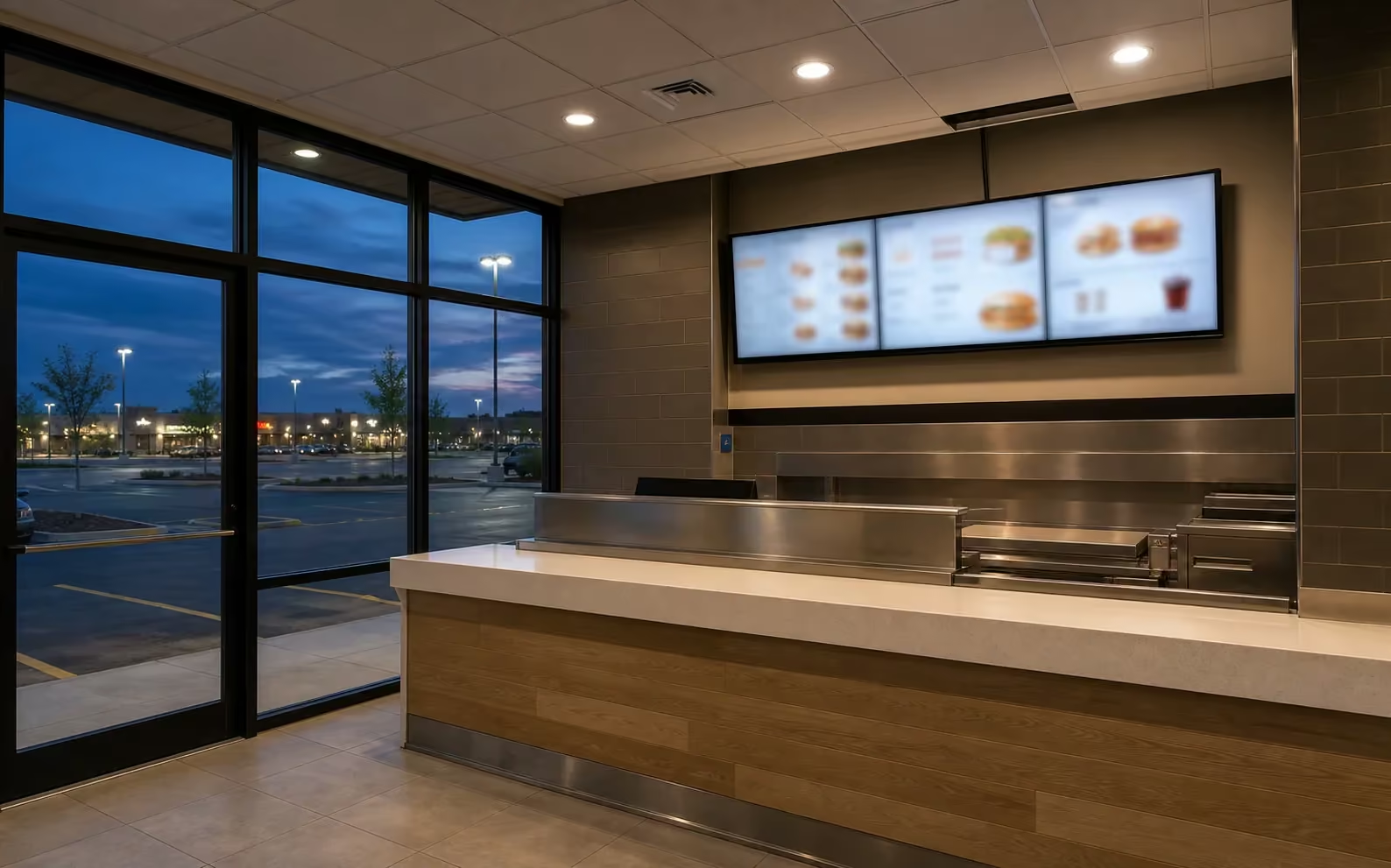
A typical install in a SmartCentres Aurora North CRU at Wellington and Highway 404 involves a chain-restaurant menu board above the counter, a BrightSign player commissioned to the chain’s CMS, cable routed above the suspended ceiling, and the COI, install method statement, and after-hours work request filed with SmartCentres tenant coordination before the booking is confirmed.
What does a typical install look like at the Wellington East Business Centre?
A typical install in a Wellington East Business Centre office condominium suite involves a 65 to 86-inch boardroom display paired with a Microsoft Teams Rooms bar and a touch console, with cable paths through dedicated low-voltage pathways, no roof penetrations on the photovoltaic envelope, and low-VOC adhesives where the suite owner asks for sustainability documentation.
What does a typical install look like along the Yonge Street dealership spine?
A typical install at a Yonge Street Aurora dealership involves a 75 to 98-inch 500 to 700-nit commercial feature-wall panel above the lead vehicle, cable concealed inside the wall cavity, a BrightSign player loaded with the manufacturer’s brand loop, and a 2x2 video wall option for Serpa Automotive Boutique-style luxury formats on Industrial Parkway South. You can also see SetupTeam customer reviews from past commercial work across the GTA.
Commercial TV Installation FAQs
Aurora Projects
Commercial TV Installation Near You in the GTA
SetupTeam serves communities across the Greater Toronto Area.
Scope an Aurora commercial TV or digital signage project
Book a site visit. We walk the Magna Drive head-office lobby, the Yonge or Wellington heritage restaurant, the SmartCentres Aurora North CRU, the Wellington East Business Centre boardroom, or the Yonge Street dealership showroom, confirm the procurement path with the operator or property manager, and send a written line-item quote with the COI and after-hours documentation in the same package.
Magna Drive · Yonge & Wellington · SmartCentres Aurora North · Wellington East Business Centre · Yonge Street · Industrial Parkway South
