

UniFi EAV Bridge vs Pro AV-over-IP: What a C$429 Box Actually Replaces
Ubiquiti just put 4K60 HDMI-over-Ethernet at a third of the going rate. Here is what the spec sheet really says, where it beats Crestron and AVPro Edge, and where an ordinary HDMI matrix is still the right call.
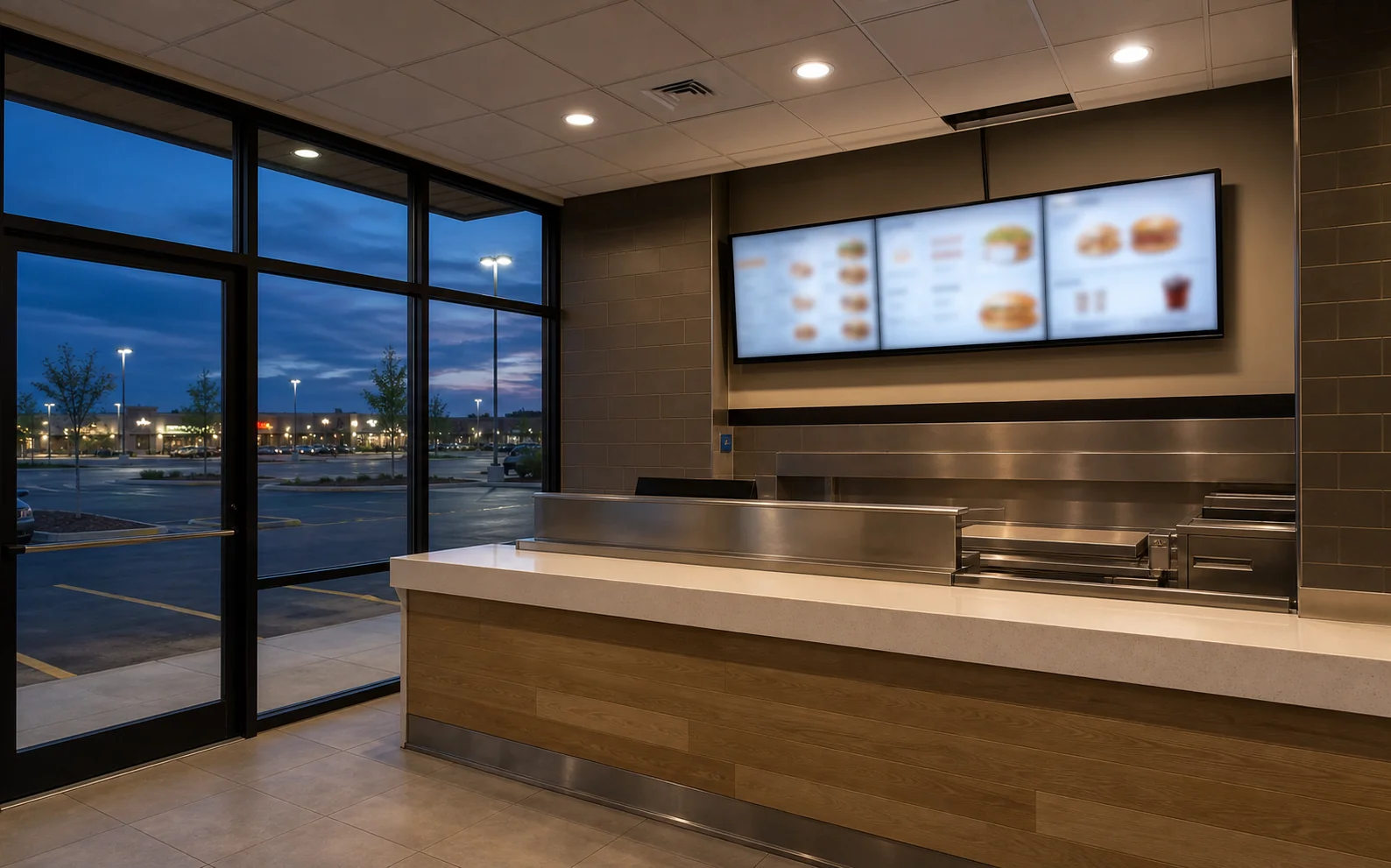
Distributing video around a building has been quietly expensive for a long time. Once you pass three or four screens, the honest options were a matrix switcher with cable runs back to one rack, or an AV-over-IP system where every source and every display needs its own encoder or decoder at somewhere between US$850 and US$2,600 apiece. That second number is why a ten-screen restaurant or a two-floor office so often ends up with a compromise instead of a design.
In April 2026 Ubiquiti announced Enterprise Audio/Video switching, and with it a small aluminium box called the EAV Bridge. It does the encoder job and the decoder job in one SKU, runs on PoE+, and sells for C$429. If it performs, it changes the arithmetic on a whole category of jobs we quote every month.
A note on what this article is. We install and support UniFi across the GTA and we work with HDBaseT, HDMI matrix and IP-based distribution regularly. We have not yet had an EAV Bridge on the bench. Everything below is drawn from Ubiquiti's published specifications, its own documentation, and our experience specifying the systems it is being compared against. Where a number does not exist publicly, this article says so rather than guessing — which turns out to be the most useful thing anyone can tell you about this product right now.
Quick Answers
What does the EAV Bridge cost in Canada?
C$429.00 on the Canadian Ubiquiti store, against US$299.00 on the US store. Because each unit is both a sender and a receiver, the smallest useful deployment is two of them.
Does it need the C$6,188 EAV switch?
Ubiquiti has not said. The Bridge's own spec sheet names no required switch, and Ubiquiti documents running other AV-over-IP systems on ordinary UniFi switches. Confirm this before budgeting.
Is it as good as Crestron or AVPro Edge?
Unknown, and that is the honest answer. Those brands publish codec, latency, HDR and chroma figures. Ubiquiti currently publishes none of them for this device.
What is the UniFi EAV Bridge, and what does it actually do?
It is a single box that turns an HDMI signal into network traffic, or network traffic back into HDMI.
Every AV-over-IP system works the same way. At the source — a media player, a laptop plate, a cable box — an encoder converts HDMI into a stream. At each display, a decoder converts it back. The network in between carries the video as multicast traffic, which is what allows one source to reach many screens without needing a cable per screen.
The EAV Bridge collapses that into one product. Ubiquiti describes it as a transceiver: the same unit is configured as a source or a destination. That matters commercially more than it sounds. With most systems you buy encoders and decoders as separate part numbers and guess your ratio; here you buy a quantity and decide later, and spares cover both ends of the system.
The published hardware is genuinely well specified for the money. According to Ubiquiti's tech-spec page, each unit carries HDMI 2.0 in and out at 4K60, one gigabit PoE+ port drawing a maximum of 14 W, two female XLR inputs on combo jacks with 48 V phantom power, two male XLR outputs, a 3.5 mm IR port, a USB-C port, and a 1.3-inch touchscreen on the front. It mounts to DIN rail, a wall, or a pole, and it is NDAA compliant.

The XLR audio is the part a professional integrator notices first. Balanced microphone-level inputs with phantom power, on the video endpoint, is not something Crestron, AVPro Edge, WyreStorm or ZeeVee put on their boxes. In a boardroom or a lecture space that normally means a separate audio DSP and a separate set of cable runs. Whether the audio implementation is good enough to replace one is a different question, and not one the spec sheet answers.
Does the EAV Bridge need Ubiquiti's C$6,188 EAV switch?
Ubiquiti has not published an answer, and it is the single most important thing to establish before you budget a job.
This is the question being asked in Ubiquiti's own community forum, and it is the one that decides whether this product is a bargain or an expensive ecosystem entry fee. The arithmetic is stark. Twelve bridges for a four-source, eight-display job come to about C$5,148. The Enterprise Audio/Video XG 24 PoE switch is listed at C$5,735.00, or C$6,188.00 with surcharge. If that switch is mandatory, the switch costs more than everything it connects.
Here is what can actually be verified. The Bridge's tech-spec page lists a single gigabit PoE+ port and names no required switch, no minimum firmware, and no mandatory platform. Ubiquiti's marketing for EAV switching is about timing — the switches carry a high-precision oven-controlled oscillator, an optional GPS grandmaster input, and IEEE 1588 PTPv2 hardware timestamping on every port, which is what delivers the sub-microsecond synchronisation the company advertises for large synchronised deployments.
Separately, Ubiquiti already documents running professional AV over its ordinary switches. The Pro AV traffic optimisation feature ships QoS profiles for Dante, Q-SYS, Shure, AES67, SDVoE, NDI and Crestron NVX/NAX on standard UniFi switches, requiring UniFi Network 8.4.59 or later and switch firmware 7.1.26 or later. A company that documents carrying Crestron NVX on a regular UniFi switch has not built a platform where its own endpoint cannot work on one.
The defensible position: the EAV switch is clearly aimed at large, tightly synchronised deployments such as video walls and multi-room stadium-scale systems, and there is no published evidence that a handful of endpoints requires one. That is not the same as confirmation. If you are pricing a job on the assumption that a standard UniFi switch will carry it, get that in writing from Ubiquiti or a distributor first.

A 1 GbE PoE+ endpoint is not an SDVoE device
The standards Ubiquiti lists belong to the switches, not to the Bridge, and dealer pages are already blurring the two.
Ubiquiti's EAV switching pages name SMPTE ST 2110, Dante, AES67 and SDVoE. Those are capabilities of the switch line — the EAV XG 24 PoE carries 24 ports of 10 gigabit with 100 gigabit uplinks, which is the kind of hardware those standards need. The Bridge is a different animal: one gigabit port, 14 W, PoE+.
That distinction is not pedantry, it is physics. SDVoE carries uncompressed video over 10 gigabit Ethernet and quotes end-to-end latency under 100 microseconds. You cannot push uncompressed 4K60 down a gigabit link. So the EAV Bridge is necessarily sending a compressed stream, and Ubiquiti has not said which codec it uses or how hard it compresses.
The same caution applies to Dante. The switching platform is described as Dante-compatible; the Bridge's own audio specification lists HDMI and AES67 audio and analogue XLR. Specifying the EAV Bridge as a Dante endpoint on the strength of the platform page would be a mistake.
How C$429 per endpoint compares to Crestron, AVPro Edge, WyreStorm and ZeeVee
On price it is not close. On published engineering detail, it is not close in the other direction.
The table below is the reason this product is worth an article. Note the currency column carefully: Ubiquiti publishes a Canadian retail price, while every professional AV brand here is dealer-channel and quotes per project, so the only public reference points are US street prices from resellers. Do not read across the two currencies as if they were comparable line items on the same quote.
| Product | Price per endpoint | Compression | Published latency |
|---|---|---|---|
| UniFi EAV Bridge (source or display) | C$429 retail | Not published | Not published |
| Just Add Power 3G ULTRA | US$842.99 | Proprietary | Not published |
| Blustream IP200UHD | US$885 | “Visually lossless” | ~1 frame |
| AVPro Edge AC-MXNET-1G | US$916 | JPEG 2000 | — |
| WyreStorm NetworkHD NHD-400-TX | US$920 | JPEG 2000 | Under one frame |
| AVPro Edge MXNet Evolution II decoder | US$1,514 | Optimised JPEG 2000 | 16 ms at 60 Hz |
| Crestron DM-NVX-D30 (decode only) | US$1,650 | Pixel Perfect Processing | Under one frame |
| AVPro Edge AC-MXNET-10G (SDVoE) | US$2,008 | SDVoE, near-uncompressed | 0.1 ms genlocked |
| Crestron DM-NVX-360 (encode or decode) | US$2,630 | Pixel Perfect Processing | Under one frame |
Ubiquiti prices verified on the Canadian store. Competitor figures are US street prices from published reseller listings and are shown in USD because these brands do not publish Canadian retail pricing — they are quoted through dealers per project. Treat them as an order-of-magnitude comparison, not a quote.
Read that table twice and the picture is clear. On money, the EAV Bridge is somewhere between half and one-sixth of the cost of a professional endpoint, and it is a transceiver, so it competes with the flexible units at the top of those ranges rather than the fixed-role ones at the bottom. On engineering disclosure, it is the only product in the table that tells you nothing about how it moves the picture.
There is a second, less obvious difference. AVPro Edge, Crestron, WyreStorm and Just Add Power all ship control drivers for Control4, Crestron and RTI, with documented control ports on each endpoint. If a system needs to be driven from a room controller, that ecosystem is the product as much as the hardware is. Ubiquiti's store page currently notes that USB and IR port configuration is coming in a future update — the ports are physically there and not yet fully enabled. For an integrator building a Control4 installation, that is a live constraint, not a footnote.
When an HDMI matrix or HDBaseT extender is still the better answer
Below roughly six to eight displays in one building, the traditional approach usually wins on cost, simplicity and risk.
AV over IP is sold as the future of distribution, largely by companies that sell encoders. It is not automatically the right answer, and in the rooms we quote most often it frequently is not.
An HDMI matrix is one box in one rack. A 4x4 or 8x8 unit switches any input to any output with no compression, no network configuration, no multicast, and no dependency on anyone else's switch behaving. Consumer and prosumer 4x4 units run a few hundred dollars; a 4K 4x4 matrix from OREI lists at US$699. For a boardroom with two displays and three sources, that is the entire distribution layer, and it will still be working in ten years without a firmware update.
HDBaseT solves the distance problem without involving a network at all. It carries HDMI point-to-point over a single Cat6 run — 100 m under the current specification, with HDBaseT 3.0 carrying uncompressed 4K60 4:4:4 — and a 4K60 extender pair from OREI lists at US$389. Where the requirement is “get this one picture to that one screen at the far end of the building,” HDBaseT is cheaper, simpler and lower-risk than anything involving multicast.
| Situation | Usually the right answer | Why |
|---|---|---|
| One source, 2–3 screens, same picture, same room | HDMI splitter, or splitter plus HDBaseT | No switching logic needed at all |
| One source, one screen, long run | HDBaseT extender pair | 100 m on one Cat6, no network involvement |
| 3–4 sources, 2–4 screens, one room | HDMI matrix | Uncompressed, one box, no network config |
| Sources and screens spread across floors | AV over IP | Cable runs go to the nearest switch, not the rack |
| 8+ displays, or a count that will grow | AV over IP | Matrix port counts are fixed; IP endpoints are additive |
| Video wall with synchronised panels | AV over IP with proper timing | Frame sync across panels is the whole problem |
The crossover point is where the cable topology stops making sense, not where the screen count hits a magic number. A matrix means every display needs a home run back to one rack. Once a building's geometry makes those runs long, awkward or impossible — a second floor, a detached space, a heritage wall you cannot open — AV over IP wins even at small display counts, because each endpoint only needs to reach the nearest switch. That is a structured cabling question as much as an AV one, and it is worth reading alongside FT4 vs FT6 cable for Ontario offices if the pathways run through a plenum ceiling.
Why the cheap HDMI-over-IP kits fail in a commercial room
They are 1080p devices designed for a dedicated switch, sold as if they were distribution systems.
Search for HDMI over IP and the first page is full of US$70 to US$180 extender kits. They are not the same category of product, and the gap shows up in three places.
- They are almost all 1080p. OREI's EX-330-K kit at US$69.99 and gofanco's HDExtIP at US$179.99 are both 1080p60 devices. In a room with 4K displays and 4K sources, everything gets downscaled and it is visible on text and spreadsheets.
- They expect their own network. Gofanco specifies a dedicated unmanaged gigabit switch with IGMP for its kit. That is the vendor telling you it is not designed to share an office network — which is exactly what most buyers do with it.
- There is no support path. When a menu board or a boardroom goes dark on a Monday morning, the difference between a product with a distributor behind it and a marketplace listing is the difference between a fix and a re-purchase.
None of this means the cheap kits are fraudulent. For a garage screen or a spare bedroom they are fine. The failure mode is specifying one for a commercial room and discovering the limits in front of a room full of people.
Four things your network has to do before any AV-over-IP system works
AV over IP is multicast, and a network that has never carried multicast will not carry it well by accident.
This is the part that catches people, and it applies equally to a C$429 UniFi bridge and a US$2,630 Crestron endpoint. Ubiquiti's own Pro AV documentation is unusually specific about it, and the requirements are consistent across every AV profile it lists.
- IGMP snooping, enabled per VLAN. Without it, every multicast video stream is flooded to every port on the switch. Ubiquiti lists IGMP snooping as required for all eight AV environments it supports, with no exceptions.
- A defined querier. Ubiquiti's table says a querier “must be present” for every profile, and recommends configuring it manually per VLAN rather than leaving the election to chance.
- Sensible handling of unknown multicast, and PTP left alone. Unknown multicast should be forwarded to multicast router ports or dropped. Critically, Ubiquiti warns that disabling its Flood Known Protocols option “may lead to issues with AV traffic as PTP is no longer flooded” — PTP is the timing protocol the whole synchronisation story depends on.
- mDNS kept off the AV VLANs. Where mDNS is enabled, Ubiquiti recommends excluding the VLANs running IGMP snooping, to stop protocols such as PTP leaking between networks.
The practical consequence: an AV-over-IP job is a network job with displays attached. That is why we handle these as part of commercial network installation rather than treating the AV layer separately — the VLAN design, the switch configuration and the cable plant are the deliverable, and the encoders are the easy part. If you are weighing platforms before any of this, our comparison of UniFi versus enterprise network systems covers the layer underneath.
Planning video distribution for an office, venue or large home?
SetupTeam designs and installs commercial AV and the network underneath it across Toronto and the GTA — matrix, HDBaseT or AV over IP, specified for the building rather than the brochure.
What a four-source, eight-display job actually costs in Canada
Endpoints are the number everyone quotes; the switch is the number that decides the project.
Take a realistic job: a restaurant or a two-floor office with four sources and eight displays. Twelve endpoints in total.
In UniFi terms that is 12 × C$429, or C$5,148 in bridges. Add UI Care five-year coverage at C$85 per unit and it is C$6,168. If a standard managed UniFi switch with PoE+ carries it, the switching might add one to two thousand dollars and the hardware lands somewhere near C$7,000 to C$8,000 before cable, mounts, displays and labour. If the Enterprise Audio/Video XG 24 PoE switch is required, add C$6,188 and the same job is over C$12,000 in hardware. That single unresolved question moves the budget by more than 50 percent, which is precisely why it is worth pinning down before anyone signs anything.
For scale, the equivalent twelve endpoints from the professional brands run from roughly US$10,100 at Just Add Power pricing to about US$31,500 at Crestron DM-NVX-360 pricing — endpoints alone, before the switch, before control, and before dealer margin on a Canadian quote. Even at the pessimistic end of the UniFi arithmetic, the gap is large enough to change what a mid-sized business can afford to build.
Can the EAV Bridge really drive an 8×8 video wall?
The stated ceiling matches Crestron's, but budget and bandwidth bite long before the spec sheet does.
Ubiquiti's tech-spec page states a “1 to 8x8 TV wall configuration.” Taken literally that is 64 panels, the same maximum Crestron publishes for DM NVX and just under ZeeVee's claimed 9×9.
In practice nobody builds an 8×8. Sixty-four panels means 64 decoders, so at C$429 each the endpoints alone pass C$27,000 before displays, mounts, structural support or the switching to feed them. The video walls we actually install are 2×2 and 3×3, and at that size the ceiling is irrelevant — what matters is whether the panels stay frame-accurate with each other, which is the timing problem Ubiquiti's PTP switching is built to solve. This is the one application where the case for the EAV switch is strongest, and where we would not assume a general-purpose switch is adequate.
Three things the EAV Bridge cannot do yet
Two are shipping limitations Ubiquiti has stated, and one is a documentation gap that matters commercially.
- USB and IR are not finished. Ubiquiti's own store listing says USB and IR port configuration is “coming in a future update.” The USB KVM capability is advertised on the product pages; the configuration for it is not shipping today. If a design depends on KVM extension to a display, that is not a feature you can specify yet.
- There is no published latency or codec figure. Every competitor publishes both. Without them you cannot tell whether the Bridge is suitable for live camera reinforcement, gaming, or anything where a presenter watches their own mouse pointer on the far screen.
- HDCP is not documented. This is the quiet one. For a sports bar distributing cable boxes, or retail running an Apple TV, HDCP handling is the difference between a working system and a wall of blank screens. Neither the tech specs nor the store page addresses it, and no one should assume it.
None of these make the product a bad bet. They make it a product that is early, and the correct response to an early product in a commercial room is to pilot it on one job before standardising on it.
What we would specify for a boardroom, a sports bar, and a large home in the GTA
The right answer changes with the room, and for most single boardrooms it is not AV over IP at all.
A single boardroom. One or two displays, a video bar, and wireless presentation covers the vast majority of these rooms. Adding an AV-over-IP layer buys complexity, not capability, when the video never leaves the room. Where a second or overflow display is needed, an HDMI matrix or a splitter handles it for a few hundred dollars. This is the design we run most often under conference room AV, and the honest recommendation is usually the simpler one.

A sports bar or restaurant. This is where AV over IP earns its keep, and where the EAV Bridge is most interesting. Ten to fourteen screens, six or eight sources, and a requirement to put any game on any screen from a tablet behind the bar. The traditional quote for that job is dominated by endpoint cost; at C$429 a point, the same design becomes affordable to a single-location operator rather than only a chain. This is the scenario we would pilot the product on first, and it overlaps directly with our commercial TV installation work.
Retail and signage across multiple tenancies. Screens in different units, one content source, and a need to change what plays without walking the building. AV over IP suits this well, though a networked signage player at each screen is often simpler still if every display shows the same loop and nothing is live.
A large home. A 6,000 square foot build with screens in a theatre, a gym, a games room and two outdoor areas is a genuine distribution job. Historically the endpoint cost pushed these toward a matrix and long HDBaseT runs; UniFi pricing makes IP distribution plausible for the first time, particularly where the house already has UniFi throughout. It has to be designed alongside the network cabling and structured wiring and the home cinema installation rather than bolted on afterwards.
Across all four, the same rule holds. The distribution method follows the building and the way the space is used — not the other way round. The EAV Bridge has changed what is affordable; it has not changed what is appropriate. And until Ubiquiti publishes a latency figure, a codec, and a straight answer on the switch, the responsible way to use it is on a job where you can pilot it, measure it, and still fall back to a matrix if it disappoints. We install UniFi installation work across the GTA every week, and this is the first UniFi product in a while where we are telling people to wait for the second act before betting a whole building on it.
Frequently Asked Questions
10 answersUbiquiti has not published a switch requirement for the EAV Bridge. Its own tech-spec page lists a single gigabit PoE+ port and names no mandatory switch, while the Enterprise AV switches are marketed for sub-microsecond PTP timing across large deployments. Ubiquiti also documents running Crestron NVX, SDVoE and Dante over ordinary UniFi switches using the Pro AV traffic profiles. Until Ubiquiti states otherwise, treat the EAV switch as required for large synchronised video walls and unproven as a requirement for a handful of endpoints — and confirm it before you sign off a budget.
C$429.00 per unit on the Canadian Ubiquiti store, against US$299.00 on the US store. Each bridge works as either a source or a destination, so a one-source, one-display link needs two of them — about C$858 before cabling, mounts or switching. The Enterprise Audio/Video XG 24 PoE switch is listed at C$5,735.00, or C$6,188.00 with surcharge included.
Ubiquiti has not published a latency figure for the EAV Bridge. Its tech-spec page lists no latency number and names no video codec. This matters because every competing product publishes one — AVPro Edge quotes 16 ms at 60 Hz for its MXNet Evolution II decoder, and the SDVoE standard quotes under 100 microseconds. Do not assume a latency figure for the EAV Bridge, and do not specify it for live camera reinforcement or gaming until Ubiquiti publishes one.
No, and the distinction gets blurred often. SDVoE is listed by Ubiquiti as a capability of the Enterprise AV switches, not of the Bridge. The Bridge has one gigabit port, and SDVoE carries uncompressed video over 10 gigabit Ethernet, so a 1 GbE endpoint cannot be an SDVoE device. The EAV Bridge is a compressed stream; Ubiquiti has not said which codec it uses.
Usually not without configuration, and sometimes not at all. AV over IP is multicast traffic, so the switch needs IGMP snooping enabled with a defined querier, sensible handling of unknown multicast, and PTP timing traffic left flooded. Ubiquiti's own Pro AV documentation requires IGMP snooping and a querier for every AV profile it supports. Dropping encoders onto a flat unmanaged network is the single most common reason an AV-over-IP install fails on day one.
For small, fixed rooms, often yes. A 4x4 HDMI matrix is one box, needs no network configuration, adds no compression, and costs a few hundred dollars. It stops making sense when displays are far apart, when the count will grow past the matrix's port limit, or when you need any source on any display across a building. That crossover is usually somewhere between six and ten displays.
For two or three nearby screens showing the same picture, an HDMI splitter with HDBaseT extenders is the simplest and cheapest answer. Past that, or once the screens need to show different sources, you want distribution: an HDMI matrix for a fixed room, or AV over IP once the screens are spread across a building. The deciding factors are distance, how many screens, and whether they all show the same thing.
The inexpensive kits are almost all 1080p, not 4K, and they are built to sit on a dedicated switch. Gofanco, for example, specifies a dedicated gigabit switch with IGMP for its HDMI-over-IP extender rather than a shared office network. Put several of them on a general-purpose network without multicast configuration and you get dropouts, and often you disrupt other traffic at the same time. They also carry no meaningful support path when a commercial room goes down.
Ubiquiti's tech-spec page states a 1 to 8x8 TV wall configuration, which is the same ceiling Crestron publishes for DM NVX. The practical limits are budget and network design rather than the stated maximum: an 8x8 wall is 64 panels and 64 decoders, so at C$429 each the endpoints alone exceed C$27,000 before displays, mounts, structure or switching.
Most single boardrooms do not need AV over IP. If the room has one or two displays and the job is video calls plus laptop sharing, a Teams or Zoom room appliance with wireless presentation covers it, and the AV-over-IP layer adds cost and complexity for nothing. AV over IP earns its place when video has to travel between rooms, when the display count grows, or when any source needs to reach any screen in the building.
Sources
- Ubiquiti EAV Bridge tech specs. Ports, power, audio and video specification, and the 8x8 video wall figure — techspecs.ui.com/unifi/integrations/eav-bridge.
- Ubiquiti Canadian store. C$429.00 EAV Bridge pricing, UI Care cost, and the “USB and IR port configuration coming in a future update” note — ca.store.ui.com.
- Ubiquiti EAV switching announcement. PTP timing, AES67, SMPTE ST 2110 and SDVoE platform claims, published 15 April 2026 — blog.ui.com.
- Pro AV Traffic Optimization on UniFi Switches. IGMP snooping and querier requirements, Flood Known Protocols and PTP warning, mDNS guidance — help.ui.com.
- SDVoE Alliance specifications. Uncompressed transport over 10 GbE and the sub-100-microsecond latency figure — sdvoe.org/technology/specifications.
- Competitor pricing. US street prices from published reseller listings for AVPro Edge, Crestron, WyreStorm, Just Add Power, Blustream and OREI, gathered September 2026. These brands do not publish Canadian retail pricing.
Product images of the UniFi EAV Bridge and the Enterprise Audio/Video switch are Ubiquiti Inc. product renders, reproduced for editorial comparison. Prices were verified on 9 September 2026 and change without notice.
Specifying video distribution for a real building?
We design and install commercial AV and the network it runs on across the GTA — boardrooms, restaurants, retail and large homes — as part of our commercial TV installation and commercial network installation work.
Tell us about the space and the screen count, and we will tell you honestly whether you need AV over IP or a matrix.

