

A Day at the First UniFi Toronto Conference, Invitation Only
Ubiquiti brought its first UniFi conference to Toronto on August 19, 2026, invitation only, and SetupTeam spent the day with the hardware, the keynote, and the people building on the platform.
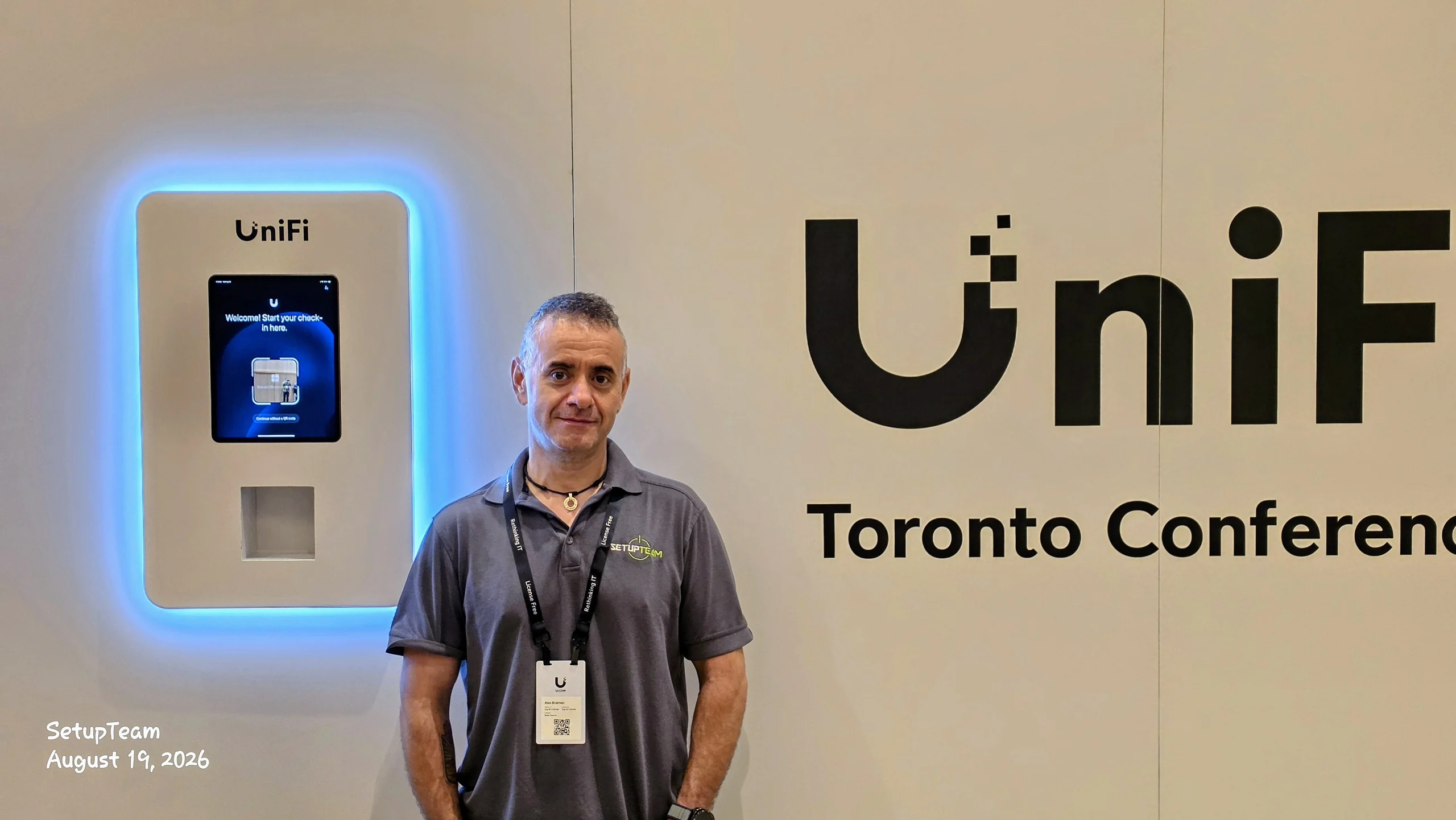
On August 19, 2026, Toronto hosted its first UniFi conference, and there was no registration link to share. Ubiquiti built the guest list itself, inviting installers, integrators and networking specialists already deploying the platform in the field. SetupTeam was on it. We checked in at a self-service kiosk set into a white wall beside the conference signage, picked up a lanyard printed “Rethinking IT” and “License Free”, and spent the day among people who put this equipment into real buildings for a living. What follows is an account of that day, and of what a closed room of practitioners is actually good for.
Quick Answers
What was the UniFi Toronto Conference?
The first UniFi conference held in Toronto, on August 19, 2026. Ubiquiti gathered professional installers, integrators, networking specialists and technology partners working in the UniFi ecosystem for a day built around a keynote session and hands-on time with gateways, switches, access points and rack hardware.
Could anyone register to attend?
No. There was no open registration. Ubiquiti invited professional installers, integrators, networking specialists and technology partners already working inside the UniFi ecosystem, which kept the room to people who deploy and support the hardware for a living rather than a general public audience.
What does this mean if you hire SetupTeam?
It means the people wiring your home or office spend time with UniFi hardware beyond the job site. SetupTeam installs UniFi networks, Wi-Fi, structured cabling and cameras across Toronto and the GTA, and the invitation reflects that working depth.
What does “License Free” on the lanyard mean?
It points to Ubiquiti’s long-standing position that the core UniFi controller software carries no recurring per-device licence fee. You buy the gateway, switch or access point and manage it without an annual subscription attached to each unit.
An invitation-only guest list changes who is standing next to you
The filter does the work. Because the invitations went out to people already deploying UniFi rather than to anyone who signed up, conversation in the room started several levels past the basics. Nobody needed the pitch on what a gateway does. The questions being asked were about failure modes, site conditions, and what breaks at scale.
That distinction matters more than it sounds. Public trade shows mix working installers with resellers, curious homeowners and vendors from adjacent categories, and the discussion flattens to whatever the least-experienced person in the group can follow. Here it stayed technical for most of the day.
An invitation is also the plainest signal available about how a company’s work is viewed on the platform. SetupTeam holds no formal designation with Ubiquiti and claims none. What can be said accurately is this: the invitation arrived, and it arrived because of the deployments behind the name.
The keynote pointed at a platform that keeps getting wider
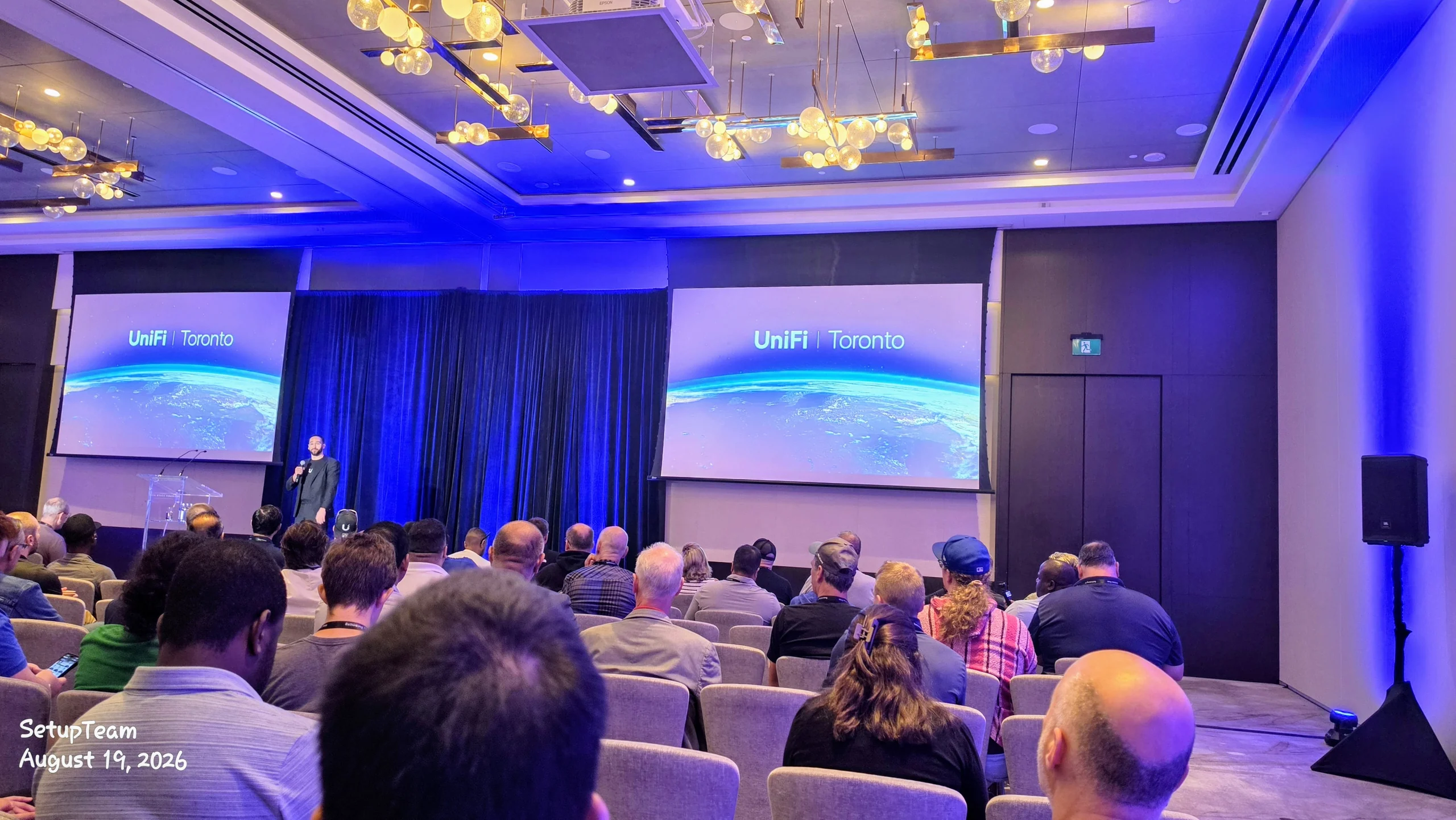
Ubiquiti used the main session to frame UniFi as infrastructure rather than as Wi-Fi gear. Two projection screens carried the “UniFi | Toronto” mark over an image of Earth from orbit while a single presenter worked through the platform’s direction from a lectern. The framing was deliberate, and it lined up with where the product family has been drifting for years.
Wi-Fi and routing were the original ground. Security, access control, communications and infrastructure management now sit alongside them, sharing the same interface and the same administrative model. For anyone specifying systems, that convergence carries real weight: decisions about cameras, door hardware and the network core stop being three separate procurement exercises and start being one design. It is the same argument we made in our look at UniFi against traditional enterprise network systems, now coming from the vendor itself.
No specific product announcements are being repeated here, because the useful takeaway was not a model number. It was the direction of travel, and the reminder that a network installed today should be designed to absorb a category of device nobody has ordered yet.
Handling hardware in person changes how you spec it
Spec sheets flatten everything to numbers. Long black-draped tables at the conference were covered in gateways, switches, access points and a cylindrical desktop unit glowing blue at the base, all of it out of the box and free to pick up. Twenty minutes with hardware in hand answers questions no PDF addresses.

Port placement, chassis depth, how a unit vents, whether it can live on an open shelf without looking out of place in a living room, how much space it demands in a cabinet framed years ago for a modem and nothing else. Those details decide whether an install is straightforward or whether the crew is improvising at four on a Friday afternoon. Getting them wrong shows up as a return, a rescheduled second visit, or a piece of equipment mounted somewhere it should never have gone.
Standing in the middle of the floor was a tall white free-standing rack, doors closed, blue light showing through from inside, with attendees clustered around it in small groups. It drew a crowd for a reason. A rack that can sit in a room rather than hide in a mechanical closet opens up jobs in houses and offices that were never going to give up a dedicated equipment space.
What is a conversation with another GTA integrator actually worth?
Quite a lot, because the problems repeat. Toronto and the surrounding region share housing stock, building codes, service-provider quirks and a set of recurring headaches: century homes with plaster and lath, condo buildings that forbid drilling, new builds pre-wired to a standard that stopped being adequate a decade ago. Another integrator has usually already solved the thing you are wrestling with.
Vendor material never covers that layer. It describes the product working as intended. What gets traded between installers over coffee is the other half: how to get a cable across a finished ceiling without opening it up, how to phase a cutover so a business is not offline during trading hours, when a wireless link is a legitimate answer and when it is a shortcut that will generate a callback. We have written up one of those problems in detail — running Ethernet through a finished house — and it is exactly the kind of thing that comes up in five minutes of shop talk.
Some of the most useful exchanges were short. Someone mentions a site condition, someone else describes what they did, and a technique that took one company two years to work out transfers in ninety seconds.
Planning a UniFi network in the GTA?
SetupTeam designs and installs UniFi networks for homes and businesses across Toronto and the GTA, from a single access point to a racked, switched multi-building setup. Talk it through with someone who does this daily.
What this changes for a homeowner or business hiring SetupTeam
It shows up in specification decisions, not in marketing. Deeper knowledge of a platform mostly saves people money, because whoever designs the system knows where the line sits between adequate and excessive. Most homes do not need enterprise-grade everything. Knowing which parts genuinely benefit from it is the skill worth paying for.
Three practical places this surfaces. Sizing: choosing the access point count and placement that covers a floor plan properly instead of scattering hardware and hoping, which is the whole subject of wired access points in large custom homes. Selection: matching switch capacity and power budget to what the building will actually draw, with headroom that is deliberate rather than accidental. Expansion: leaving the network in a state where adding security cameras, a door reader, or a second building later is a configuration change and not a rebuild.
That last one is where platform familiarity pays off most. A network laid out by someone who has seen where the ecosystem is heading absorbs future additions into the system that already exists. A network built to the minimum gets replaced. Understanding how the pieces are converging is the difference between those two outcomes, and that understanding is exactly what a day like this sharpens.
The first Toronto edition set a marker worth returning to
A first event in any city tends to be a starting point, and this one felt that way. The room was serious, the hardware was accessible, and the conversations were with people doing comparable work under comparable conditions.
SetupTeam left with a clearer read on where the platform is going and a longer list of contacts across the region. Both feed back into installations — network installation, Wi-Fi optimization, and the UniFi work that surrounds them. That is the whole return on a day spent away from job sites, and it was worth it.
Frequently Asked Questions
8 answersThe first UniFi conference took place on August 19, 2026 in Toronto. Ubiquiti ran it as an invitation-only gathering in a hotel-style ballroom, with a check-in wall and self-service kiosk, a keynote session, and a hands-on hardware area for attendees.
Ubiquiti invited professional installers, integrators, networking specialists and technology partners active in the UniFi ecosystem. There was no public ticket sale or open sign-up, so attendance depended on already working with the platform in a professional capacity rather than on general interest.
No formal status is claimed. SetupTeam was invited to the first UniFi conference and attended it, which reflects active work in the UniFi ecosystem. That is the honest claim — an invitation and attendance, not a certification, dealership or partner designation.
UniFi spans networking, security and cameras, access control, communications, and infrastructure management, held under a single platform. So a UniFi deployment can carry the network, the camera system and door access on shared hardware and a shared management layer rather than separate disconnected systems.
It means Ubiquiti does not charge a recurring per-device fee for the core controller software that runs UniFi equipment. It does not mean everything is free — hardware is still purchased outright, and anything Ubiquiti sells separately remains its own purchase.
Handling gateways, switches, access points and a full equipment rack in person shows mounting depth, port layout, airflow and cable routing in a way spec sheets cannot. Those details decide how a rack gets built and how a site survives its first few years.
Not in pricing or process. What it adds is direct familiarity with the hardware and the platform behind it, which shows up in equipment choices, rack layout and troubleshooting. The work is judged on the finished install, not on conference attendance.
SetupTeam handles UniFi network installation, Wi-Fi optimization, structured cabling, network infrastructure and security cameras for homes and businesses across the GTA. That covers everything from a single access point in a house to a switched, racked network in a commercial space.
Ready to plan your UniFi network?
SetupTeam installs and configures UniFi networks for homes and businesses across Toronto and the GTA, covering design, cabling, access points, switching and ongoing support as part of UniFi installation across the GTA.
Tell us about the building and how it gets used. You will get a straight assessment of what the space needs, and a free written estimate.

