

Home Automation That Gets Every Brand Working Together
Your lights, cameras, speakers, TVs and alarm in one app, reacting to each other. We build it on Home Assistant, a free platform with no dealer lock and no yearly licence. A starter installation is $799 + HST with the hardware included, and we program new automations remotely after that.
What is Home Assistant, and why do we install it?
Home Assistant is a free, open-source home automation platform that runs on a small computer inside your house. It connects to thousands of products from different makers, so your Lutron lights, Sonos speakers, UniFi cameras, TVs and alarm finally talk to each other. We install it because it does what the expensive dealer systems do, often better, without the yearly fees or the lock-in.
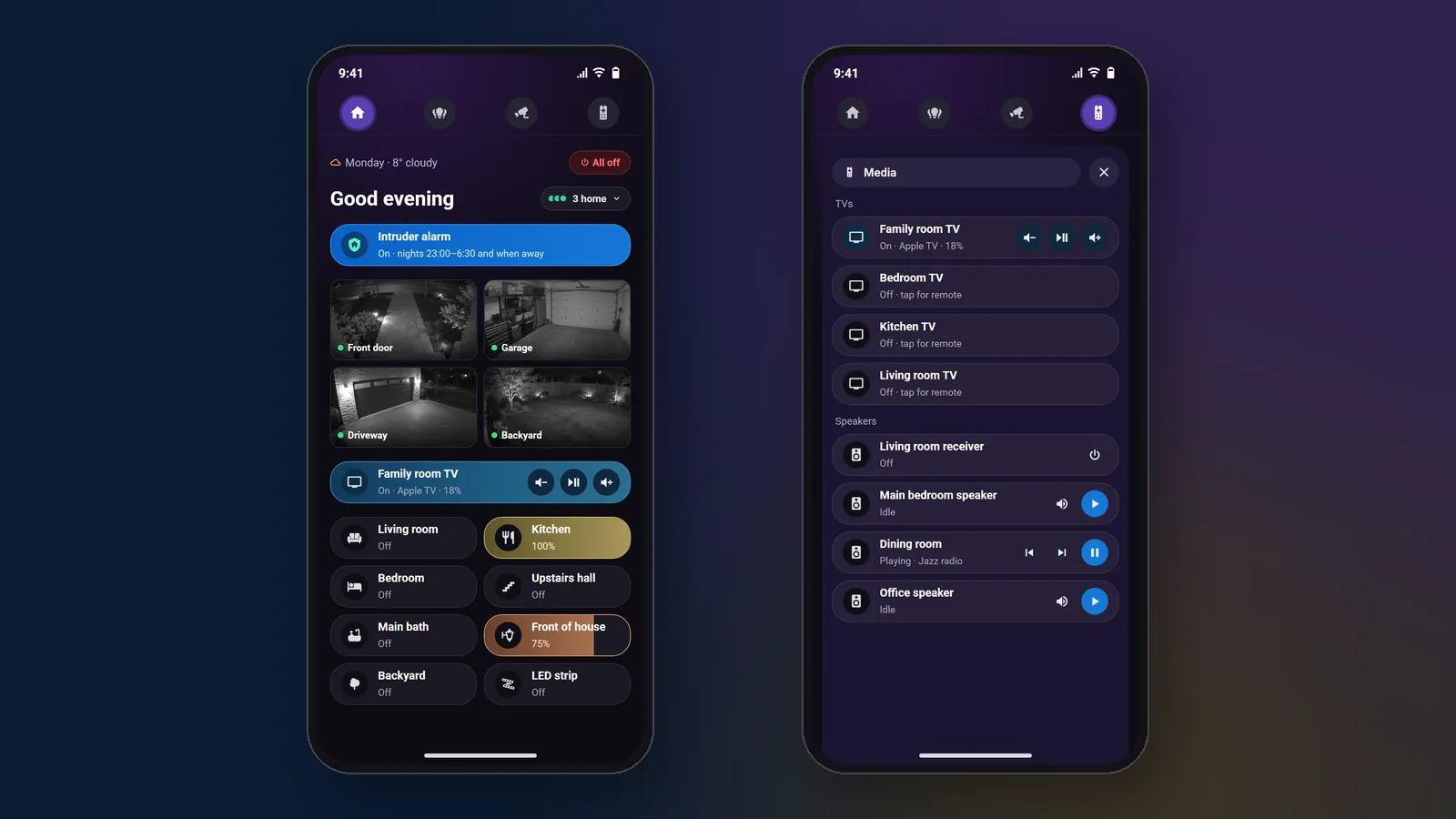
Most homes we visit have good equipment that lives in separate apps: lights in one, speakers in another, cameras in a third, the alarm in a fourth, and a drawer of remotes. Home Assistant puts all of it in one app on every phone in the house, and lets one device trigger another, even when three or four different manufacturers are involved.
Free Software, No Licence
The platform costs nothing to run. You pay for the setup, the hardware it runs on and any programming you ask for. There is no per-device fee and no subscription to keep the system working.
Runs Inside Your Home
Lights, cameras and speakers on your home network are controlled locally, so most automations keep working when the internet is down. Only brands that work through their own cloud, such as some doorbells, need the internet.
Works With Almost Every Brand
Lutron, Sonos, UniFi, Denon and Marantz, LG, Samsung, Sony, Apple TV, ecobee, Philips Hue, Reolink and thousands more. You keep the equipment you already own instead of replacing it to suit one brand.
You Own the System
The admin account, the backups and the passwords are yours. No dealer has to unlock your system before someone else can work on it, and you can change a schedule or a scene yourself whenever you like.
What can a home do when every brand works together?
It reacts like one system instead of six apps. A camera can switch on lights, an alarm can use every speaker and TV in the house, and the doorbell can ring through the music system. These are automations we built and run in a real house, using four or five manufacturers at the same time.
An Intruder Alarm That Uses the Whole House
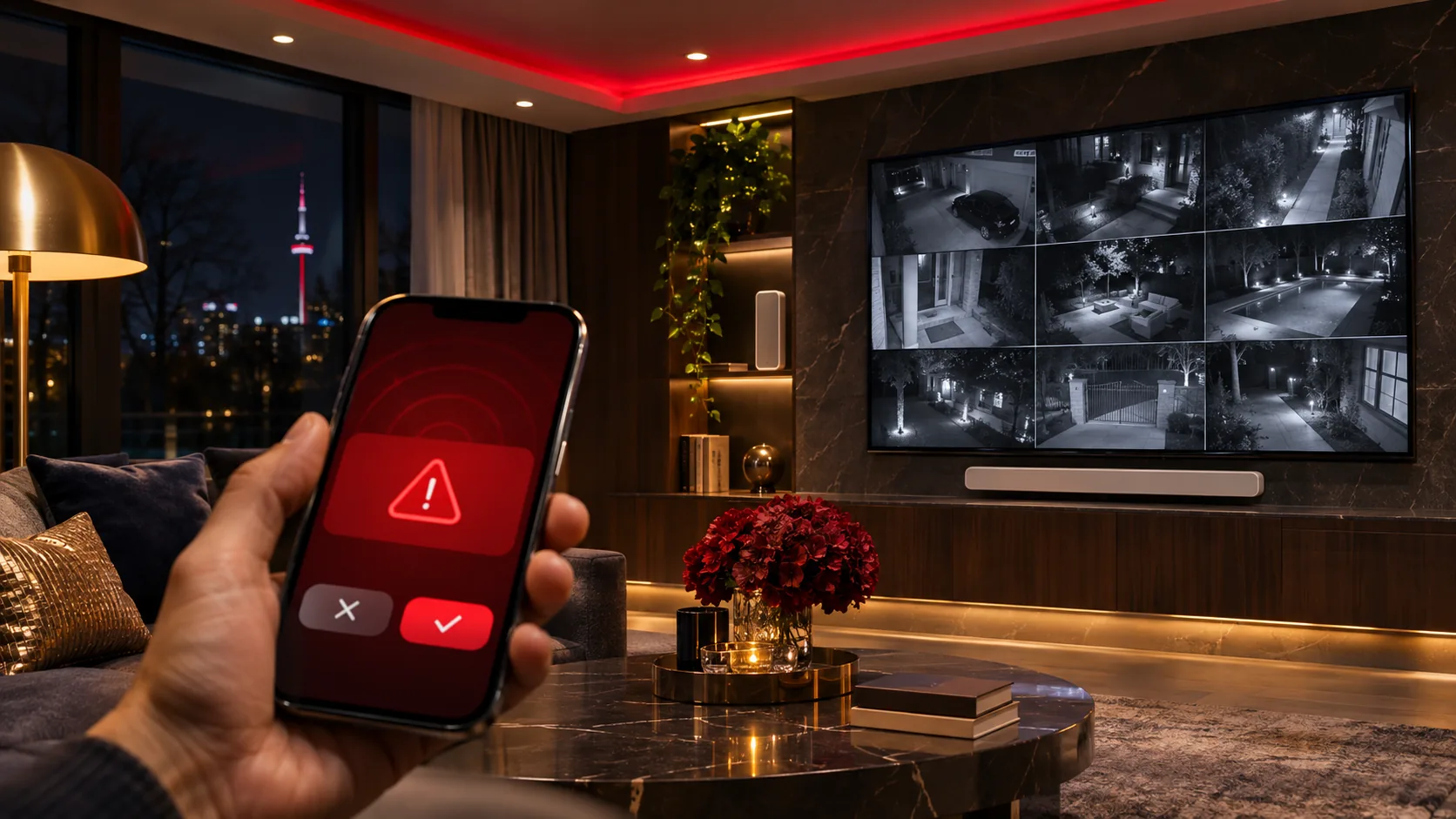
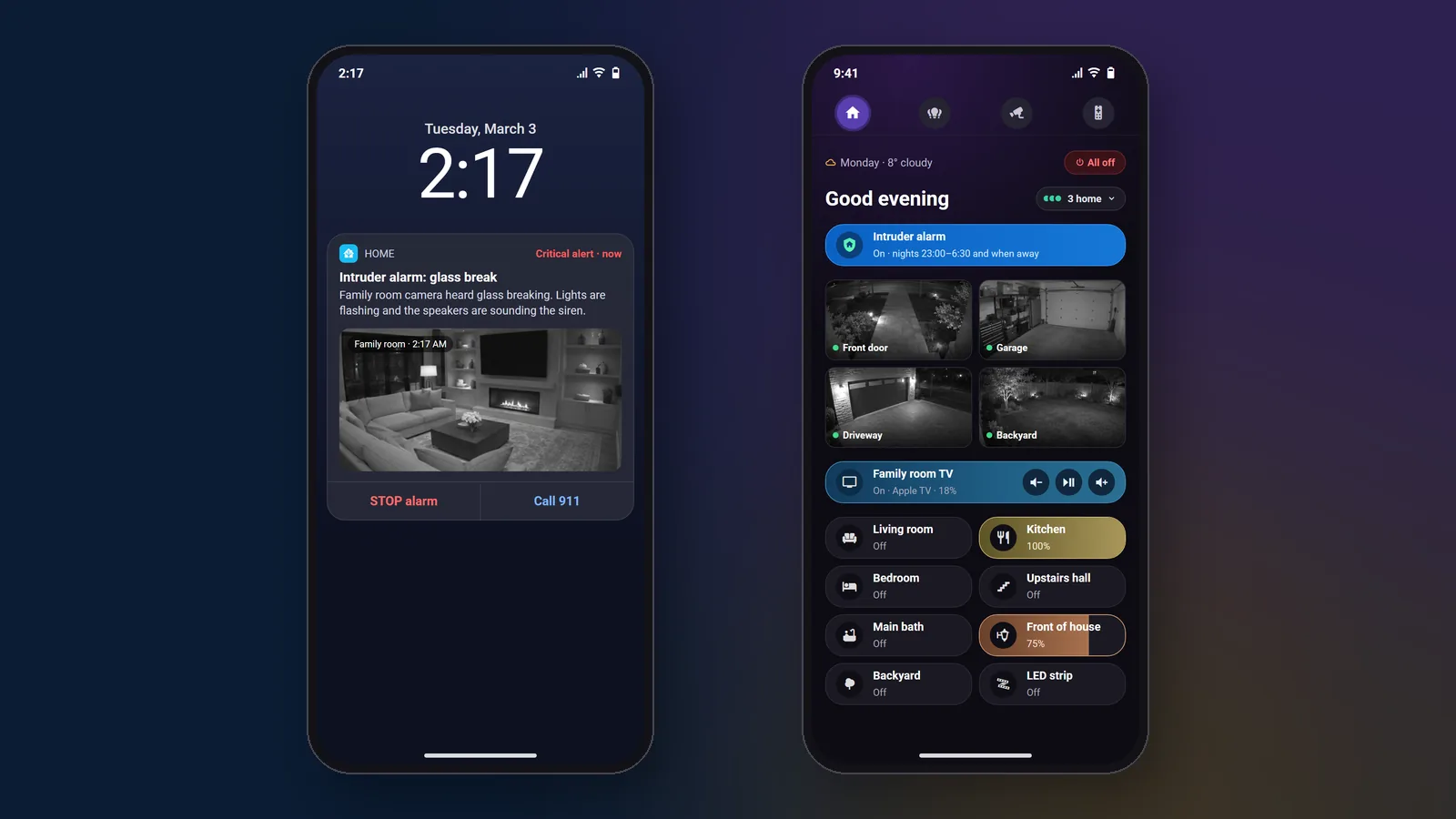
A UniFi camera hears glass breaking. In seconds the Lutron lights flash, an LED strip strobes red, a siren and a spoken warning play on every speaker, the TVs switch on and open the cameras, and both phones get a critical alert with a snapshot.
A Smoke Alarm That Talks
Cameras with audio detection hear an ordinary smoke or CO alarm going off. Indoor lights come on and a calm spoken message tells everyone to get outside, repeating until someone taps Cancel. No rewiring of the old detectors. It adds to your smoke and CO detectors and does not replace them, and it only hears alarms near a camera.
A Doorbell That Rings Through Your Speakers
Someone presses the doorbell and a chime plays on your Sonos, Denon or other speakers. On Sonos it plays over the music, which dips and then carries on. It works with any video doorbell Home Assistant supports, not only UniFi.
Lights That React to People, Not Cars
After 10:30 PM, a camera that sees a person at the driveway or front door turns the outside Lutron lights to full for five minutes. Passing cars and raccoons are ignored, so the lights only come on when they mean something.
Away Mode and Welcome Home
When every phone has left, lights switch on and off in the evening so the house looks lived in. The first person home after dark comes back to the lights on. One button turns everything off at bedtime.
Every TV Remote Inside Your Phone
Each TV and Apple TV gets its own remote screen: power, volume to the TV or soundbar, YouTube and Plex shortcuts, and a box that types searches on the TV from your phone keyboard.
How much does a Home Assistant installation cost?
A starter installation is $799 + HST with the hardware included, and a whole-home integration starts at $2,499 + HST. A technician installs and sets up the system in your home, connects the gear you already own and puts the app on every phone. After that, new automations are programmed remotely at $125 an hour, quoted before we start.
Starter Installation: $799 + HST
About half a day on site. A Home Assistant Green hub and a Zigbee/Thread stick included, up to about 15 of your devices connected, the app on every phone, secure remote access, automatic backups and three starter automations.
Whole-Home Integration: from $2,499 + HST
Up to a full day on site for 30 or more devices across lighting, speakers, cameras, TVs and alarm, a dashboard for each person, and 8 to 12 automations like the ones on this page. Most homes land between $2,500 and $4,000. A wall tablet is extra.
Remote Programming: $125 an Hour
New automations, dashboards and changes after the installation, done over encrypted remote access that you can switch off any time. Each job is quoted before we start, and a 4-hour block is $450.
Not sure what you need yet? Book an on-site consultation ($300 + HST, more for properties farther away): we map your equipment and plan the system. If you hire us, the fee is credited on your installation invoice, in full when labour is over $1,000 and half when it is $1,000 or less. For updates and backups after that, our technology support plans cover it.
Is Home Assistant cheaper than Control4?
Usually much cheaper. In our own quotes, a Home Assistant system costs roughly 50 to 80 percent less than a Control4 system doing the same job. You skip the dealer controller and touchscreens, the platform licence and the yearly fee for remote access, and you are not tied to one dealer for every change.
We are a Control4 dealer, so this is not a guess. Control4 is a good system and we still install and support it. But when we meet Control4 owners who are frustrated by the cost of small changes or by an app they don’t enjoy, we often recommend moving to Home Assistant, and it can run alongside the existing system while rooms are moved over one at a time. Read about our Control4 installation and support.
| Home Assistant | Control4 | |
|---|---|---|
| Software | Free and open source | Licensed, sold through dealers |
| Yearly fee for remote access | None with an encrypted VPN; optional Home Assistant Cloud is about $87 a year | Control4 Connect, about $400 a year in Canada |
| Who can change the programming | You, or any installer you choose | Mostly your dealer |
| Brands it works with | Thousands, including Lutron, Sonos, UniFi and Control4 itself | Control4 and the partner products it supports |
| Hardware | A small dedicated unit; your phones and tablets are the touchscreens | Control4 controller, plus touchscreens and remotes as required |
| Typical starting price | Starter installation $799 + HST with hardware; whole-home from $2,499 + HST | Projects we quote start around $7,000 |
Ten brands, four TVs, eleven cameras and one app
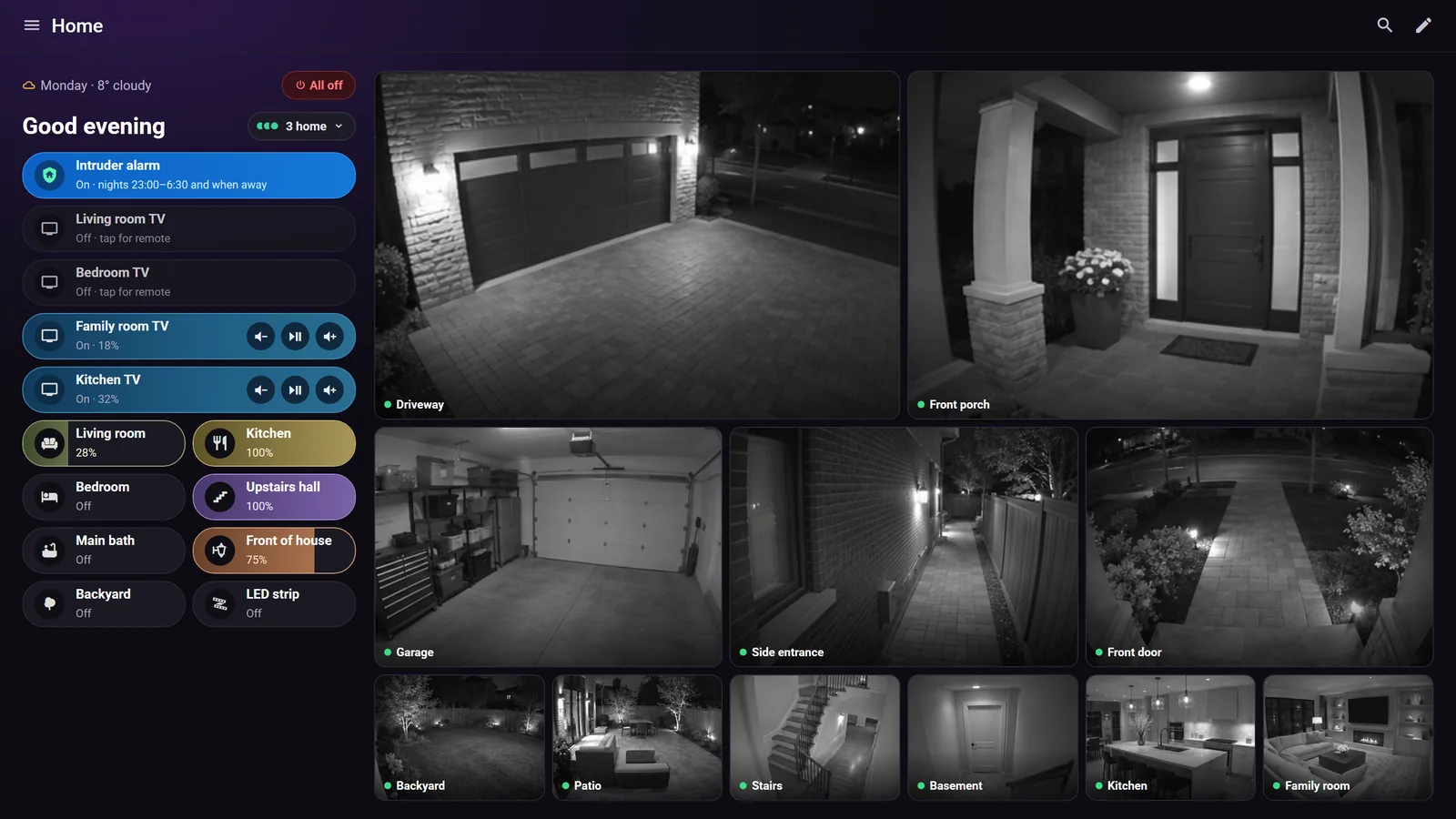
The house had Lutron lighting programmed by Control4, Sonos soundbars, a Denon home theatre receiver, a VSSL amplifier for the family and dining rooms, eleven UniFi Protect cameras with a G4 Doorbell Pro, and four TVs with Apple TVs in three rooms. Each lived in its own app.
We brought all of it into Home Assistant and built a phone home screen for each family member. The cameras now act as sensors: glass break and smoke alarm sounds set off the whole-house alarms, and a person at the driveway at night turns on the outside lights. The doorbell rings through the dining room speakers.
On the way we found a hidden Control4 rule that switched the outside lights off twenty minutes after they came on, and removed it. Read the full project write-up.
Which brands can Home Assistant connect?
Most of what is already in your house. Home Assistant has official integrations for the main lighting, audio, camera, TV and climate brands we install, plus community add-ons for many others. We check your equipment list before the visit and tell you what connects, what connects through the maker’s cloud, and what doesn’t.
Lighting and Shades
Lutron Caséta, RA2 Select, RadioRA 3 and HomeWorks QSX, Philips Hue, and lights and scenes on an existing Control4 system.
Speakers and Home Theatre
Sonos, Denon and Marantz receivers through HEOS, Bluesound, Google Cast speakers, and VSSL amplifiers through a community integration. See our Sonos installation work.
Cameras and Doorbells
UniFi Protect, Reolink and DoorBird report a doorbell press over your home network straight away. Ring and Google Nest work through their cloud and can lag. See our security camera installation.
TVs and Streaming
LG, Samsung and Sony TVs, Apple TV, and Android and Google TV boxes: power, volume, apps and playback from the same app as the lights.
Alarm and Sensors
Ajax alarm events over your home network, door and window sensors, leak sensors and smart locks, so a sensor in one brand can set off lights or speakers in another.
Network and Climate
UniFi networks, ecobee and Nest thermostats, smart plugs and garage door openers. Phones on your Wi-Fi tell the system who is home.
Is a Home Assistant alarm a monitored alarm?
No. A Home Assistant alarm warns everyone in the house and on your phones, but nobody is watching it and it never calls the police on its own. For monitored protection we install an Ajax alarm connected to a monitoring station, and, where your hub can report to both, Home Assistant listens to it, so a monitored alarm can also flash the lights and sound the speakers.
We confirm that your Ajax hub can report to the monitoring station and to Home Assistant at the same time before we quote the work. Read our Ajax alarm guide for how the app and the alerts work.
- Home Assistant alarm: lights, sirens on speakers, TVs and phone alerts
- A one-tap Call 911 button on the alert, pressed by you
- Ajax with a monitoring station for professional monitoring
- Ajax alarm events (intrusion, leak, smoke) feeding the same automations
- Every alarm automation tested with you before handover
Got great gear stuck in separate apps?
Send us a list of what you have: lights, speakers, cameras, TVs and alarm. We tell you what Home Assistant can connect and what the installation costs.
Toronto · North York · Vaughan · Richmond Hill · Markham · Mississauga · Oakville · Aurora Contact UsHome Assistant Questions
Answered
Home Automation Near You in the GTA
SetupTeam serves communities across the Greater Toronto Area.
Book Your Home Assistant Installation
A starter installation is $799 + HST with the hardware included, and whole-home integration starts at $2,499 + HST. After that, tell us what you want your home to do and we build it remotely.
Home Assistant is a trademark of Nabu Casa, Inc. SetupTeam is an independent installer and is not affiliated with Nabu Casa.

