

Home Cybersecurity in 2026: Why Your House Needs a Real Firewall
Home networks became a soft target in 2026. Criminals rent botnets built from living-room TV boxes, steal saved passwords with infostealer malware and clone voices with AI. A UniFi firewall with a dedicated IoT network cuts the risk, and installation starts around $1,500 before HST.
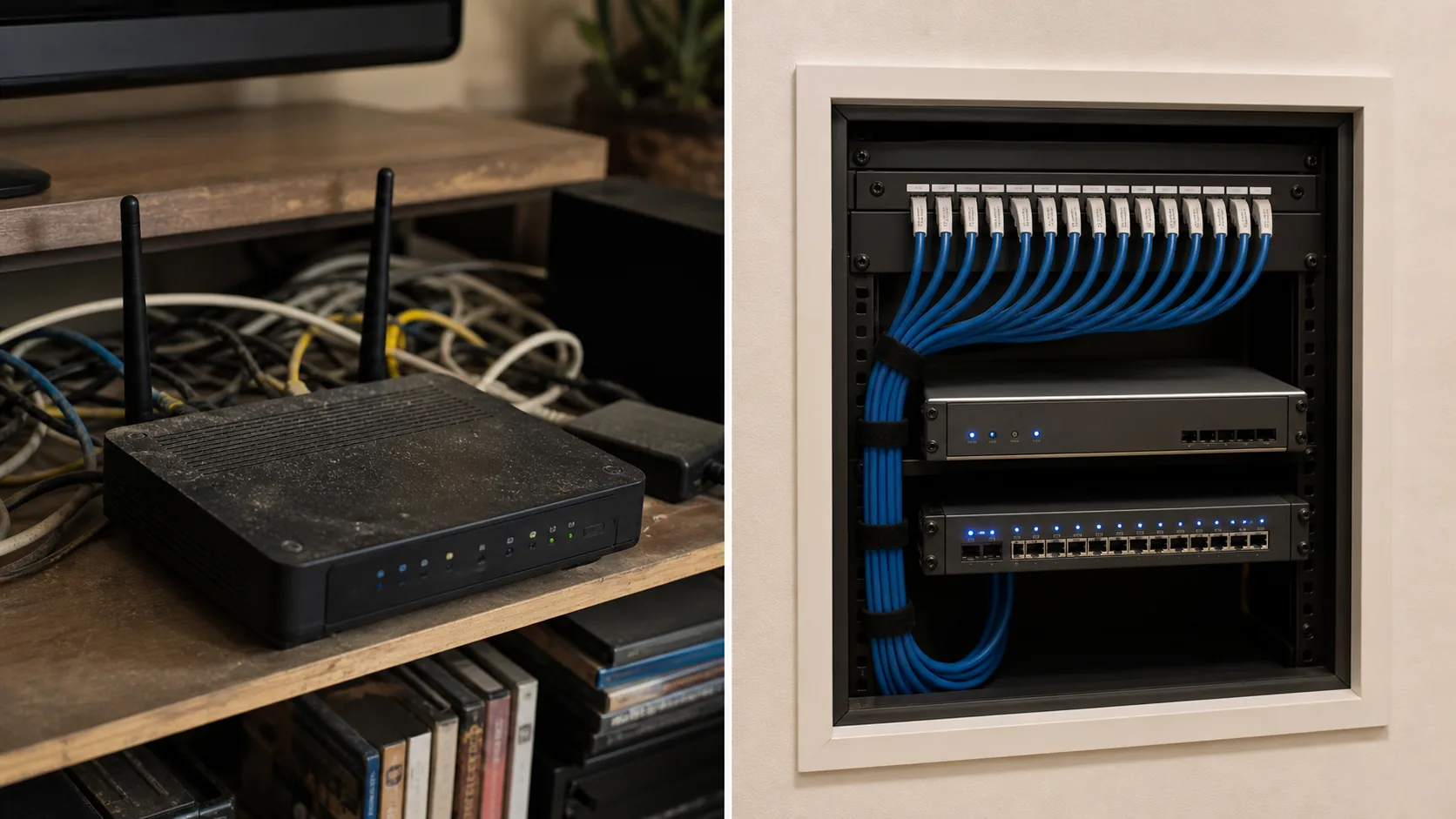
Picture a Tuesday evening. A laptop sits open on the kitchen island with a banking tab loaded. Two tablets stream video, a doorbell camera watches the porch, and a smart plug bought online runs the garage heater. All of it shares one Wi-Fi network, served by the free router your internet provider handed over. Criminals have built a business around that arrangement. Canadians reported over $704 million in fraud losses in 2025, a record1, and the FBI has warned that streaming boxes and picture frames can arrive with malware already installed2.
Why is 2026 different for home network security?
Four forces arrived together. Criminals rent botnets built from ordinary home devices, infostealer malware turns one infected laptop into a stolen bank login, AI tools clone voices and write convincing scams, and state-backed groups hide operations inside household routers. Your home network sits under all four.
Cloudflare counted 47.1 million DDoS attacks in 2025, up 121% on the year before, including a record 31.4 Tbps attack that lasted 35 seconds3. Cloudflare's defences locked onto botnets such as Aisuru-Kimwolf during that attack. Android TVs make up most of Aisuru-Kimwolf, which Cloudflare estimates at 1 to 4 million infected hosts. Those TVs sit in living rooms and basements.
Microsoft reported that Lumma Stealer infected over 394,000 Windows computers worldwide between 16 March and 16 May 2025, harvesting passwords, credit cards, bank account details and cryptocurrency wallets4. A court order let Microsoft seize or block about 2,300 malicious domains. The count is global and carries no Canadian breakdown, but it shows how fast one piece of software can empty the saved logins on a household laptop.
The FBI's 2025 Internet Crime Report carries a section on artificial intelligence, with 22,364 complaints and about $893 million in losses5. A December 2024 FBI warning describes one method: criminals use AI-generated audio that mimics a relative's voice to demand urgent money6.
The Canadian Centre for Cyber Security reports that Russian and PRC state-sponsored actors have routed operations through compromised small office and home office network equipment, including routers belonging to unsuspecting households and businesses, so their traffic blends into normal activity7. A router in a hallway closet can carry traffic for people its owner has not met.
None of this requires a household to do anything careless. It requires equipment that goes unpatched, devices that no one vets and a single flat network on which any device can reach any other.
How big is the problem for Canadians and Americans?
Reported fraud losses in Canada reached a record of over $704 million in 2025, according to the Canadian Anti-Fraud Centre1. The real total is higher, because the CAFC puts the share of frauds that get reported between 5% and 10%.
Not all of that fraud starts on a home network, and no source we found splits it that way. The Canadian Centre for Cyber Security still judges it near certain that fraud and scams are the most common form of cybercrime affecting Canadians7. Statistics Canada's 2022 online safety survey found that 40% of Canadian internet users aged 15 and older had received fraudulent emails or messages, 11% had a virus or malware, and 9% were victims of payment card fraud8. The 40% counts people who received a scam message; the 9% counts people whose cards criminals misused.
The Canadian Anti-Fraud Centre's reported losses rose from $383 million in 2021 to $530 million in 2022, $567 million in 2023, over $638 million in 2024 and over $704 million in 20251.
Fraud losses reported to the Canadian Anti-Fraud Centre, 2021 to 2025
Canadian dollars, millions. Reported losses only: the CAFC estimates that 5% to 10% of frauds are reported. The 2024 and 2025 figures are published as “over” these amounts.
Sources: Canadian Centre for Cyber Security (2021 to 2023); CAFC 2024 and 2025 releases.
View the data as a table
| Year | Reported losses (CAD) |
|---|---|
| 2021 | $383 million |
| 2022 | $530 million |
| 2023 | $567 million |
| 2024 | $638 million (over) |
| 2025 | $704 million (over) |
Reported losses rose in each of those five years, and the total since 2022 now exceeds $2.4 billion1.
South of the border, the FBI's Internet Crime Complaint Center received 1,008,597 complaints in 2025, up from 859,532 in 2024, with about $20.9 billion in reported losses, a 26% rise5. Cyber-enabled fraud made up $17.7 billion of that total, 85% of all reported losses, and investment fraud was the largest category at over $8.6 billion. People over 60 reported about $7.7 billion. These are US figures and they describe Americans, but the criminals who target Americans work the same tools against Canadians.
The FBI's reported losses climbed from $4.2 billion in 2020 to $6.9 billion in 2021, $10.3 billion in 2022, $12.5 billion in 2023, $16.6 billion in 2024 and $20.9 billion in 20255.
Reported cybercrime losses in the United States, 2020 to 2025
FBI Internet Crime Complaint Center. US dollars, billions. Reported losses only, so the real total is higher.
Source: FBI IC3 2025 Internet Crime Report, losses by year. US data.
View the data as a table
| Year | Reported losses |
|---|---|
| 2020 | $4.2 billion |
| 2021 | $6.9 billion |
| 2022 | $10.3 billion |
| 2023 | $12.5 billion |
| 2024 | $16.6 billion |
| 2025 | $20.877 billion |
Reported losses grew close to fivefold in five years5.
Four numbers that frame the problem
All four point at the equipment inside the house.
How does a house get hacked?
Houses get hacked through five doors: the router or another edge device, cheap smart gadgets, stolen logins, phishing and cloned voices, and the work laptop. Criminals pick the weakest door, and a flat home network lets them walk from one room of devices into the next.
The router and other edge devices
The FBI warned in May 2025 that routers dated 2010 or earlier may no longer receive software updates, and that criminals infect them with variants of TheMoon malware, which does not require a password10. Infected routers act as proxies that hide the identity of whoever runs the crime. The FBI's advice is to replace end-of-life routers, apply updates at once, disable remote management and reboot, and use strong unique passwords of 16 to 64 characters.
CISA and the FBI raised the same weakness a year earlier, after the PRC-sponsored Volt Typhoon group compromised small office and home routers11. Their January 2024 alert urged manufacturers to ship routers with automatic updates switched on and the web admin interface limited to the LAN side. Owners should not assume their router ships that way. A check takes minutes in the admin page.
Streaming boxes and other gear that arrives infected
The FBI's June 2025 BADBOX 2.0 warning describes a botnet of millions of infected devices: TV streaming boxes, digital projectors, aftermarket car infotainment units and digital picture frames, made in China2. The malware comes preinstalled, arrives with app downloads during setup, or spreads through unofficial app stores, and criminals sell or give away access to the home networks these devices sit on.
Brian Krebs reported in January 2026 on the Kimwolf botnet, which Synthient counts at more than 2 million infected devices, about two-thirds of them unofficial Android TV boxes, and which XLab counts at no fewer than 1.8 million12. Attackers tunnelled through residential proxy networks into the local networks of the proxy endpoints, then infected other devices on the same LAN. Many of the TV boxes ship with Android Debug Bridge on port 5555 open and no authentication. Krebs advises using the router's guest Wi-Fi for visitors so that guests cannot reach local printers, shared drives and NAS units.
Separation limits how far an infection spreads. It does not clean an infected box.
Stolen logins that end in a bank account
An infostealer such as Lumma does not break through a firewall. It rides in on a download, a fake installer or a booby-trapped ad, then copies the saved passwords and card details from the browser4. A firewall with intrusion prevention and content filtering can block known malicious traffic, and it lowers the odds. It cannot replace a password manager and multi-factor authentication.
Phishing, voice cloning and the scam that asks you to approve it
The FBI warns that criminals use AI-generated audio of a person to try to access that person's bank account, and AI audio of a relative to demand urgent money6. The bureau recommends that families agree a secret word or phrase. Older relatives carry heavy exposure: people over 60 reported about $7.7 billion in US losses in 20255. A firewall sees none of this, because the victim picks up the phone or taps the link.
Remote work on the same network as the rest of the house
A work laptop that connects to employer files shares a flat home network with a streaming box from an unknown maker. If someone compromises that box, it sits one hop from the laptop. Krebs advises putting visitors on a guest network so they cannot reach local devices12, and the FBI tells owners to assess their IoT devices for compromise2. The same logic covers any gadget you cannot vet: keep it away from the machines that matter. The NSA's home network guidance, as reported by Malwarebytes and CSIAC, also calls for a separate guest network, updated equipment and administration limited to the internal network13.
How many devices share your network, and which ones do attackers target?
The average household now has 22 connected devices and faces an average of 29 attack attempts per day, up from about 10 in 2024, according to a 2025 report from Bitdefender and NETGEAR based on telemetry from more than 6.1 million smart homes in North America, Europe and Australia9.
Two cautions come with that number. NETGEAR sells routers and co-sponsored the report, and the count covers scans and exploit attempts. It does not count successful breaches9. The data also spans several regions and carries no Canada-only breakdown. Even with those limits, the direction is plain: the report counted 13.6 billion IoT attacks and 4.6 billion exploitation attempts between January and October 2025.
Walk through a typical house and 22 devices arrive fast. Two phones per adult, a work laptop, a family tablet, a TV and streaming stick in the living room, a second TV in the basement, a doorbell camera, a thermostat, a robot vacuum, four smart plugs, a printer and a game console pass that mark sooner than owners expect.
Attackers do not aim at those devices in equal proportion. The same report found streaming devices at 25.9%, smart TVs at 21.3% and IP cameras at 8.6% of detected IoT vulnerabilities, over half combined9. The remaining 44.2% spreads across all other device types.
Where the vulnerabilities in connected homes sit
Share of detected IoT vulnerabilities by device type, 2025. Telemetry from more than 6.1 million smart homes.
Source: Bitdefender and NETGEAR 2025 IoT Security Landscape Report. Vendor data; the last row is the remainder to 100%.
View the data as a table
| Device type | Share of detected IoT vulnerabilities |
|---|---|
| Streaming devices | 25.9% |
| Smart TVs | 21.3% |
| IP cameras | 8.6% |
| All other device types (calculated) | 44.2% |
Streaming boxes, TVs and cameras top the list, which tells you where to place your first layer of separation.
The report also found that 99.4% of IoT exploits target already-known and fixed flaws9. A fix already existed for almost all of those flaws. Updates matter more than almost any other habit, and managed updates remove the need to remember them.
Why can't the router from your internet provider defend your home?
A provider-supplied router gets you online. It routes traffic and carries a basic firewall, but it gives you little control over the rules between your own devices, and the provider decides when its firmware updates. Capabilities vary by model, and we check yours during the review.
The NSA's home network guidance advises owners to check whether their ISP updates their router13. The FBI's warning about routers dated 2010 or earlier shows what happens when old gear stays in service: no updates, a known infection method, and a home network doing a criminal's work10.
CISA and the FBI asked manufacturers to ship routers with automatic updates on and the admin interface limited to the LAN side11. Your router may follow that advice or it may not.
Provider routers put each device on one network, so a compromised TV box and the laptop with your banking tab share a room. A firewall with IDS/IPS, zone-based rules and separate networks changes that room into several, with locked doors between them.
Replacing the provider router does not mean cancelling your plan. Bell and Rogers both support bridge mode, which turns their gateway into a modem: you keep your plan and speeds, and the UniFi gateway handles routing, the firewall and Wi-Fi. We make that change during installation.

What does a real firewall do for a house?
A firewall decides which connections may enter and leave your network and which devices may talk to each other. A real home firewall tracks each connection, scans traffic for known attack signatures, filters bad destinations and applies rules by zone. A UniFi gateway includes all of these14.

Stateful filtering
A stateful firewall remembers which conversations your devices started and lets the matching replies back in. A connection that arrives from the internet without an invitation gets dropped. Remote management stays off, which matches the FBI's advice for home routers10.
Intrusion detection and prevention
The UniFi gateway's built-in IDS/IPS scans traffic against known threat signatures, with a detect-only mode that logs matches and a block mode that drops them14. Ubiquiti's published specifications list throughput with IDS/IPS switched on: 1 Gbps on the Cloud Gateway Ultra, 2.3 Gbps on the Dream Router 7 and 5 Gbps on the Cloud Gateway Fiber15. Signature matching catches known threats, so brand-new attacks can pass.
UniFi also sells an optional subscription, CyberSecure by Proofpoint and Cloudflare. It adds a larger Proofpoint-powered signature set, with over 55,000 signatures in the standard tier and over 95,000 in the Enterprise tier16. The built-in IDS/IPS works without it, and the subscription is a separate decision that we cover with you in the review.
Content filtering
The gateway offers content filtering with ad blocking, per-network filters and schedules14. You can use that to give a kids' network a stricter filter and a bedtime schedule while the work network stays light. CyberSecure adds Cloudflare-powered content filtering with 100+ categories16.
Zone-based rules
Ubiquiti described zone-based firewall policies in its Network 9.0 release in January 2025, with zones such as Internal, External, Gateway and VPN14. Rules read close to plain language: the IoT network may reach the internet, and it may not start a conversation with the Internal zone. The gateway also runs WireGuard and OpenVPN servers, so you can reach home files from a hotel without opening your network to the internet.
Updates and per-device visibility
The UniFi app lists the devices on your network, so an unfamiliar one stands out. The FBI's BADBOX advice includes monitoring home network traffic and assessing IoT devices2. Managed firmware updates close the gap that the 99.4% figure describes9.
A firewall lowers the chance of a successful attack and limits how far one can spread. It cannot approve or refuse a scam on your behalf.
What is an IoT network, and why does your home need one?
An IoT network is a separate section of your home network reserved for connected devices such as TVs, cameras, plugs, speakers and appliances. Those devices go on their own network so that, if an intruder takes over one, that intruder cannot reach the laptop with your banking tab or the NAS holding your family photos. SetupTeam builds one in each install.
What counts as an IoT device
IoT stands for Internet of Things: anything that joins your Wi-Fi and is neither a laptop nor a phone. Smart TVs, streaming sticks and soundbars qualify. So do doorbell and security cameras, thermostats, smart plugs and bulbs, robot vacuums, garage door controllers, baby monitors, connected appliances and digital picture frames. Game consoles and printers sit near the line, and we place them case by case during the review.
Why these devices are the weak link
Phones and laptops get updates on a regular schedule and prompt you to install them. Many IoT devices run thin software, receive few updates and have no screen where you would see a warning. They are also the devices attackers prefer: the Bitdefender and NETGEAR report names streaming devices, smart TVs and IP cameras as among the most targeted9. BADBOX 2.0 devices arrive pre-infected2, and many Kimwolf-infected TV boxes ship with an open debug port and no authentication12.
A device you cannot patch and cannot trust belongs on a network where the damage stays small.
What a VLAN is, in kitchen-table terms
Picture your home network as a house with one big open room. Any device in the room can walk up to any other. A VLAN, short for virtual LAN, adds interior walls and doors. Each walled room becomes its own network, and the gateway acts as the doorman with a written rule list.
On a UniFi system, your phone and laptop join the main Wi-Fi name. The TV, the plugs and the camera join the IoT Wi-Fi name. Visitors join the guest name. You see three Wi-Fi networks in your phone's list, and behind them the firewall treats three separate rooms.
What the rules between networks say
Each network gets a short rule set that we write and test:
- The main network can reach the internet and can open connections to IoT devices, so your phone can control the TV and the thermostat.
- The IoT network can reach the internet, and it cannot start connections to the main network, so a compromised plug cannot scan your laptop or your NAS.
- The guest network reaches the internet and nothing else, the arrangement Krebs recommends for visitors12.
- The gateway's admin interface stays reachable from the internal network alone, in line with the CISA and FBI request to limit web administration to the LAN side11.
A new gateway does not isolate anything on its own. Someone has to write the rules, place each device on the right network and test the result, which is the work we do on installation day. We document each rule so you can see what we set and why.
What still works across networks
Casting from your phone to the TV, printing from your laptop and controlling a speaker from the app all keep working. We enable the gateway's discovery relay between the networks that need it, open the specific paths each device uses and test casting, printing and speaker control before we leave. The traffic that stops is the traffic a smart device has no reason to send, such as a TV box probing your laptop.
What segmentation cannot do
Segmentation limits spread. It does not clean a box that already carries malware, and it does not remove the need to replace a device that criminals have compromised at the factory2, 12. The FBI's advice to avoid unofficial app marketplaces and buy gear from known makers still applies.
Same camera, same attack, two different networks
An exploit reaches the camera, the camera scans the network, and the laptop with the banking session is exposed because nothing separates them.
The gateway drops the known exploit. A new exploit may still compromise the camera, but the camera sits on the IoT network and a firewall rule blocks it from reaching the laptop.
In the animation, the same camera falls to the same attack on both networks. On the flat network the attack walks on to the laptop. On the segmented network the gateway drops the known exploit, and when a new exploit gets through anyway, a firewall rule stops the camera from reaching the trusted network.
If you want your own network reviewed, book a $300 plus HST on-site network review, credited when you go ahead.
Want to know what is on your home network?
Book a $300 plus HST on-site network review. We map your devices, check your router and send a recommended UniFi equipment list with a supply-and-install estimate. The fee is credited when you hire us: in full over $1,000 of labour, half below that.
Why does SetupTeam build home networks on UniFi?
UniFi puts enterprise-style tools in one gateway and one app: a firewall with zone-based policies, VLANs, IDS/IPS and content filtering14. Prices start around $1,500 installed for a condo before HST, and the same platform scales from a condo to an estate without a change of system.
The built-in features come with the gateway: the firewall, VLAN separation, the IDS/IPS in detect-only or block mode, content filtering, and WireGuard and OpenVPN servers14. The optional CyberSecure subscription adds a larger signature set and Cloudflare-powered filtering for households that want them16.
Wired access points give the strongest Wi-Fi. A Cat6 cable to each access point beats a wireless mesh relay on speed and consistency, because each access point has its own cable to the switch, while a mesh node also spends airtime relaying traffic to the next unit. Our articles on why custom homes need wired access points and on retrofitting Ethernet in a finished house cover the cable side in detail. If new cable is not an option, we install UniFi Express 7 mesh instead.

One app runs the whole system. You see devices, networks and rules in UniFi OS and the mobile app, and we walk you through them before we leave. The first year of Essential Care covers firmware management and remote troubleshooting, so updates do not depend on you remembering them.
Our largest residential job to date was about $15,000. If you are weighing UniFi against enterprise network systems, our comparison article covers it.
Where UniFi has limits
UniFi has had vulnerabilities. Ubiquiti published Security Advisory Bulletin 064 on 21 May 2026 and updated it on 22 May, covering critical UniFi OS vulnerabilities, including CVE-2026-33000 (CVSS 9.1, command injection) and four related CVEs, three of them rated CVSS 10.017. Ubiquiti fixed them in later UniFi OS releases, and fix versions differ by device. The lesson matches the FBI's router advice: software gets patched, and owners have to install the patches10. We manage firmware updates through Essential Care in the first year, and we do not expose the admin interface to the internet with port forwards, as CISA and the FBI ask of router makers11.
The firewall does nothing until someone configures it. IDS/IPS catches known signatures and can miss new attacks. Essential Care covers firmware management and remote troubleshooting. We do not run a security operations centre, and no installer can promise that a breach will not happen. A UniFi system lowers risk, and we keep that claim modest on purpose.
What does a UniFi home network cost, and what is included?
Typical condo and apartment installs run $1,500 to $3,500 before HST, detached homes $4,500 to $9,500, and we quote estates after a visit. UniFi Express 7 mesh starts at $1,200 for a 2-pack and $1,500 for a 3-pack, installed. Each project starts with a $300 plus HST on-site consultation.
| Home type | Price before HST | What it covers |
|---|---|---|
| Condo or apartment | $1,500 to $3,500 | UDR7 or Cloud Gateway Max, one U7 Pro access point, carrier router moved to bridge mode, VLAN setup, little or no new cable |
| Detached home | $4,500 to $9,500 | Gateway and firewall, PoE switch, Cat6 to each access point, mounting, VLANs, guest and IoT networks |
| Estate | Quoted after a visit | Larger layouts with several buildings or floors scoped on site; our largest residential job to date was about $15,000 |
| UniFi Express 7 mesh | From $1,200 (2-pack), $1,500 (3-pack) | Whole-home Wi-Fi 7 mesh where new cable is not an option |
| On-site consultation | $300 plus HST | Property walk-through, device review, equipment list and estimate; credited when you hire us: in full over $1,000 of labour, half below that |
A full install includes the gateway and firewall, a PoE switch, Cat6 to each access point, access point mounting, controller setup, VLANs, a guest network and an IoT network. It also includes firewall rules that stop a compromised smart device reaching a laptop or NAS, each rule documented, a test of each device, a walkthrough of UniFi OS and the app before we leave, and the first year of Essential Care.
That puts enterprise-grade protection from about $1,500, and for a small home the Express 7 2-pack at $1,200 comes in lower.
Already own UniFi equipment that someone set up as one flat network? Our remote UniFi security check-up starts with a free, read-only look and a plan in plain words. With your yes, we add the firewall rules, the IoT and guest networks and the threat blocking remotely, with no visit: $299 plus HST, or included when you prepay a year of Essential Care. If you'd rather do it yourself, our UniFi VLAN and firewall setup guide covers the steps.
Set the price against the losses. Canadians reported over $704 million in fraud losses in 20251, and the FBI logged about $20.9 billion in US losses5. A $1,500 to $3,500 network cannot reverse a scam you approve yourself. It does cut the odds that a compromised TV box reaches your banking laptop, and it spares you the time and expense of replacing hacked accounts and gear. We have no verified per-household loss figure to quote and we will not invent one.
SetupTeam has completed more than 10,000 projects. We are bonded, WSIB-covered and carry $2M liability insurance, and the company holds 530+ five-star Google reviews.
The consultation comes first because the right design depends on your house. We walk the property, learn how your household uses the network, then send a recommended equipment list and a supply-and-install estimate. If you hire us for the install, the $300 is credited in full when labour is over $1,000, and half when it is $1,000 or less.
Get a firm number for your house
Condo installs typically run $1,500 to $3,500 and detached homes $4,500 to $9,500, before HST. The on-site review turns that range into a quote for your layout, your devices and your internet provider.
What does installation day look like?
Installation day follows a fixed order, because each step depends on the one before it. A condo may finish fast and a detached home takes longer, and we confirm the timing in your estimate.
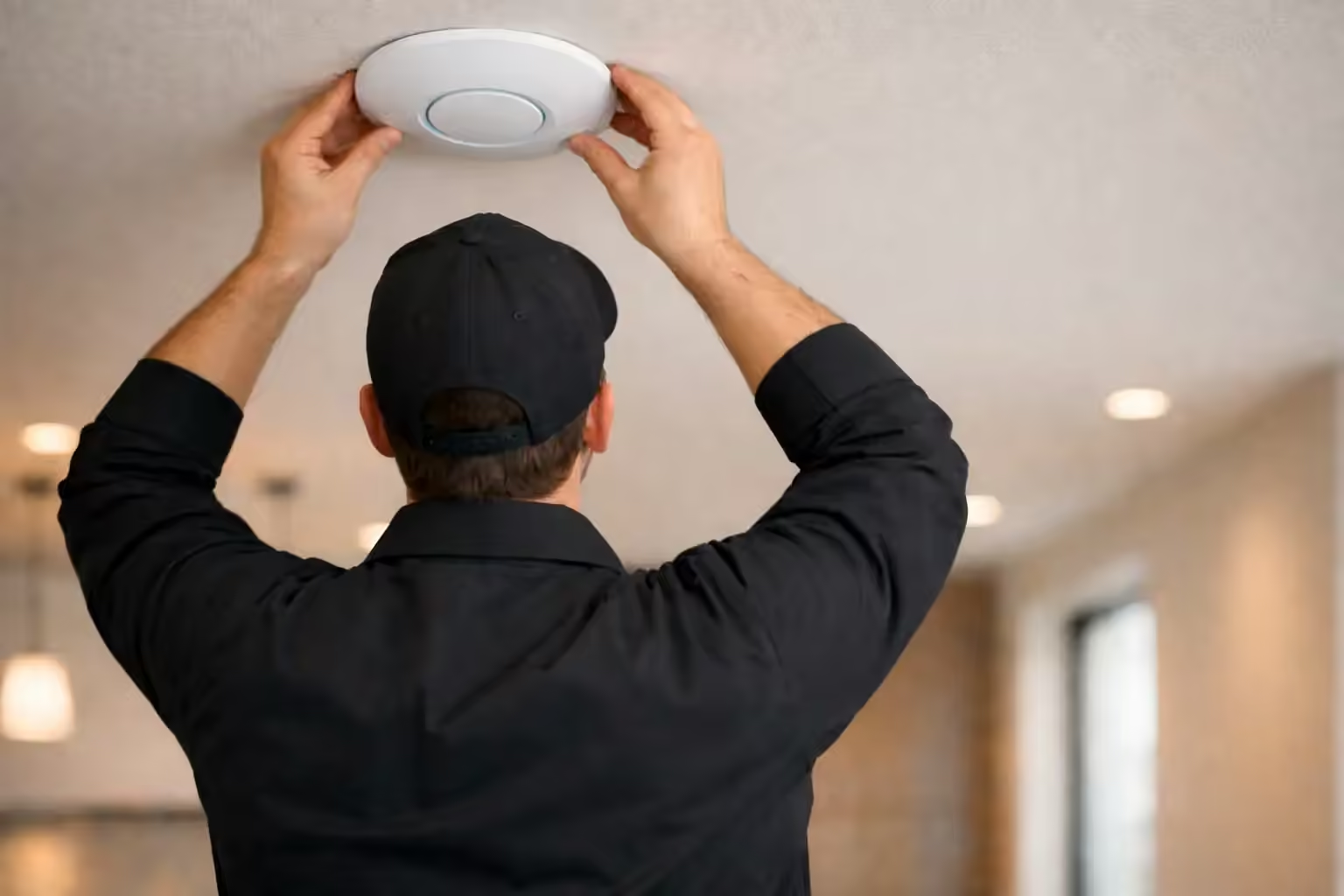
- Move the carrier router to bridge mode. Bell and Rogers both support it, and you keep your plan and speeds.
- Install the gateway and firewall and the PoE switch, run Cat6 to each access point and mount the access points.
- Set up the controller and create the networks: main, guest and IoT, each on its own VLAN.
- Write the firewall rules, set the IDS/IPS mode and document each rule.
- Move each device to the right network, then test casting, printing, cameras, speakers and each remaining device.
- Walk you through UniFi OS and the app, and start the first year of Essential Care. Our UniFi app guide covers the same ground if you need it later.
What does a firewall not do, and what can you fix today for free?
A firewall does not stop you from typing a password into a fake bank page, reusing one password across sites or approving a scam call. It lowers risk and limits damage, and habits cover the rest. Most items on this checklist cost nothing, and the FBI's May 2025 router warning explains why the first four matter.
- Change the router admin password to a strong, unique one. The FBI recommends 16 to 64 characters10.
- Install firmware updates now, and turn on automatic updates if your router offers them10, 11.
- Turn off remote management, then reboot the router10.
- Replace end-of-life gear. A router dated 2010 or earlier may no longer receive updates10.
- Turn on multi-factor authentication for email, banking and your password manager.
- Use a password manager so that each site gets its own long password.
- Update phones, laptops, TVs and cameras, and let them update themselves where the setting exists9.
- Change default passwords on cameras and doorbells.
- Put visitors on the guest Wi-Fi12, 13.
- Agree a secret word with your family for urgent money requests6.
- Avoid unofficial app stores and no-name streaming boxes2.
Our article on the 2026 FBI router warning walks through the router steps for GTA homeowners. These habits and a well-built network work together. The habits protect your accounts, and the network limits what a compromised device can reach.
Who should book a network security review now?
Book now if your household banks online, works from home, runs cameras or smart-home gear, has children or gamers online, or includes older parents who handle money on a phone. The review is $300 plus HST, credited when you go ahead.
Work-from-home households
A work laptop shares your Wi-Fi with each gadget in the house. A separate main network for work devices and an IoT network for the rest keeps one compromised box from sitting beside company files.
Cameras and smart-home owners
Cameras, doorbells and locks make a house safer when the network behind them holds up. IP cameras account for 8.6% of detected IoT vulnerabilities in the Bitdefender and NETGEAR data9. Our comparison of Ring and professional security cameras covers the hardware side, and our security camera installation service covers the wiring.
Families with kids and consoles
Game consoles, tablets and school laptops multiply the device count. Content filtering with schedules lets a household set rules per network rather than per device14.
Older parents
Voice-clone and impersonation scams target people who trust a familiar voice, and people over 60 reported about $7.7 billion in US losses in 20255. A firewall does not catch the phone call, so pair the network with a family secret word6.
Small businesses run from home
A home office that takes card payments or stores customer files needs the same separation: business devices on one network, smart devices on another and guests on a third. We scope those setups on site.
SetupTeam serves Toronto and the GTA. For related reading, see our service pages on network installation, UniFi installation, Wi-Fi optimization and mesh Wi-Fi installation.
Ready to separate the devices you trust from the ones you do not?
Call (647) 464-0606 or book online. We confirm your address is in our service area, then book the on-site review.
Frequently Asked Questions
9 answersNo. A firewall lowers risk and limits damage, but it cannot stop you approving a scam, reusing a password or installing a malicious app. Pair it with a password manager, multi-factor authentication and automatic updates, and treat it as one layer among several.
An IoT network is a separate section of your home network for connected devices such as TVs, cameras, plugs and speakers. Firewall rules let those devices reach the internet while blocking them from starting connections to your laptops, phones and file storage.
It should not. We enable the gateway's discovery relay between the networks that need it, open the specific paths each device uses and test casting, printing and speaker control before we leave, so everyday use feels the same.
You keep your plan and speeds. Bell and Rogers both support bridge mode, which turns their gateway into a modem, and the UniFi gateway then handles routing, the firewall and Wi-Fi. We move the carrier router to bridge mode during installation.
Typical condo and apartment installs run $1,500 to $3,500 before HST, detached homes $4,500 to $9,500, and we quote estates after a visit. A UniFi Express 7 mesh starts at $1,200 for a 2-pack and $1,500 for a 3-pack.
The consultation is $300 plus HST. We walk your property, learn how your household uses the network and send an equipment list with a supply-and-install estimate. When you hire SetupTeam for the install, the fee is credited in full if labour is over $1,000, and half if it is $1,000 or less.
Yes. Ubiquiti's May 2026 Security Advisory Bulletin 064 covered critical UniFi OS flaws, including CVE-2026-33000, and Ubiquiti released fixed versions17. That is why firmware management is part of the first year of Essential Care, and why we keep the admin interface off the open internet.
No. The gateway includes a built-in firewall, VLANs and IDS/IPS without it. CyberSecure by Proofpoint and Cloudflare is an optional add-on with a larger signature set and Cloudflare-powered content filtering16. We discuss whether your household's risk justifies it during the review.
Yes. SetupTeam serves Toronto and the GTA, including Etobicoke and North York. Call (647) 464-0606 with your address and we will confirm coverage before you book the $300 plus HST on-site review.
Sources
We checked each figure against the source page on 15 October 2026. Where a number comes from vendor telemetry or a secondary summary, the note says so.
- Canadian Anti-Fraud Centre: 2025 losses and the 5% to 10% reporting estimate (news release, 6 March 2026) and 2024 losses.
- FBI Public Service Announcement I-060525-PSA, BADBOX 2.0 botnet (5 June 2025).
- Cloudflare, DDoS threat report for 2025 Q4 (5 February 2026).
- Microsoft, Lumma Stealer disruption (21 May 2025). The 394,000 count is global.
- FBI Internet Crime Complaint Center, 2025 Internet Crime Report (complaints, reported losses 2020 to 2025, cyber-enabled fraud, people over 60, AI complaints).
- FBI Public Service Announcement I-120324-PSA, criminals use generative AI to facilitate financial fraud (3 December 2024).
- Canadian Centre for Cyber Security, National Cyber Threat Assessment 2025-2026 (information as of 20 September 2024): fraud as the most common cybercrime affecting Canadians, SOHO routers used by state actors, and Canadian fraud losses for 2021 to 2023.
- Statistics Canada, Online Safety in Canada, 2022. The 40% figure counts people who received fraudulent messages, not victims.
- Bitdefender and NETGEAR, 2025 IoT Security Landscape Report (29 October 2025). Vendor telemetry from more than 6.1 million smart homes in North America, Europe and Australia; it counts attack attempts, not breaches, and NETGEAR sells routers.
- FBI Public Service Announcement I-050725-PSA, end-of-life routers and TheMoon malware (7 May 2025).
- CISA and FBI, Secure by Design alert on SOHO routers (31 January 2024).
- Brian Krebs, KrebsOnSecurity, The Kimwolf Botnet is Stalking Your Local Network (2 January 2026), citing Synthient and XLab.
- NSA, Best Practices for Securing Your Home Network (February 2023), as summarised by Malwarebytes.
- Ubiquiti, UniFi Network 9.0 announcement (3 January 2025): zone-based firewall, content filtering, CyberSecure signature tiers. VPN servers per the Cloud Gateway Ultra tech specs.
- Ubiquiti tech specs with IDS/IPS enabled: Cloud Gateway Ultra, Dream Router 7 and Cloud Gateway Fiber.
- Ubiquiti, UniFi CyberSecure by Proofpoint and Cloudflare and the Network 9.0 announcement above.
- Ubiquiti Security Advisory Bulletin 064 (21 May 2026, updated 22 May).
Find out what is on your home network before someone else does
Book a $300 plus HST on-site network security review, credited when you go ahead, and we will walk your property, map your devices and send a recommended UniFi equipment list with a supply-and-install estimate.

